
Is cleaning not working well? Does pumping fail to push ink into the waste ink tank? Are White nozzles not recovering?
- Anyone whose pumping doesn’t properly push ink into the waste ink tank
- Anyone who cleans, but specific channel nozzles — especially White — don’t recover
- Anyone whose specific color suddenly drops out mid-print, or whose colors look faded
- Engineers/operators who need to quickly determine “is this a pumping/cleaning issue, or a DATA/head issue?”
- Pumping and cleaning operate independently of the software, electronic board, DATA cable, and head that manage image data. Not knowing this leads to replacing the wrong parts.
- Ignoring the main ink tank alarm and continuing to use the printer can let air into the ink tube, causing ink to drop out mid-print.
- White requires different maintenance (stirring, pumping time) than Color/Varnish due to pigment settling.
- Pumping/cleaning problems are fastest to isolate by checking above the Captop (ink lines, damper, head) vs. below it (Captop, motor pump, waste ink tank).
- Main bottle→Ink tube→Damper→Head→Captop→Motor pump→Waste ink tank — if air enters anywhere along this flow, pumping fails.
- White pigment is heavy and separates easily, so stirring and pumping time (at least 15 extra seconds) must always be followed.
- Captop surface, degraded ink, yellow tube, and Damper are all consumables requiring regular inspection/replacement.
- The same symptom can overlap with DATA/head issues, so narrowing down the cause with a Swap test first is the fastest way to cut costs.
Ⅰ. Background · Ink Supply Flow Diagram _UV Printer Ink Supply & Cleaning Problems — 23 Articles by Symptom
- When ink is poured into the Main bottle, it flows through the tube to the Damper.
- The Damper holds the ink, preventing it from dripping through the head.
- The motor pump forces ink through Damper→Head→Captop→Motor pump tube→Waste ink tank.
- This process must occur for ink to flow normally from the head during printing.
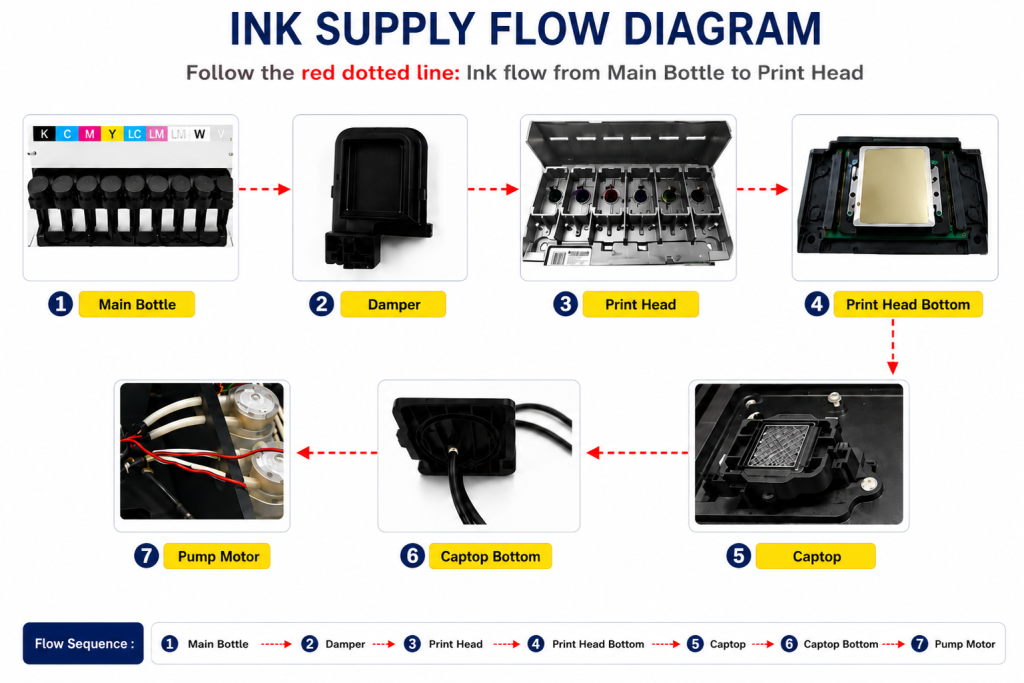
- Top section (left): ink lines, damper, head
- Bottom section (right): Captop, motor pump, waste ink tank
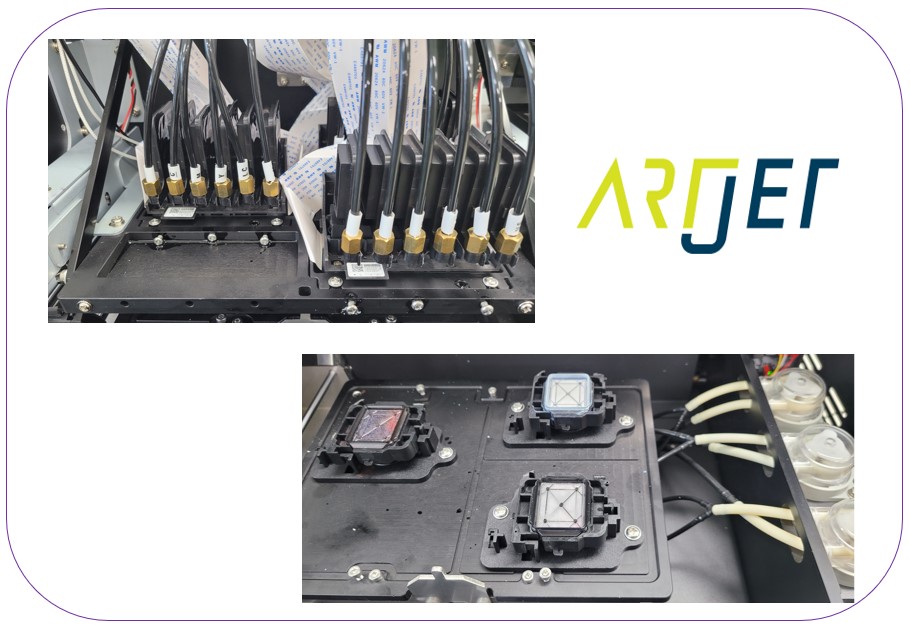
- From the Main bottle to the waste ink tank, air must not enter anywhere along the path.
- The arrows in the photo below mark the zones where air can enter during cleaning/pumping.

Ⅱ. Symptom-Based Diagnostic Table (For Immediate Field Response) _ Printer Cleaning Problems Part 23 Table of Contents
Click the reference numbers in the table below to jump straight to the detailed guide (Parts 1–23).
For pumping/cleaning issues, check above the Captop (ink lines, damper, head) vs. below it (Captop, motor pump, waste ink tank) to narrow down the cause fast.
| Symptom | Likely Cause | Quick Diagnosis | Ref. |
|---|---|---|---|
| Pumping works but a specific channel (usually White) won’t recover | Captop contamination/degraded ink, reduced Damper filter function | Visually check Captop condition → check Damper replacement history | ① ⑨ ⑳ |
| Pumping fails entirely (no ink reaches the waste ink tank) | Worn yellow tube, deformed head protection plate, motor pump failure | Check yellow tube replacement history → check protection plate condition | ④ ⑮ ⑯ |
| Captop and head position misaligned, causing poor cleaning | Poor Captop left/right alignment, Capping station height/level issue | Visually check Captop-head alignment → check Capping station level | ⑤ ⑥ ⑦ |
| Printing is fine at first, then a specific color suddenly drops out | Capping station height (SW setting) issue | Check SW setting change history, re-run test print | ⑦ ⑰ |
| Overall colors look faded/washed out | Reduced White density (separated ink not purged) | Pump White for 15+ seconds, then re-check | ⑱ |
| White scatters messily around the image | Poor White ink condition and Captop maintenance | Check Captop/head surface contamination | ⑲ |
| White cleaning takes unusually long or doesn’t work well | Office temperature below 18–25°C, worn yellow tube/Captop | Check ink tank temperature → check consumable replacement history | ⑬ ⑭ |
| Ink drops out mid-print after ignoring the main ink tank alarm | Air entering the ink tube (exceeded usable limit) | Check usage since the alarm, verify against the ~100ml remaining limit | ㉒ |
| Intermittent channel failure — works sometimes, fails other times | Main ink tube burst (especially White) | Check for ink response when drawing from the damper with a syringe | ⑪ |
| Colors look strange, unclear if it’s DATA or ink supply | Diagnosis needed first (cause not yet determined) | Identify the problem color first, then distinguish DATA vs. ink supply | ㉑ |
| White is completely clogged after a month or more of inactivity | Ink hardening from long-term non-use | Run the IPA cleaning procedure (deactivate channels that don’t recover) | ㉓ |
Ⅲ. Classification Table by Root Cause (For Structural Understanding) _ Printer Cleaning Problems Part 23 Table of Contents
If the same symptom keeps repeating, organizing causes this way is the fastest approach.
| Category | Main Causes / Factors | Typical Symptoms | Characteristics | Ref. |
|---|---|---|---|---|
| A. Captop | Contamination, surface drying, degraded ink, misalignment | Delayed cleaning, poor nozzle recovery | Visually verifiable, resolved by consumable replacement | ① ② ⑤ ⑥ ⑧ ⑨ ⑭ |
| B. Damper | Reduced filter function, overdue replacement | Specific channel nozzle failure, color drop-out | Nozzle recovery fails even when pumping is normal | ③ ⑳ |
| C. Pump Motor · Tube | Worn yellow tube, burst main ink tube | Pumping failure, intermittent White malfunction | Requires regular replacement (recommended every 3 months) | ④ ⑪ ⑫ |
| D. Installation · Alignment | Capping station height/level, deformed head protection plate | Color drop-out mid-print, pumping failure | Requires physical alignment check | ⑦ ⑮ ⑯ |
| E. Usage / Maintenance Habits | Excessive pumping/cleaning, ignoring alarms, SW setting errors | Damper damage, air ingress, color drop-out | Directly tied to operating habits, preventable | ⑩ ⑰ ㉒ |
| F. White-Specific Issues | Pigment separation, hardening from long-term non-use, temperature sensitivity | Reduced density, scattering, nozzle clogging | Easily mistaken for a DATA problem | ⑬ ⑱ ⑲ ㉓ |
| G. Diagnostic Method | Need to isolate cause by color | Only a specific color is off, cause unclear | Diagnose first to prevent the issue from spreading | ㉑ |
Ⅳ. Detailed Guide — 23 Articles on Ink Supply & Cleaning _ Printer Cleaning Problems Part 23 Table of Contents
Each article includes real field cases, step-by-step checks, and precautions.
- There are three types of ink tubes used in printers.
- If you use the tube that goes under the captop as a regular ink tube, you’ll inevitably experience pumping problems, either immediately or later.

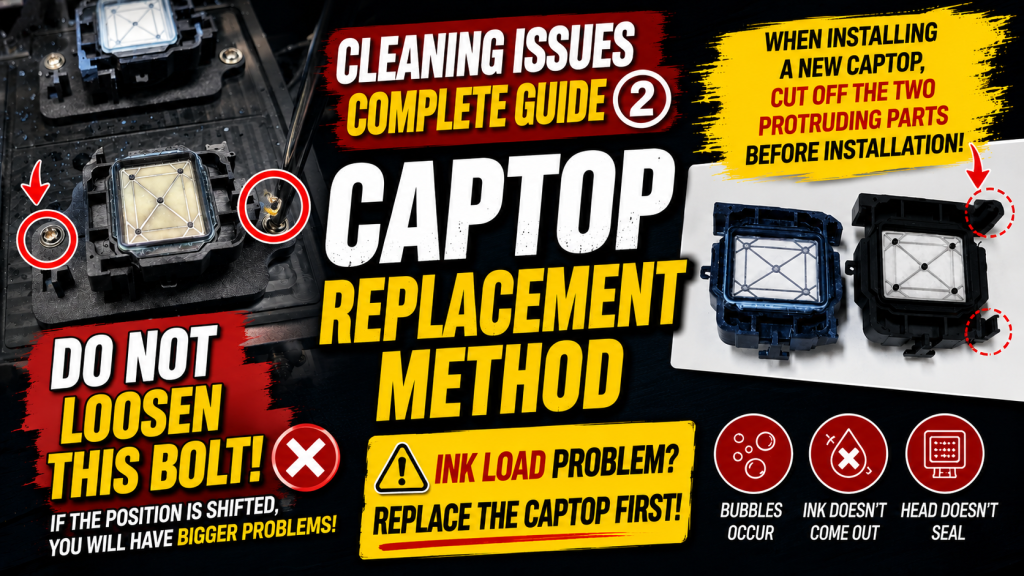
- If this is your first time replacing a cap, it’s going to be a bit of a trial and error process.
- Here’s how to replace a cap.
- Describes pumping problems that can occur due to dampers.
- Explains the importance of the tubing connected to the damper and how to check for any problems with it.

④ The Pump Motor and the Yellow Tube
- Describes a problem with the pump motor and yellow tube that prevented pumping and cleaning.
- If your pump was operating normally but suddenly stopped pumping, you should suspect the yellow tube.

- Explains the problem of misalignment between the captop and head.
- Also explains how to align the captop left and right and how to set the capping station height.
- Setting the capping station height is particularly important.

⑥ How to Manually Align the Captop and Head Position
- If the captop and head position still won’t align properly no matter how hard you try, here’s how to manually adjust them.
- If you’ve checked the captop, yellow tube, and damper but still can’t pump, this procedure will resolve the pumping issue.

⑦ Capping Station Is Not Level and How to Level It
- Check this when the pump is working properly, but a specific channel nozzle in the head isn’t functioning properly.
- After struggling for over a month, this turned out to be the cause.

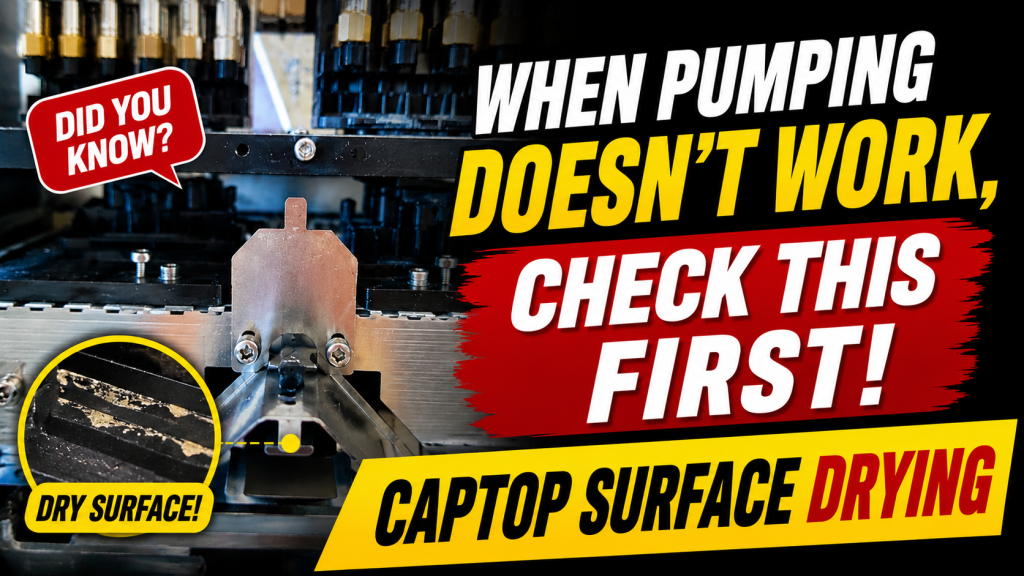
⑧ The Problem of Captop Surface Drying and Its Solution
- A simple issue, but one that first-time printer users sometimes encounter.
⑨ Problem and Solution When Deteriorated Ink Remains Inside the Captop
- Pumping and cleaning work well, but the nozzles don’t recover.
- Almost everything was replaced — ink, damper, head — yet the problem persisted.
- If pumping and cleaning work well but the nozzle pattern doesn’t improve, and the same happens during printing, refer to this section.

⑩ Problems Caused by Too Frequent Pumping and Cleaning
- Occurs when the damper isn’t given time to fill with ink and pumping/cleaning are repeated continuously.
- A simple problem, but one that first-time printer users sometimes experience.

⑪ Symptoms and Solutions When the Main Ink Tube Bursts
- If the nozzle pattern looks good for a specific color but ink leaks out during printing, or you feel no resistance drawing ink from the damper with a syringe, this may be a burst ink tube.
- White is connected to multiple dampers, making this harder to detect.
- If the White nozzle pattern is sometimes good, sometimes not, suspect a burst ink tube.

⑫ How to Replace the Motor Pump Tube
- Includes a video showing how to replace the motor pump tube (yellow tube).

⑬ Why White Cleaning Doesn’t Work Well and Tips for Improvement
- Explains why White cleaning isn’t as effective as Color/Varnish cleaning, and offers tips to make it more efficient.

⑭ Real-Life Cases Where White Cleaning Didn’t Work and How It Was Resolved
- If White cleaning has been poor and taking a long time, and nothing else improves it, replace this part first before checking other issues.

⑮ Problem and Solution That Couldn’t Be Solved Even With Full Knowledge
- Pumping failed even after checking everything.
- The head protection plate, which looked fine from below, was severely dented after the head was removed — this explains what can go wrong.
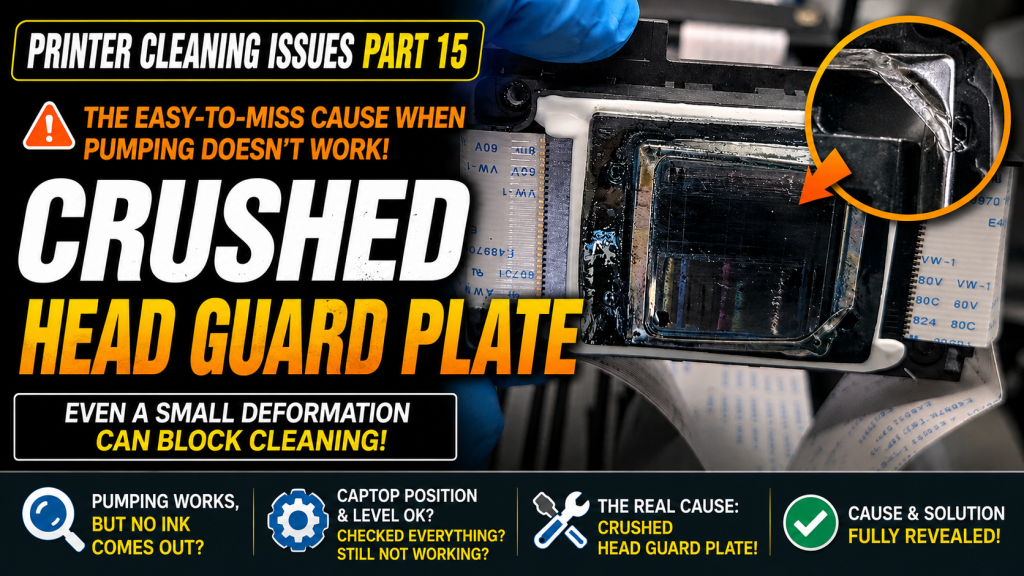
⑯ Pumping Issue Caused by a Cracked Head Protection Plate and Its Solution
- This issue also created a pumping problem — here’s what to do if the head protection plate is slightly loose.

⑰ A Specific Color Suddenly Disappearing During Printing and How to Resolve It
- Nozzle pattern was normal; the first 3–4 test prints were fine, but ink started running out from the fifth.
- Even after replacing all consumables including the ink line, the problem persisted — a simple SW setting change resolved it immediately.
- A real-world example of why capping station height matters.
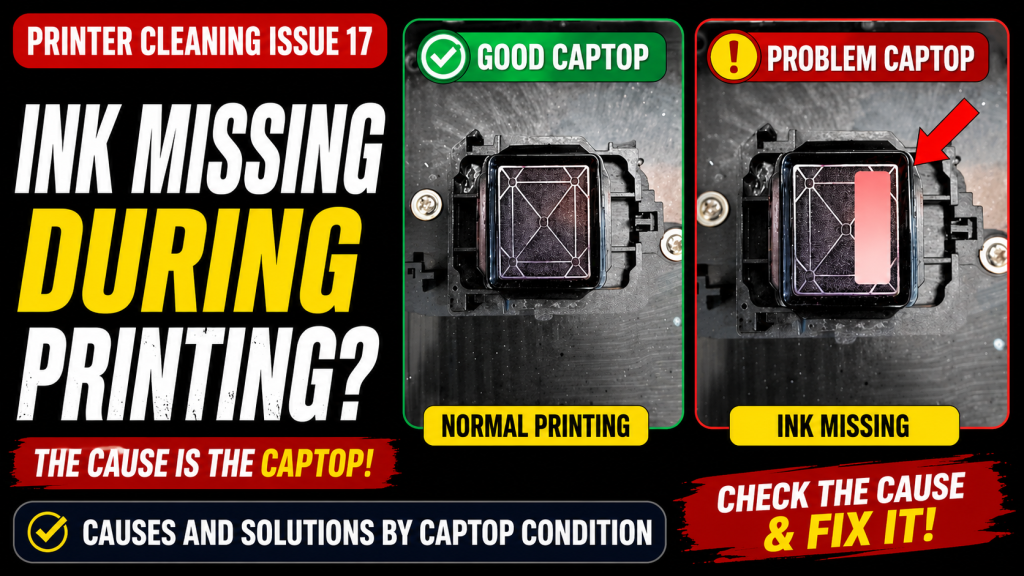
- A simple issue, but one that first-time printer users sometimes encounter.
- Printed colors appear toned down due to White density, not Color density.
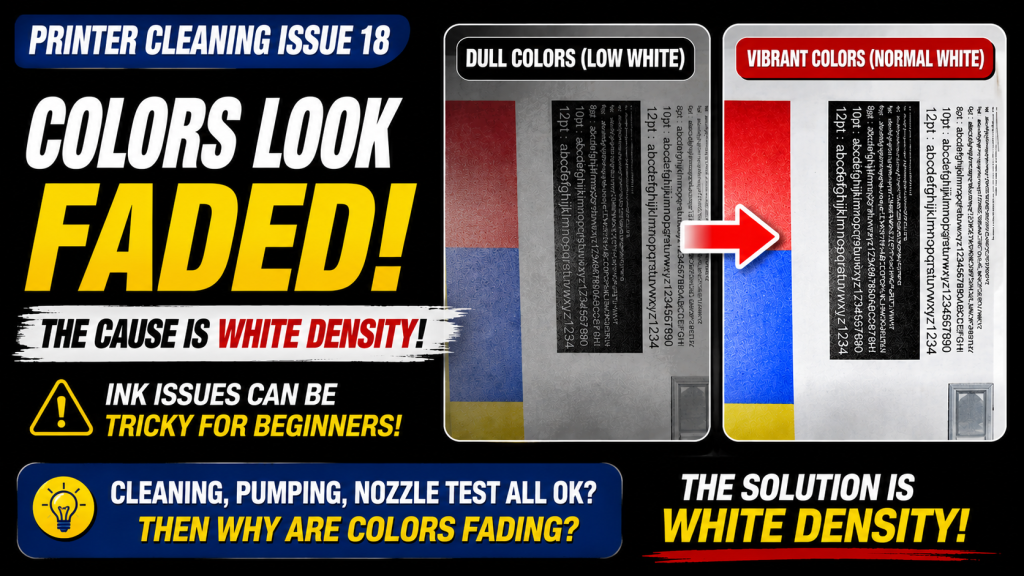
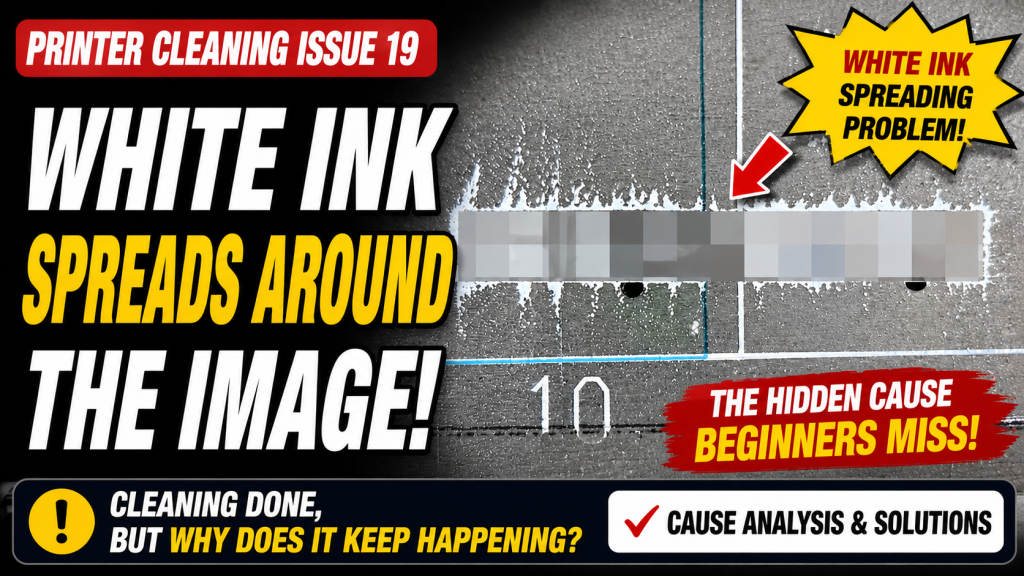
⑲ The Issue of White Ink Flying Around the Image
- Why does White appear scattered around the image? Explains the cause and ways to improve it.
⑳ Two Problems That Arise When You Miss the Damper Replacement Period
- Missing the damper replacement period may cause a specific channel nozzle to malfunction, or colors to fade mid-print even with a healthy nozzle pattern.
- Includes a damper replacement video.

㉑ How to Identify Problematic Colors When They Don’t Appear Correctly
- When colors appear strange during printing, first identify the problematic color.
- Then determine whether the issue is DATA-related or ink-supply-related.

㉒ Problems That Occur When You Ignore the Low Ink Alarm
- If an ink shortage alarm appears in the main ink tank, you can keep using the printer for a short time.
- But if you ignore it and continue printing, ink may run out mid-print.
- Continuing to clean without knowing the right solution may never resolve the issue.

㉓ How to Revive Clogged White Heads
- If a printer isn’t used for a long time, the White nozzle will clog.
- If pumping, cleaning, and test prints all fail to clear a clogged White nozzle, this explains how to finally clear it.

Ⅵ. ARTJET UV Printer
What matters in the field is not “trouble-free equipment,” but:
you can find the cause and solve the problem when it occurs.
to support faster and more accurate problem resolution.

핑백: Can I print on reflective material _Head related issues 4 _ ARTJET 2026
핑백: Recovering a UV White Print Head After 1 Month Idle (Real Field Case, XP600)
핑백: Print Head End-of-Life Symptoms
핑백: Solid Color Banding Fix Tips _ Printhead Issue #7 _ ARTJET 2026
핑백: Print Motion but No Ink Output (Head Issue #9) _ARTJET 2026
핑백: Touch Panel Power Issue
핑백: Printing in the Wrong Position
핑백: Software Closes When Print Button Is Pressed
핑백: Double Printing in the X-axis Direction
핑백: Double Printing in the Y-Axis Direction
핑백: Head Pin Value Offset Precision Tuning
핑백: White Lines Appearing at the Edge of the Print Area
핑백: X-Axis Start Position Keeps Shifting
핑백: How to Reduce Varnish Banding
핑백: How to Reinstall the Printer Program
핑백: Banding Only in Certain Zones — Mechanical Issues (EP.2) ARTJET 2026
핑백: What You Must Know About Bidirectional Printing
핑백: Symptoms of a Misaligned Bidirectional Offset
핑백: Problems Caused by Wiper Height
핑백: The Cleaning Wiper Won't Move
핑백: Software Won't Connect
핑백: When the Head Collision Sensor Causes Problems
핑백: When the Anti-Crash Sensor Gets Jammed in the Captop
핑백: How to Prepare the Electrical Supply for Your Printer
핑백: Initial Setup After Installing Sai Rip
핑백: Sai Rip Dongle USB Not Recognized
핑백: How to Create Spot Colors in Flexi RIP and Fix Common Problems
핑백: Color Shift After Applying Spot Colors in Flexi RIP
핑백: Can a Chinese UV Printer Match the Color Output of a Japanese Machine Using Flexi RIP?
핑백: What on Earth Is an ICC Profile?
핑백: The Printed Size Doesn't Match the File
핑백: How Much Ink Does This Image Cost?
핑백: Printing Two Images at Once in Flexi RIP
핑백: Flexi RIP Security Key Not Found
핑백: UV Printer Braille Printing White and Varnish Layer Settings Guide
핑백: How to Flip the Substrate and Align Front-Back Printing
핑백: White Ink Gradient and Texture Printing
핑백: Why Printing on iPhone 14 Cases Is Difficult
핑백: Do Not Print on Masks — UV Printer Products (Part 5) ARTJET 2026
핑백: Precautions for UV Printing on Leather
핑백: How to Print on Slanted Substrates
핑백: Primer Functionality and Concerns
핑백: Canvas UV Printing Precautions
핑백: Creating Epoxy Effects with Varnish
핑백: Is Printing with a Rotary Bottle Jig Profitable — Making Products with a UV Printer (Part 12) ARTJET 2026
핑백: Precautions When UV Printing Using Jigs
핑백: Creating Jigs for Pen Printing
핑백: How Laser Cutters Use Cameras for Precise Alignment
핑백: How to Use Laser Camera Cutting
핑백: Making LED Light Frames with a UV Printer and Laser
핑백: Making Phone Grip-Toks with a UV Printer and Laser — Making Products with a UV Printer (Part 19) ARTJET 2026
핑백: Making Acrylic Keyrings with a UV Printer and Laser
핑백: How UV DTF Stickers Adhere After Printing — Making Products with a UV Printer (Part 21) ARTJET 2026
핑백: Materials UV DTF Film Does Not Adhere Well To — Making Products with a UV Printer (Part 22) ARTJET 2026
핑백: How Much Profit Can You Make Printing Phone Cases — Making Products with a UV Printer (Part 24) ARTJET 2026
핑백: Variable Dot Technology Explained
핑백: Printhead life span and warranty — Printhead Basics (Part 4) ARTJET 2026
핑백: Ricoh Printhead Description — Printhead Basics (Part 8) ARTJET 2026
핑백: Driver and basic settings after installing Sai Rip ARTJET 2025
핑백: Head DATA cable contamination _Head related issues 1 _ARTJET 2026
핑백: Results after cleaning 17 heads with alcohol _Head related issues 2 _ARTJET 2026
핑백: Certain colors are printed strangely _Head related issues 3 _ ARTJET 2026