INKJET UV Printer & Coat & CUT

INKJET UV Printer & Laser Cutting Machine

경기도 안양시 동안구 시민대로109번길 29, 13층 1302호

Software Closes When Print Button Is Pressed — Board/Software Issue (Part 5) ARTJET 2026

Software Closes When Print Button Is Pressed — Board/Software Issue (Part 5)
Symptom → Hypothesis → Inspection Order → Resolution

✅ Who Should Read This
  • The print software crashes immediately when the Print button is pressed — but only with certain files
  • RIP completes normally, but the program closes at the print execution stage
  • Want to quickly determine whether the issue is a board failure or a file problem (especially filename/characters)
  • Looking for a clear inspection checklist to distinguish “board issue vs. software issue” on the spot

⚠️ Caution (Protecting High-Cost Components)
  • This symptom is often mistaken for a board or head board failure. Always check the file, RIP settings, and filename first.
  • Do not rush to replace the board to diagnose this symptom. (Unnecessary cost and risk are significant.)
  • Run a test using the ARTJET test image (or default test file) first to confirm whether the machine itself prints normally.
  • When re-ripping the problem file, avoid using special characters (e.g. @, #, %, &, etc.) in the filename.

🧭 Key Summary (Field Judgment)
  • RIP is normal + software crashes only on specific files at Print → more likely a file/filename (special characters) issue than a board failure.
  • Step 1: Check whether the ARTJET test file prints normally to separate “machine issue vs. file issue.”
  • Step 2: Save the problem file under a new name (e.g. Test1 / Test2), re-rip, and retry printing.
  • Common finding: Removing special characters from the filename resolves the software crash in many cases.

UV Printer — Basic Knowledge · Troubleshooting · Printable Products
All UV Printer-related content is organized below. Click each item to navigate to the article.
1) Ink Supply
23 articles on ink supply errors including cleaning and pumping issues
2) Head-Related Issues
12 articles from head replacement to head-related problems by symptom
For a deeper dive into print heads: Head Fundamentals — 9 Articles
3) Mechanical Issues
4) RIP-Related
5) Products You Can Make with a UV Printer

This series covers electronic board (including Head Board) and software issues.
Today we explain why the print software shuts down the moment the Print button is pressed.

I. Symptom — Software Closes When Print Button Is Pressed

We occasionally receive inquiries about this issue, so we’ve put it together in writing.

“Every time I press the Print button, the print program suddenly closes.”

“Is the RIP completing normally?”

“Yes, RIP finishes without any problem.”

“Please test whether the ARTJET test image prints normally.”

“The ARTJET test file prints fine. Why is it only this file that causes the issue?”

“Was there anything different about how you created this image file compared to before?”

“It’s an AI file, and I worked on it the same way as previous jobs.”

“Please send the problem file via KakaoTalk. We’ll test it on our demo unit.”

“Sure, I’ll send it now.”

After testing:

“We’re getting the same result — the program closes the moment we press Print. Let us run a few more tests and get back to you.”

II. Cause and Resolution — Software Closes When Print Button Is Pressed

1. The Problem File Suddenly Prints Normally

We first ripped and printed the image file received from the customer as-is — and encountered the same issue.

After reviewing the settings in the AI file and checking several RIP configurations, we saved the ripped file under a new name — “Test 1” — and attempted to print.

The file that had been causing the crash now printed normally.

However, at this point we had not yet identified the exact cause.

2. Difference Between the First and Second Print Files

The changes made in RIP were minor — things we had adjusted almost as a hunch, not expecting them to matter.

It didn’t make sense that such a small change would suddenly allow a broken file to print correctly.

‘Could it be the special characters (@@ ) in the filename that are causing this?’

To verify whether special characters were the cause:

  • We reverted all the RIP settings back to their original state,
  • renamed the file to Test 2 only, and pressed Print —
  • the software did not crash, and printing completed normally.

The root cause was special characters in the filename.

The print software could not process the special characters, which caused it to shut down unexpectedly.

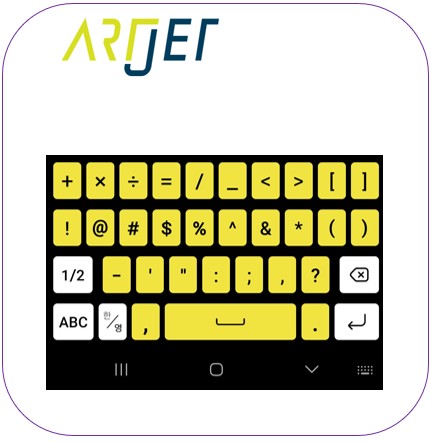
Please avoid using the special characters shown below when naming your RIP files.

Note: A similar issue was encountered when working at the UV printer manufacturer — which is why we always avoided special characters in filenames even back then.

Software closes when Print button is pressed
Software Closes When Print Button Is Presse
Software closes when Print button is pressed
Software Closes When Print Button Is Presse

III. ARTJET UV Printer

After more than 5 years of selling and servicing ARTJET UV printers, the most important lesson we’ve learned is this:
After product reliability, the next most important factor is the accumulation of troubleshooting data.
Any machine can develop issues depending on operating environment, job conditions, and user experience. What truly matters in a production environment is not “a machine that never breaks down” — it’s
How quickly and how accurately you can identify and resolve the problem when it occurs.
ARTJET continuously collects and organizes real-world field data to support faster and more accurate problem resolution.
🎥 Print Quality Sample
💰 ARTJET Pricing & Sales Conditions
(Note: Exterior design has been updated)
🧾 Complete List of UV Printable Products
Complete list of products you can make with a UV printer
* Note: Exterior design has been updated.


“Software Closes When Print Button Is Pressed — Board/Software Issue (Part 5) ARTJET 2026”에 대한 1개의 생각

  1. 핑백: Double Printing in the Y-Axis Direction

댓글 달기

이메일 주소는 공개되지 않습니다. 필수 필드는 *로 표시됩니다