Software Won’t Connect — Mechanical Issues Part 7
Symptom → Hypothesis → Inspection → Solution
✅ Who Should Read This
- The printer software freezes during the initializing sequence
- You hear a humming sound, but no further movement occurs
- The capping station fails to rise to its home position
⚠️ Caution (Protecting High-Cost Components)
- Releasing the capping station fixing plate screw is straightforward. If it is still locked, you can loosen it yourself.
- When manually operating the capping station motor, always turn off the Main switch first.
- Applying excessive force to the motor can damage the motor or gear components.
🧭 Quick Summary (Field Decision)
- Freeze during initializing → check the capping station fixing plate position
- Fixing plate is out of position → loosen the plate screw and reconnect the software
- Motor has reached its lower limit → turn off the Main switch → manually rotate the motor to the midpoint → restart the software
📋 Mechanical Issues — Full Series
Real mechanical issues encountered in the field, documented in order. This list will be updated as new articles are added.
07
Software won’t connect — capping station fixing plate position issue
Software won’t connect — capping station fixing plate position issue
This is Part 7 of the Mechanical Issues series — a case where the printer software failed to connect due to a capping station fixing plate position problem.
I. Symptom — Software Won’t Connect
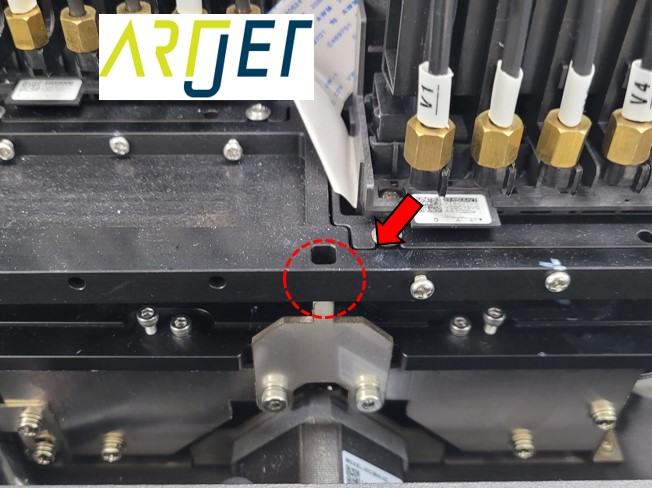
During printer setup, there are cases where the fixing plate fails to reach its correct position, causing the initializing sequence to stall and preventing subsequent operations.
You may hear a humming sound, but the machine stops there and the software remains frozen.
Software Won’t Connect
When the printer software launches, it runs a self-check to verify communication and confirm that all axes are operating correctly.
- It checks communication status, then verifies the home positions of the X, Y, and Z axes, as well as the wiper and capping station.
- In some cases, the sequence stalls at a specific step and does not proceed.
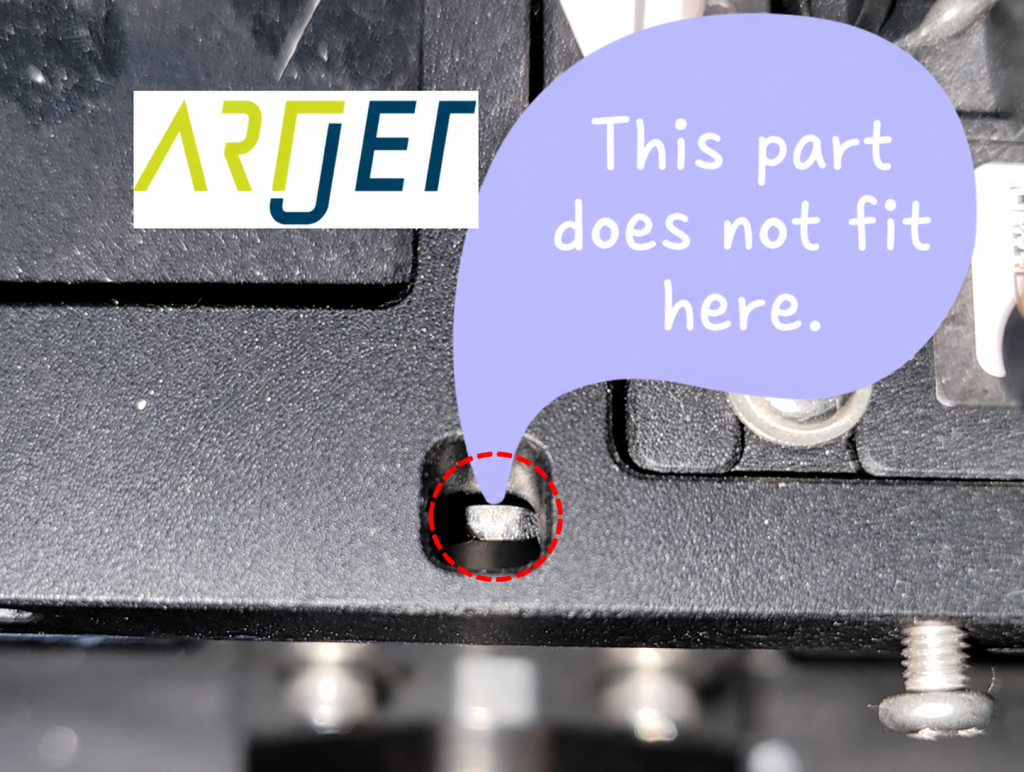
- One such case is when the capping station fixing plate (the silver rod) is in the wrong position, preventing the capping station from rising.
Software Won’t Connect
II. Resolution — Software Won’t Connect
1. Quick Fix
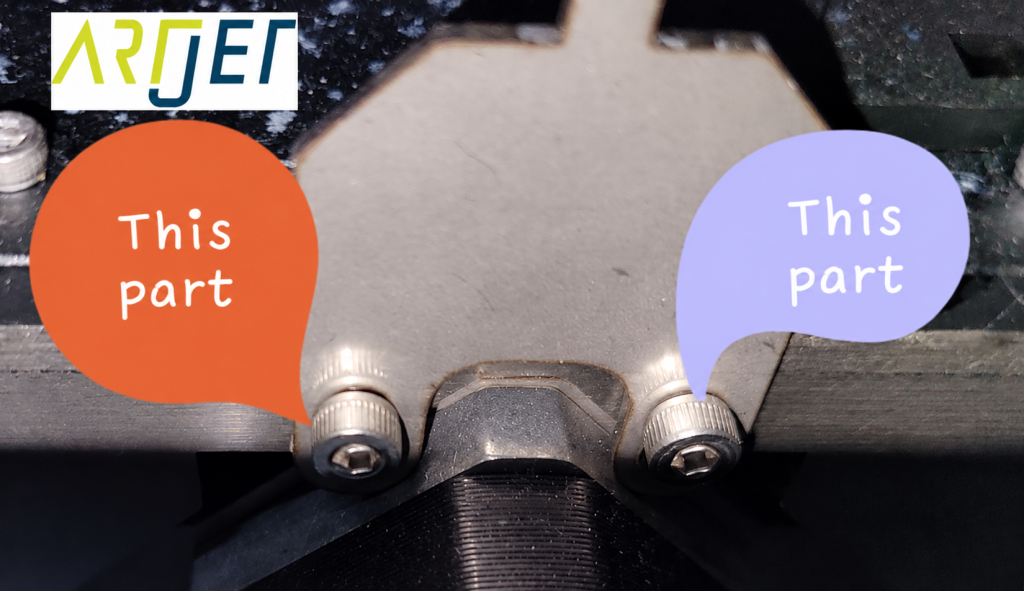
Loosen the capping station fixing plate screw shown in the photo below, then reconnect the software. The issue will be resolved.
Software Won’t Connect
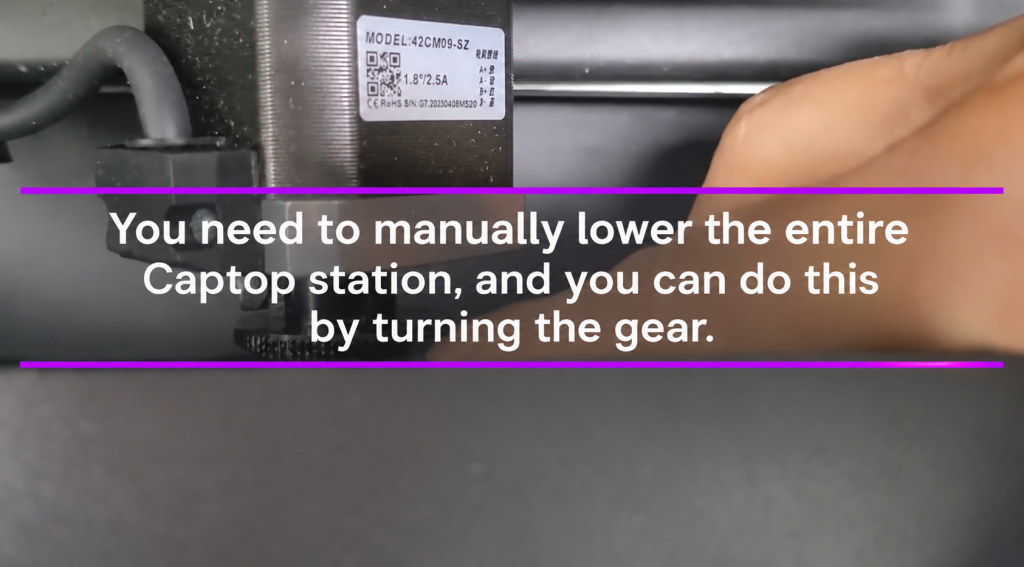
There is also a case where the capping station motor has reached its lower limit and cannot operate.
- In this case, turn off all switches including the Main switch,
- then manually rotate the capping station motor back to its midpoint, and restart the software. This resolves the issue.
Software Won’t Connect
2. Is It Safe to Loosen the Capping Station Fixing Screw?
The following is not something end users are expected to do themselves.
This explanation is provided to help you understand the role of the capping station fixing plate.
- When unpacking a new machine, there are two things that must be done first.
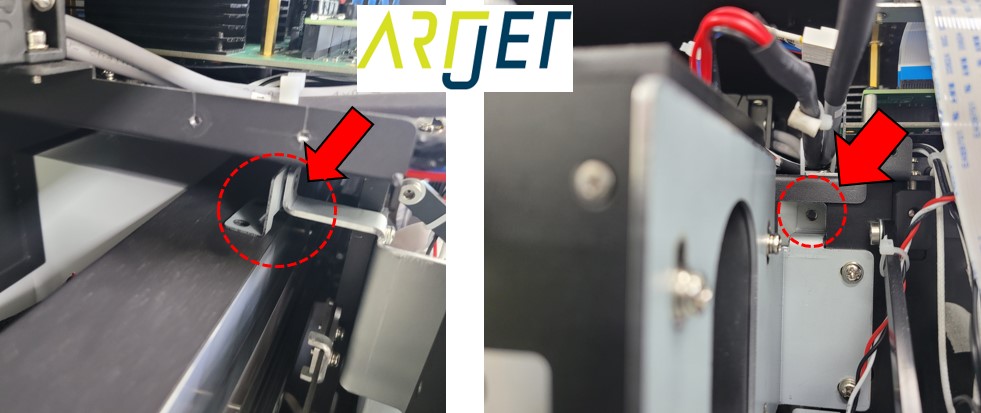
- The first is to remove the head carriage fixing plate, as shown in the photo below.
- This plate prevents the head carriage from moving during transport, which could otherwise cause damage.
Software Won’t Connect
- The second step is to loosen the capping station fixing plate screw described above.
- Leaving the capping station fixing plate in place does not usually cause major problems, but it may cause the software initializing sequence to jam and prevent the next operation from proceeding.
- This screw is re-tightened before the machine is transported to the customer site, and loosened again after delivery.
Software Won’t Connect
What the Capping Station Fixing Plate Does
- Once installation is complete, the capping station fixing plate is removed. End users do not need to handle it after that.
- However, from a service and logistics perspective, if the capping station shifts during transport, the cleaning and pumping positions must be recalibrated — making this plate an important component for transport integrity.
III. UV Printer Basics · Troubleshooting · Printable Products
All UV Printer content has been organized below. Click any item to go directly to that article.
1) Ink Supply
23 articles on print errors caused by ink supply issues including cleaning and pumping
2) Print Head Issues
12 articles covering everything from head replacement to head-related problems
Want to study print heads in depth: Print Head Basics — 9 Articles
3) Electronics / Software Issues
4) RIP Software
5) Products You Can Make with a UV Printer
IV. ARTJET UV Printer
After more than five years of selling and servicing ARTJET UV printers, one thing stands out above all else.
Next to product reliability, the most critical factor is accumulated troubleshooting data.
Any machine can develop problems depending on the environment, work conditions, and operator experience. What truly matters in a production setting is not “a machine that never fails” — it’s:
How quickly and how accurately you can identify and resolve the issue when it occurs.
ARTJET continuously collects and organizes real-world problem data from the field to support faster and more precise troubleshooting.
🎥 Print Quality Sample
💰 ARTJET Pricing & Sales Conditions
(Note: Exterior design has been updated)
🧾 Full List of UV Printable Products

* Note: Exterior design has been updated.
🖨️ What Can You Produce with a UV Printer?
Wondering what kinds of products a UV printer can actually make? We’ve compiled a complete guide.
※ This article is based on real field cases. Results may vary depending on your environment and machine configuration.