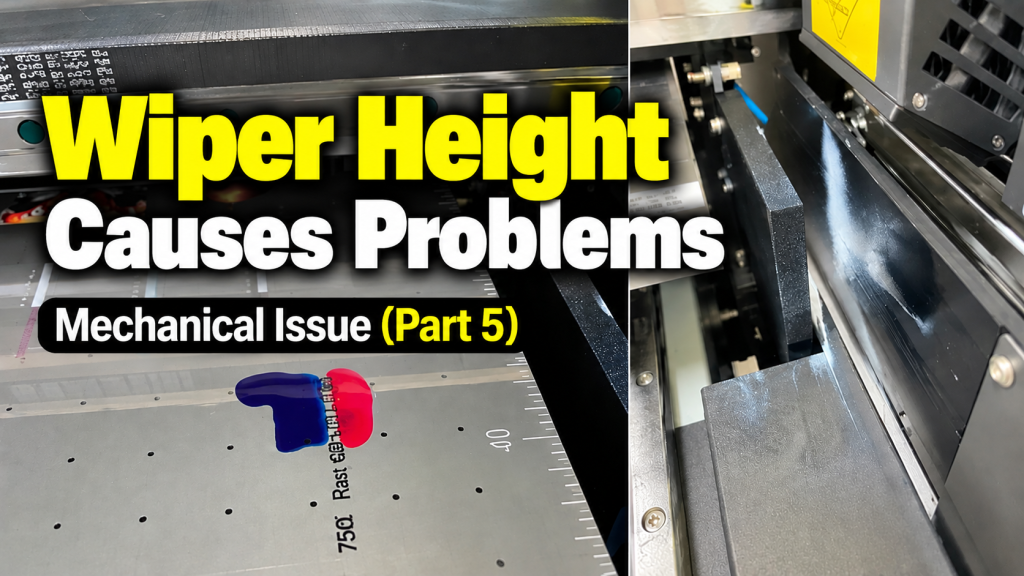
- Anyone who repeatedly sees a “collision switch triggered” message when pressing the Clean button
- Anyone whose Color ink is dripping onto the flatbed or White ink is spraying before the flatbed start point after cleaning
- Anyone whose head carriage stops at an abnormal position during the cleaning cycle
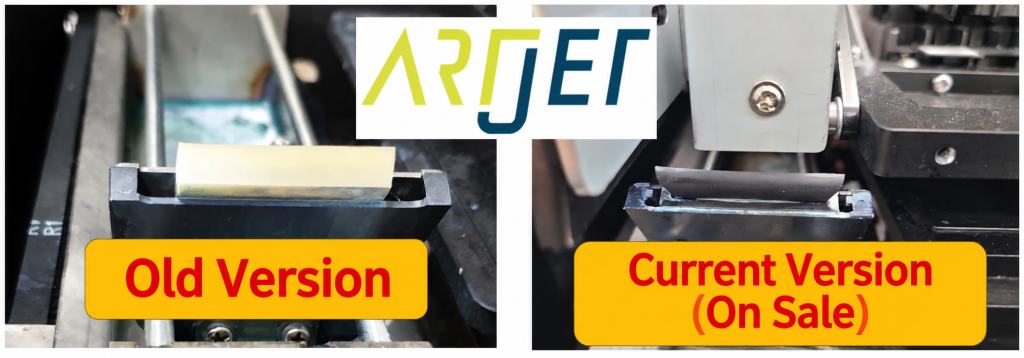
- Anyone using the older-model white wiper — this issue does not occur with the current black wiper
- Anyone whose software becomes unresponsive after the head collision switch activates
- When the head collision switch activates, always check the flatbed for substrates first. If a substrate is pressing the switch, remove it and confirm the switch has returned to its resting position.
- The collision switch sometimes fails to release after activating. Manually touch the switch a few times to confirm it resets — otherwise the software will become unresponsive.
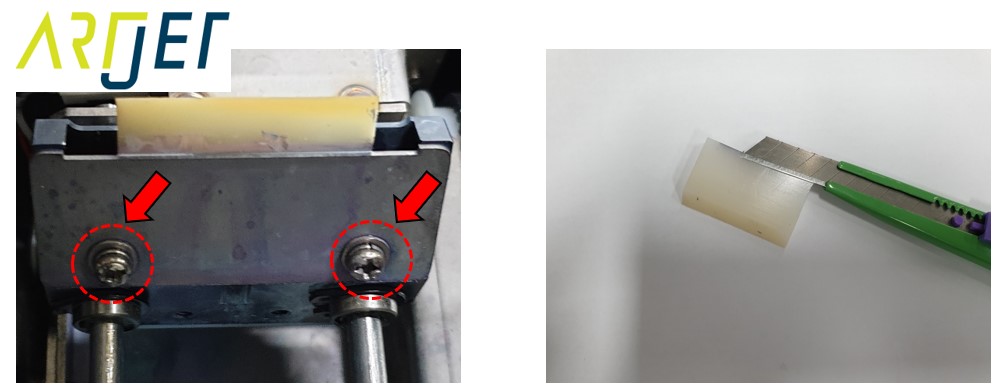
- The older white wiper can scrape hard against the underside of the head carriage due to excessive height. Trim it down with a blade and reassemble.
- The current black wiper does not cause this problem. This issue applies only to machines with the older white wiper.
- Collision switch activating during cleaning + ink dripping onto flatbed → Suspect wiper height first.
- Cause: the wiper height is too tall, scraping the carriage underside, preventing the wiper from returning to its home position and triggering the collision switch.
- Fix: if using the old white wiper, trim it down with a blade and reassemble. Replacing it with the black wiper resolves the issue permanently.
- If the collision switch won’t release, manually touch it a few times to reset. See the video link below.
Problems caused by wiper height — collision switch activation cause and fix
I. Symptom — Problems Caused by Wiper Height
All other operations are working fine.
But pressing the Cleaning button triggers the following message:
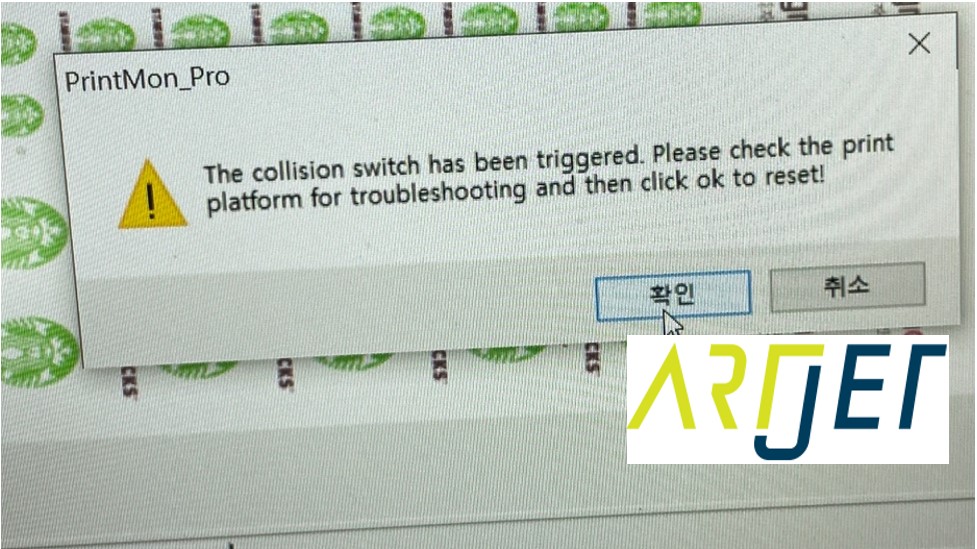
“The collision switch has been triggered. Please check the print platform for troubleshooting and then click OK to reset!”
Here is a more detailed explanation of what this error message means:
- The head collision protection switch has been activated. Check whether any substrate on the flatbed is pressing against the switch.
- If something is pressing it, remove the substrate and confirm that the switch has returned to its resting (down) position.
- If everything looks fine, click [OK] to reset the machine.
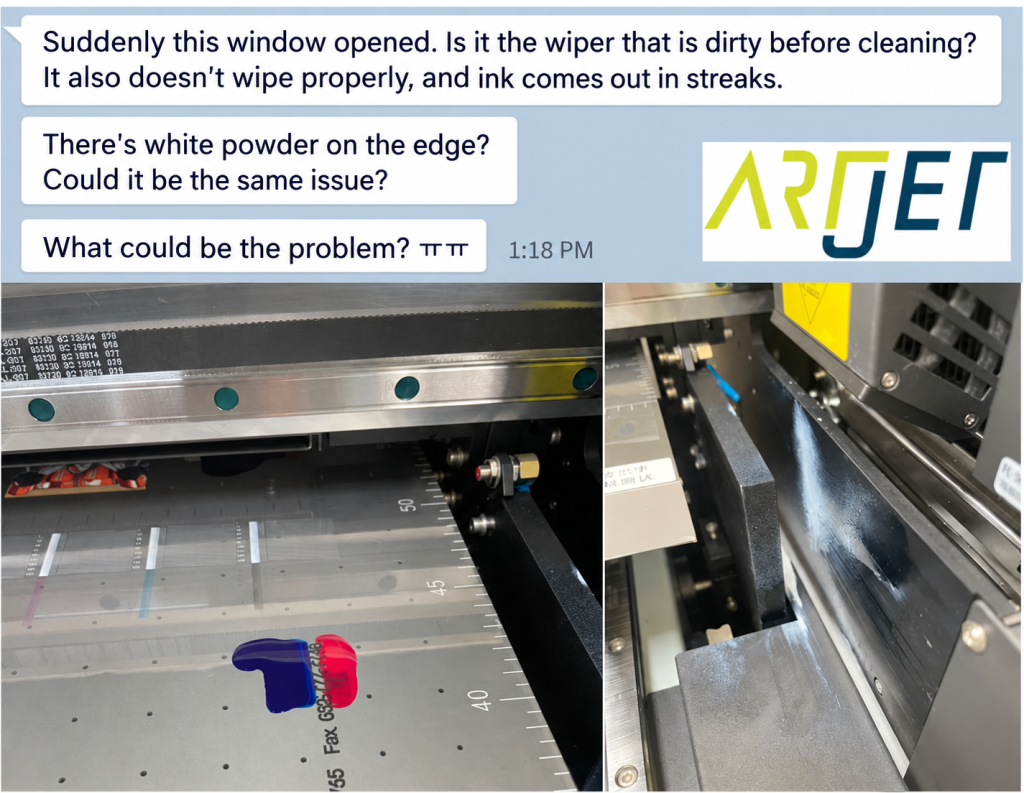
In addition, ink is flowing onto the flatbed as follows:
- Color ink is dripping onto the flatbed surface,
- and White ink is being sprayed before the flatbed start point.
II. Resolution — Problems Caused by Wiper Height
1. How the Head Cleaning Cycle Works
Understanding the cleaning sequence helps identify what went wrong. When you press [Clean] in the software, the cycle runs in three main stages.
① Extracting ink from the head
- The Capping station lowers, and the head carriage touches the home position before returning to the Captop location.
- The Capping station rises again, sealing the Print head with the Captop.
- With the head sealed, the Peristaltic pump motor runs twice — drawing ink out of the Print head.
- The remaining ink in the Captop is then drained into the waste ink tank.
② Wiping the head surface
- Because ink has been forcibly extracted, ink droplets remain on the head surface.
- The head carriage moves back and forth, pausing at each head’s wiper position. The wiper advances and retracts, wiping each Print head in turn.
③ Spit (self-jetting)
- Once wiping is complete, the head carriage moves to the far left of the X-axis and jets ink onto a white cloth.
- This is a purge action — firing ink through the nozzles to improve jetting condition.
- After this, the carriage returns to the X-axis home position, the Captop rises to seal the head, and the cleaning cycle is complete.
Important note: this issue only occurs with the older white wiper. The current black wiper does not cause this problem.
2. Root Cause
Here is what causes the problem.
- To wipe the head surface, the wiper advances forward and must retract back to its home position.
- But if the wiper is too tall, it scrapes heavily against the entire underside of the head carriage as it moves, creating resistance.
- Due to this resistance, the wiper fails to return to its home position and stops at an unintended location.
- When the head carriage then moves sideways for the next action, the oversized wiper contacts the head collision protection switch mounted under the carriage.
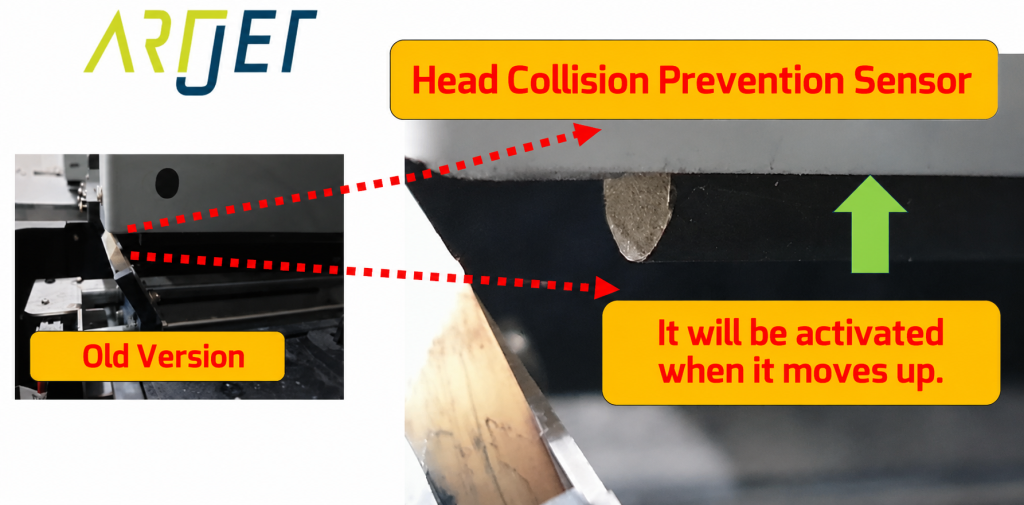
- Once the collision protection switch activates, the head carriage stops immediately at that position (see photo below).
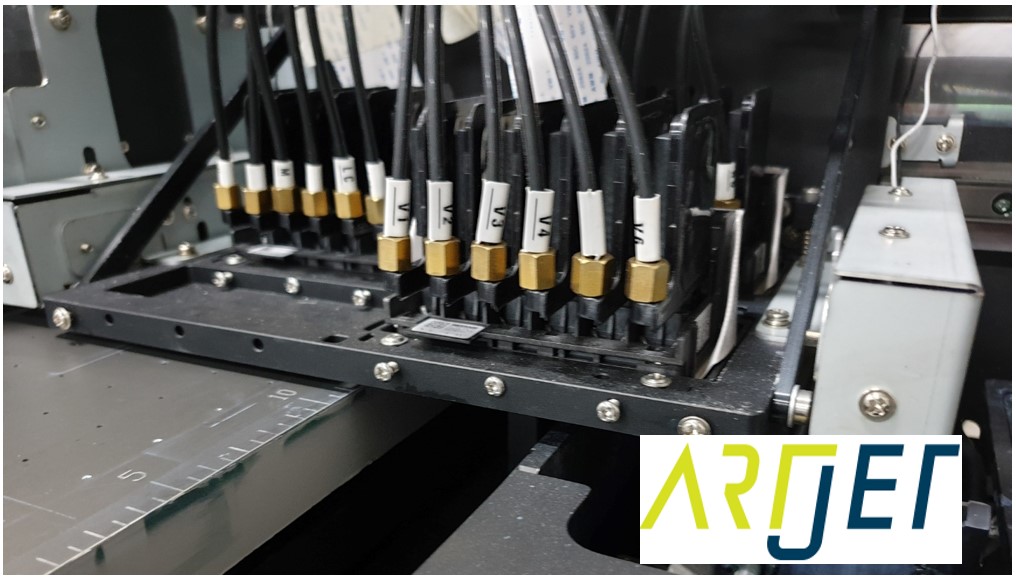
- The carriage should move to the far left for the Spit action, but the X-axis stop command is applied immediately — halting it at the current position.
- Since the Spit command has already been sent, the Spit action executes at the stopped position.
- As a result, Color ink is sprayed onto the flatbed and White ink is sprayed just before the flatbed start point — exactly as shown in the symptom photo.
For the older white wiper: trim it down with a blade and reassemble. If your wiper is already black, this section does not apply to you.
⚠️ Important: How to release a stuck collision switch
- Occasionally, the head collision protection switch fails to release after being triggered.
- When this happens, manually touch the switch a few times and confirm it has returned to its resting position.
- How to release the collision switch when it keeps activating and the software becomes unresponsive (video)
III. ARTJET UV Printer
