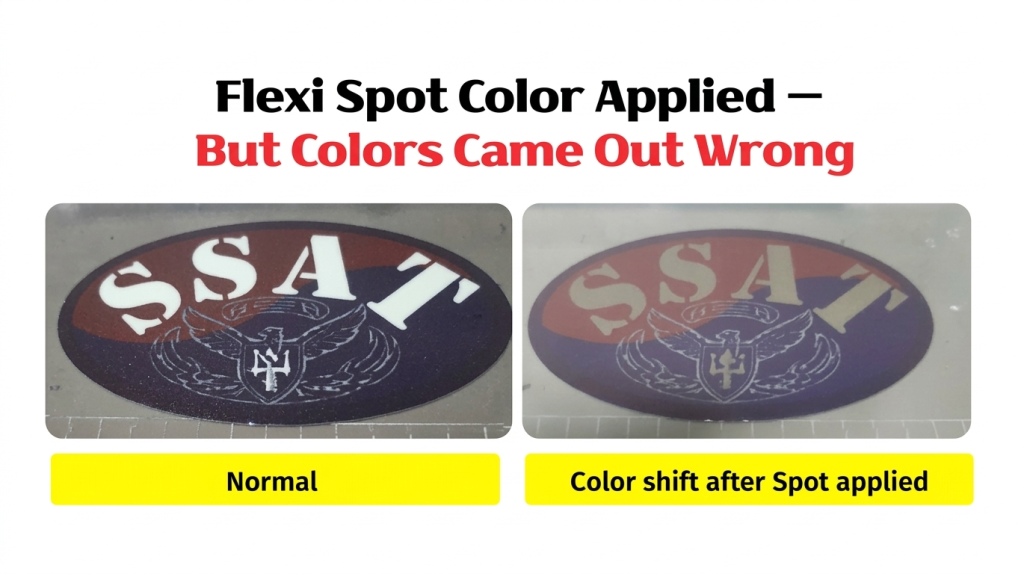
- You set up Spot 1 (White) and Spot 2 (Varnish) correctly in the Ai file, but the overall colors look washed out after applying them
- Areas that should print White are coming out as a completely different color
- Printing the color layer alone looks fine, but adding the Spot layers causes the colors to shift
- The Flexi RIP [Output Channel Preview] shows unexpected colors mixed into the color channels
- You want to understand why [Overprint Fill] on the color layer causes this and how to fix it
- [Overprint Fill] should only be checked on Spot layers. If it is checked on the color layer, Spot layer colors will bleed into the color and cause a shift.
- If colors look off after applying Spot colors, always check the Flexi RIP [Output Channel Preview] before printing. Catching it after printing means wasted substrate.
- Testing each layer separately — color only, then Spot only — is the fastest way to narrow down where the problem is.
- After editing the Ai file, always reload the file in Flexi RIP and recheck the channel preview before printing.
- Colors look washed out after Spot applied → Check if [Overprint Fill] is checked on the color layer
- White area printing as wrong color → Spot layer colors are bleeding into the color layer
- Color alone = normal, Spot alone = normal → Problem is in the settings when both layers are combined
- Fix → In Illustrator: select color layer → uncheck [Overprint Fill] → save
I. Color Shift After Applying Varnish Spot — Color Shift After Applying Spot Colors in Flexi RIP
1. Symptom: Colors changed after applying Varnish Spot
- Spot 1 (White) and Spot 2 (Varnish) were set up correctly in the Ai file.
- The RIP software is Flexi RIP.
- As shown on the left in the image below, the [SSAT] text should print in White.
- However, once Spot 1 and Spot 2 — White and Varnish — are applied together, the [SSAT] text no longer prints White and the overall colors become dull.
-

Color Shift After Applying Spot Colors in Flexi RIP
2. Identifying the cause: One of three areas is likely responsible.
- Hypothesis 1: Is the printer program printing incorrectly?
- Hypothesis 2: Is something wrong inside the RIP software causing the color shift?
- Hypothesis 3: Is a specific setting in the Ai file causing the problem?
3. First place to check: [Output Channel Preview] in the RIP software
- When a color problem appears — especially after applying Spot colors —
- the easiest place to start is the [Output Channel Preview] in Flexi RIP.
- This lets you visually confirm whether each color channel is rendering correctly before printing.
- After enabling all color channels — C, M, Y, K, Lc, Lm — the [SSAT] text showed a color other than White.
-

Color Shift After Applying Spot Colors in Flexi RIP
4. Narrowing down the cause: A mismatch between Flexi RIP and the Ai file
- The printer program simply prints what the RIP outputs — so the printer itself is not the problem.
- The issue was a mismatch between the RIP software and the Ai file.
- Color shifts in RIP software are normally caused by an ICC profile or a curve adjustment —
- but when White prints as a completely different color, like in this case, the Ai file itself has to be investigated.
II. Troubleshooting Process — Color Shift After Applying Spot Colors in Flexi RIP
Applying Spot 1 and Spot 2 — White and Varnish — causes the colors to shift.
We started investigating the Ai file.
1. Print the color layer only — Result: Normal
- Deleted Spot 1 and Spot 2 layers from the Ai file and saved.
- Printed using Flexi RIP’s [Spot Color Mode], which automatically generates the White spot — both color and White printed correctly.
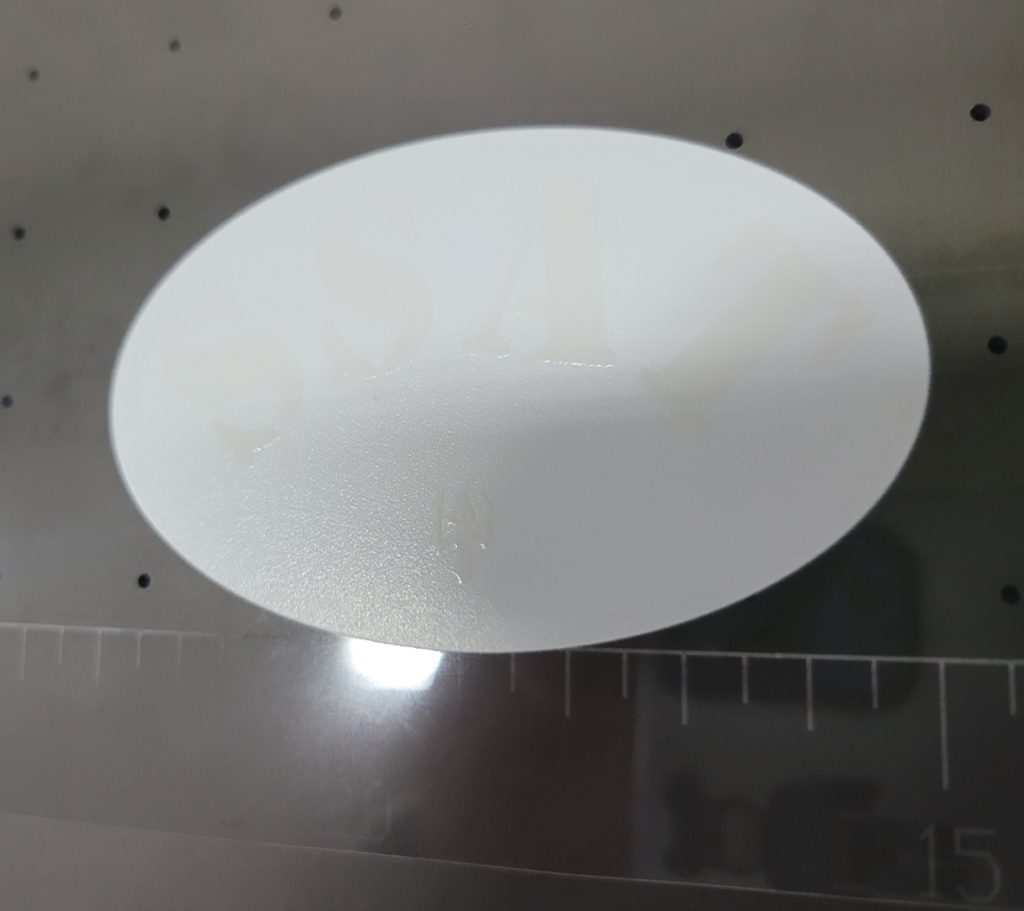
2. Print White and Varnish Spot layers only — Result: Normal
- Deleted the color layer from the Ai file, saved with only Spot 1 and Spot 2, then printed.
- Both White and Varnish printed correctly.
- The image below shows Varnish printed on top of White.
-
Color Shift After Applying Spot Colors in Flexi RIP
3. Results of Test 1 and Test 2 — Forming a hypothesis
- Color only = normal. White and Varnish only = normal.
- But when color is printed together with Spot 1 and Spot 2, the output is abnormal.
- This brought to mind the fact that if [Overprint Fill] is not checked on the White Spot layer, only White prints and the color layer underneath is suppressed.
- “Could it be that [Overprint Fill] is checked on the color layer — causing it to mix with the Spot 1 and Spot 2 layers and produce the wrong color?”
- Following that logic, we selected only the color layer and checked — and [Overprint Fill] was indeed checked.
-

Color Shift After Applying Spot Colors in Flexi RIP
4. Fix
- With the color layer selected, we unchecked [Overprint Fill], then saved the file with color, Spot 1, and Spot 2 layers together.
- Reopening the file in Flexi RIP’s [Channel Color Preview] confirmed that [SSAT] was now correctly assigned to Spot 1 — White.
- The print output was also correct.
- The root cause was [Overprint Fill] being checked on the color layer, which caused the Spot layer colors to blend into the color output and shift the result.
- If this problem occurs: open Illustrator → select the color layer → check whether [Overprint Fill] is checked → if it is, uncheck it.
-

Color Shift After Applying Spot Colors in Flexi RIP
III. ARTJET UV Printer
