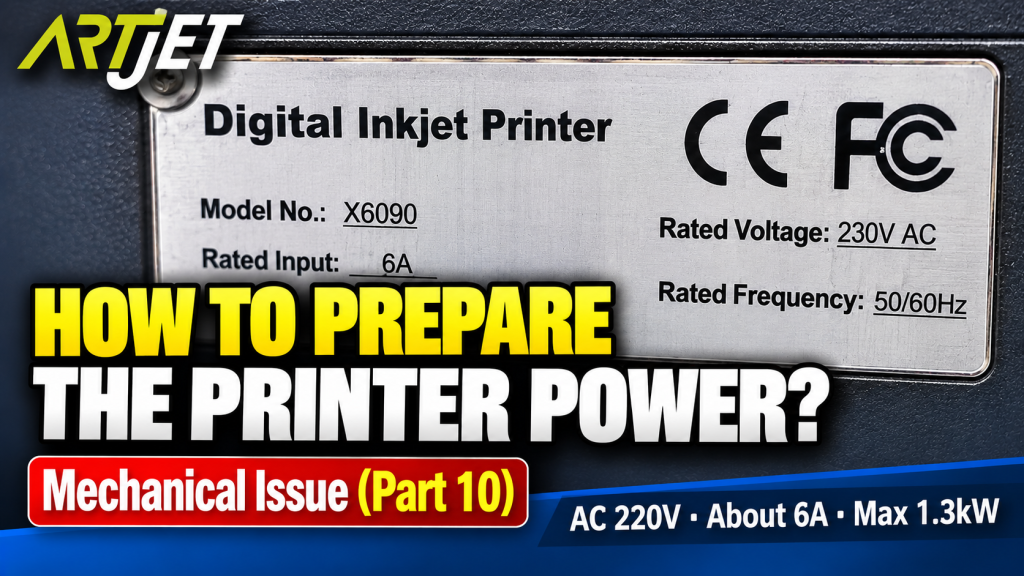
How to Prepare the Electrical Supply for Your Printer — Mechanical Issues Part 10
Symptom → Hypothesis → Inspection → Solution
✅ Who Should Read This
- Anyone unsure how to prepare the electrical supply before installing a UV printer
- Anyone asking “How many kW do I need?” or “How many Amps?”
- Anyone confused by the concepts of voltage, current, and power (V, I, P)
- Anyone planning to install a UV printer in an existing office or workshop
- Anyone trying to determine whether additional electrical work is needed
⚠️ Caution (Protecting High-Cost Components)
- Use a dedicated outlet for the printer. Sharing a power strip with other appliances can cause voltage instability and damage the electronics board.
- Check the maximum power capacity of your building first. Running multiple machines simultaneously may exceed the building’s total supply.
- If electrical work is required, always hire a qualified electrician.
- Use separate power strips — one dedicated to the printer, one for the PC.
🧭 Quick Summary (Field Decision)
- Required electrical spec: AC 220V ± 10%, 50/60Hz, approx. 6A, max. 1.3kW
- For comfortable headroom: 2kW (approx. 9A) — more than enough for normal operation
- No heavy-gauge wiring needed — a standard power strip is sufficient (dedicated use only)
- Do not share the outlet with other appliances. Keep the printer on its own dedicated circuit.
📋 Mechanical Issues — Full Series
Real mechanical issues encountered in the field, documented in order. This list will be updated as new articles are added.
10
How to prepare the electrical supply for your printer — AC 220V, 1.3kW, dedicated outlet
How to prepare the electrical supply for your printer — AC 220V, 1.3kW, dedicated outlet
This is Part 10 of the Mechanical Issues series — how to prepare the electrical supply for operating your UV printer.
I. Electrical Specifications for a Small UV Printer — How to Prepare the Electrical Supply for Your Printer
1. Information from the Nameplate and Brochure
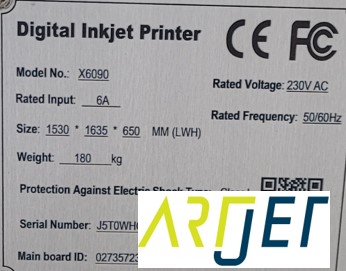
Three pieces of information can be found on the nameplate.
- Rated Voltage : 230V AC
- Rated Input : 6A
- Rated Frequency : 50/60Hz
How to prepare the electrical supply for your printer
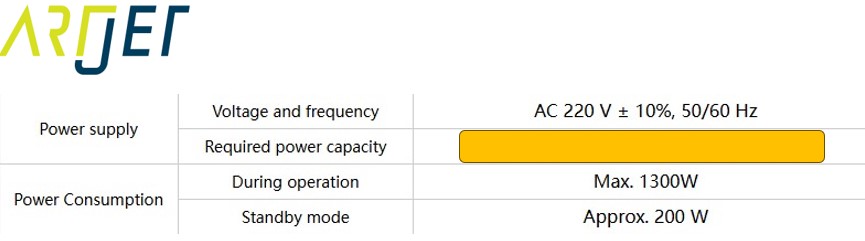
The product brochure lists the following specifications.
How to prepare the electrical supply for your printer
- Voltage and Frequency : AC 220V ± 10%, 50/60Hz
- Required power capacity : (redacted — incorrect information in original)
- Power consumption during operation : Max. 1300W
- Power consumption, Standby mode : Approx. 200W
2. Summary of Required Electrical Specifications
Prepare your electrical supply based on the maximum power consumption.
- Power consumption during operation : Max. 1300W
- P (Power, Watt) = V (Voltage) × I (Current, Amp)
- 1300W = 220V × I → I = 1300W ÷ 220V = approx. 5.9A
- In summary: AC 220V ± 10%, 50/60Hz, approx. 6A, 1.3kW.
- Given that a high-performance desktop PC typically draws 200–500W, 1,300W is not an especially large load.
If you want comfortable headroom, prepare up to 2kW:
- 2000W = 220V × I → I = 2000W ÷ 220V = approx. 9A
- AC 220V ± 10%, 50/60Hz, approx. 9A, 2kW
- This provides more than enough electrical capacity for normal operation.
II. Understanding Voltage, Current, and Power — How to Prepare the Electrical Supply for Your Printer
1. The P=VI Formula Explained Simply
P = V × I
P (Power, Watt) = V (Voltage) × I (Current, Amp)
P — Power (Watt)
- Power represents how much work the electrical energy is doing — how hard it is working at any given moment.
- The unit is Watt (W), and 1,000W = 1kW.
V — Voltage
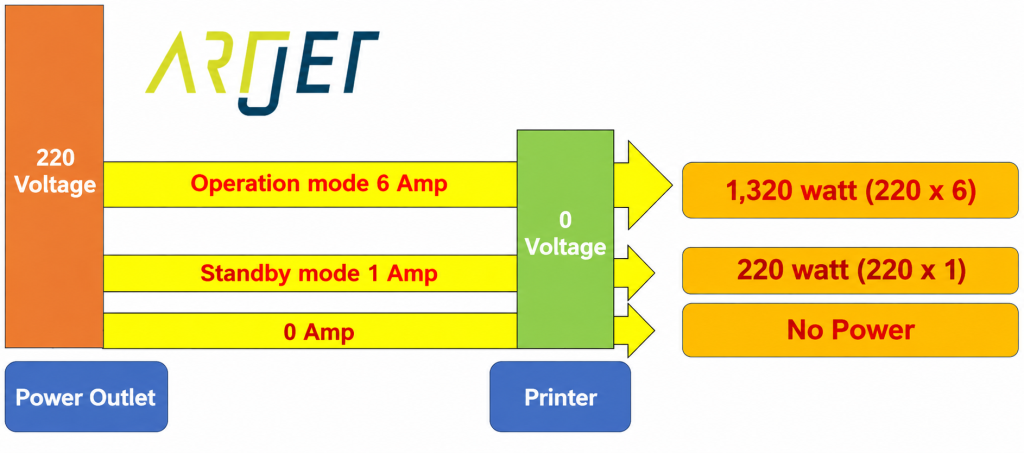
- 220V is a difference in electrical pressure. One side has 220V of force, the other side has 0V.
- When the two sides are connected by a wire, that pressure difference — 220V — begins to act. This is voltage.
- Without a connection, no current flows and nothing happens.
I — Current (Amp)
- Current is how much of that electrical pressure difference is being delivered — the flow rate of electricity.
- Think of it like water: a wide hose delivers a large volume (high current, high power); a narrow hose delivers less (low current, low power).
- If you need to deliver a lot of power but use a wire that’s too thin, it overheats — just like a hose bursting under too much pressure, or a circuit breaker tripping.
2. Summary Diagram
How to prepare the electrical supply for your printer
Here are the most common questions about electrical preparation before installing the printer.
Q. How many kW do I need?
A. The printer requires 1.3kW, but preparing for 2kW gives you comfortable headroom.
- For reference, a high-end desktop computer draws around 0.5kW — so 1.3kW is not a heavy load on its own.
- However, if you’re running multiple machines simultaneously, check the maximum power capacity of your building.
- If the combined load of all your equipment exceeds the building’s supply, you’ll need an electrician to expand the capacity.
Q. How many Amps do I need?
A. Once you know the kW, the Amp figure takes care of itself. One dedicated outlet for the printer and a separate power strip for the PC is all you need.
- At 1.3kW, there is no need for heavy-gauge wiring.
- A standard power strip is perfectly adequate.
- However, do not share the outlet with other appliances. Keep the printer on a dedicated circuit.
III. UV Printer Basics · Troubleshooting · Printable Products
All UV Printer content has been organized below. Click any item to go directly to that article.
1) Ink Supply
23 articles on print errors caused by ink supply issues including cleaning and pumping
2) Print Head Issues
12 articles covering everything from head replacement to head-related problems
Want to study print heads in depth: Print Head Basics — 9 Articles
3) Electronics / Software Issues
4) RIP Software
5) Products You Can Make with a UV Printer
IV. ARTJET UV Printer
After more than five years of selling and servicing ARTJET UV printers, one thing stands out above all else.
Next to product reliability, the most critical factor is accumulated troubleshooting data.
Any machine can develop problems depending on the environment, work conditions, and operator experience. What truly matters in a production setting is not “a machine that never fails” — it’s:
How quickly and how accurately you can identify and resolve the issue when it occurs.
ARTJET continuously collects and organizes real-world problem data from the field to support faster and more precise troubleshooting.
🎥 Print Quality Sample
💰 ARTJET Pricing & Sales Conditions
(Note: Exterior design has been updated)
🧾 Full List of UV Printable Products

* Note: Exterior design has been updated.
※ This article is based on real field cases. Results may vary depending on your environment and machine configuration.