
Making LED Light Frames with a UV Printer and Laser — Making Products with a UV Printer (Part 17)
✅ Who Should Read This
- Those looking to create acrylic LED light frames using both a UV printer and a laser cutter
- Those curious about the production process combining laser engraving and UV printing
- Those considering purchasing a laser cutter and wanting to understand camera cutting features and equipment selection criteria
⚠️ Precautions
- Always choose a laser cutter with a camera cutting (CCD) feature — without a camera, manual alignment causes increasing cutting errors the farther you get from the starting point
- Low-cost Chinese laser cutters use a belt-driven Y-axis, which can cause intermittent wide gaps during engraving — not recommended if you need both cutting and engraving
- Making LED light frames through acrylic engraving alone is unlikely to generate significant revenue — since larger engraving sizes take longer, selecting the right items with good profitability is crucial
🧭 Key Summary (Field Insight)
- UV Printer + Laser Cutter Combination → Enables in-house production of grip-toks, keychains, acrylic frames, etc., reducing outsourcing costs and logistics time
- LED Light Frame Production Steps → ① Laser-cut and assemble the base (insert LEDs) → ② Engrave borders and text → ③ UV print (White + Color) aligned to the engraved frame
- Laser Cutter Selection → Camera cutting (CCD) feature is essential; use budget equipment for cutting only and purchase a separate engraving machine if engraving is needed
- Engraving Profitability → LED light frame engraving itself is not highly profitable, but small on-site engraving like marathon finish medals shows revenue potential
UV Printer Basics · Troubleshooting · Product Guides
We have organized our UV Printer content below. Click an item to read the full post.
1) Ink Supply
23 articles on ink supply issues, including cleaning and pumping
2) Print Head Issues
12 articles on head-related problems, from replacement methods to symptoms
For deeper printhead study: Printhead Basics — 9 Articles
3) Electronics / Software Issues
4) Mechanical Issues
5) Sai Flexi RIP Installation, Spot color, Troubleshooting
📋 Making Products with a UV Printer — Full Series List
We are documenting printing methods for various products. This list is updated with each new part.
17Making LED Light Frames with a UV Printer and Laser
We are explaining products you can make with a UV Printer.
Today, we will explain how to make LED light frames using a UV Printer and Laser cutting machine.
Today, we will explain how to make LED light frames using a UV Printer and Laser cutting machine.
I. When a Laser Cutter is Added to a UV Printer — Making LED Light Frames with a UV Printer and Laser
1. Products You Can Make with a UV Printer Alone
- When purchasing a UV Printer, Color and White printing should be available as standard.
- Also, the White density should be at least 200% compared to Color to achieve proper White output.
- With Color, White, and Varnish combined, you can create a wide range of applications.
- Let us first explain the items you can make with a UV Printer alone.
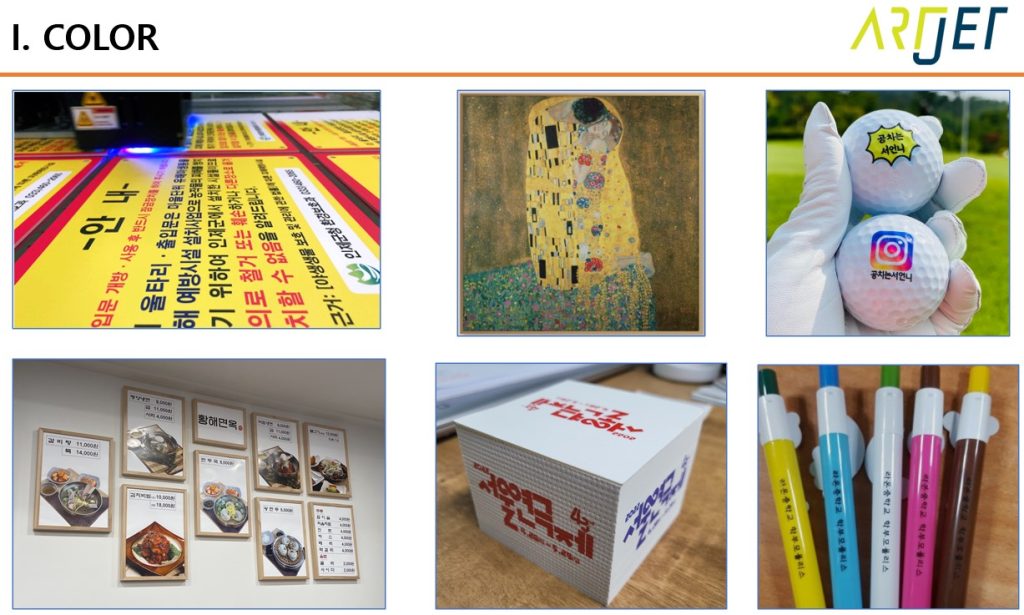
1_1. Items You Can Make with Color Only
- There are many limitations when making products with Color only.
- As you can see in the materials below, the base is entirely white.
- To reproduce colors with Color alone, the substrate must always have a white base.
- Products such as white Foam X, Foam Board, white canvas, golf balls, white paper, and white-based pens can be made.
1_2. Items You Can Make When White is Added to Color
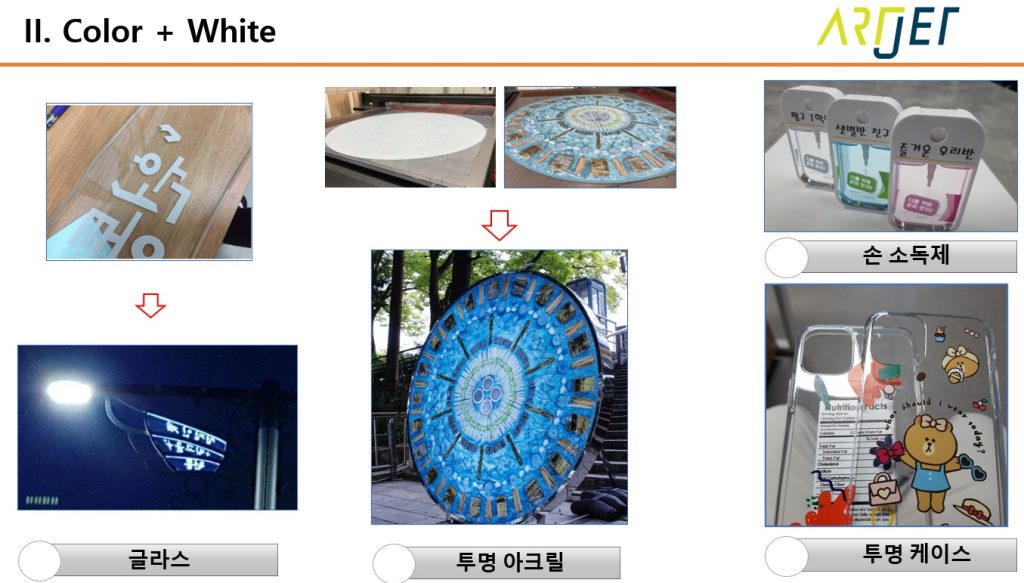
- When White is added to Color,
- you can print White on the back of transparent glass, acrylic, and PC, then reproduce colors with Color on top.
- White is mainly needed for transparent substrates or substrates that are not white-based.
- As shown in the photos below, you can create more premium products.
1_3. Items You Can Make with Color + White + Varnish
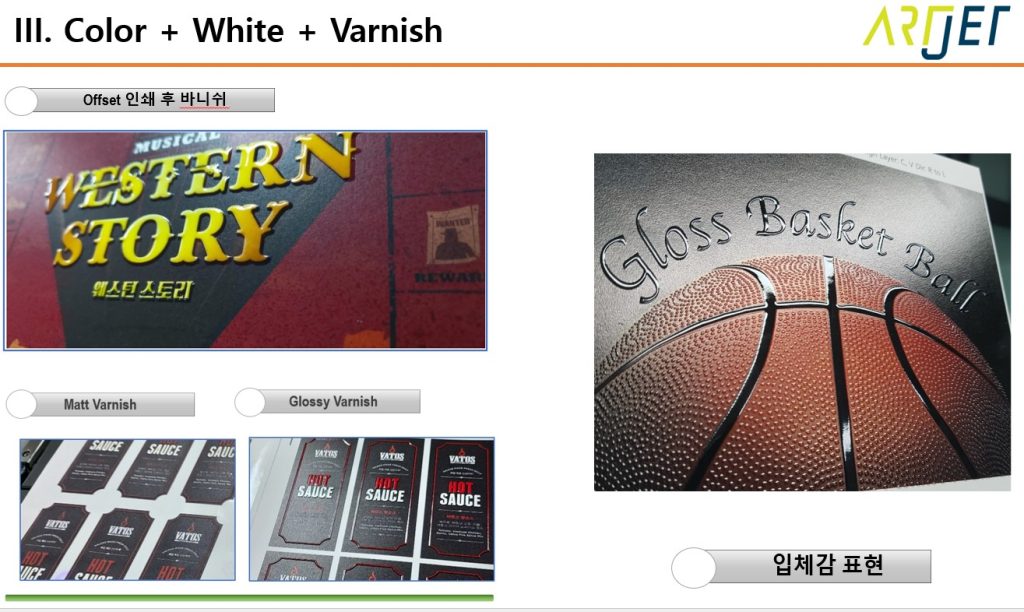
- Varnish is not a mandatory option, but when available, it can produce unique effects.
- If you can apply an epoxy effect with Varnish on the printed surface,
- you can create a slightly 3D-like feel, as shown with the basketball in the photo below.
- Varnish is primarily used when making products with special, differentiated effects for specific customers.
2. When a Laser Cutter is Added
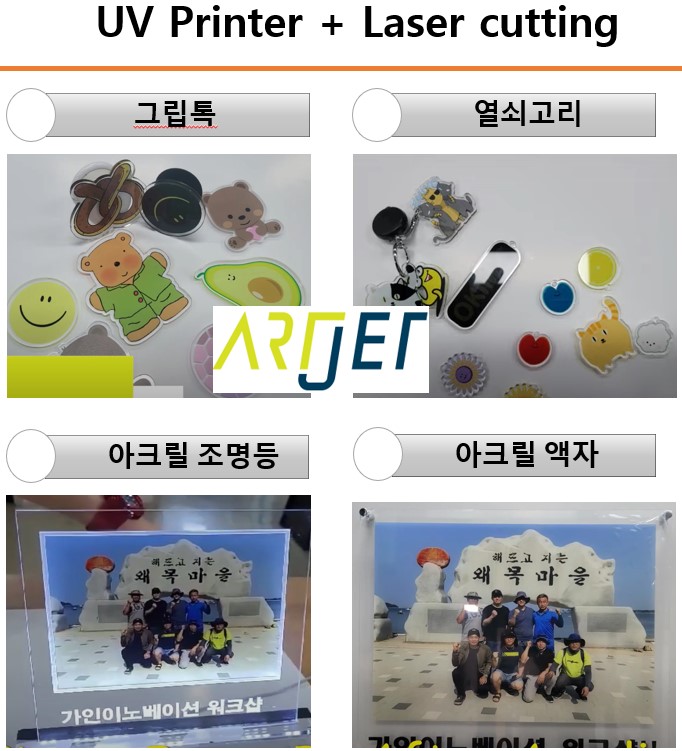
- When a laser cutter is added to a UV printer, you can directly produce items such as phone grip-toks, keychains, and acrylic frames.
- When you handle the laser cutting in-house instead of outsourcing to a post-processing company,
- production time is reduced, and the logistics cost of sending materials to a post-processing company and receiving them back is also eliminated.
- And now, you can freely create any items you envision.
- For these reasons, companies with UV printers tend to purchase their own laser cutters.
-
Making LED Light Frames with a UV Printer and Laser
II. Making Acrylic LED Light Frames — Making LED Light Frames with a UV Printer and Laser
1. LED Light Frame Overview
- Let us first explain how the LED light frame shown below was made.
- When you engrave acrylic with a laser and shine light from below, only the engraved areas scatter light and glow brightly.
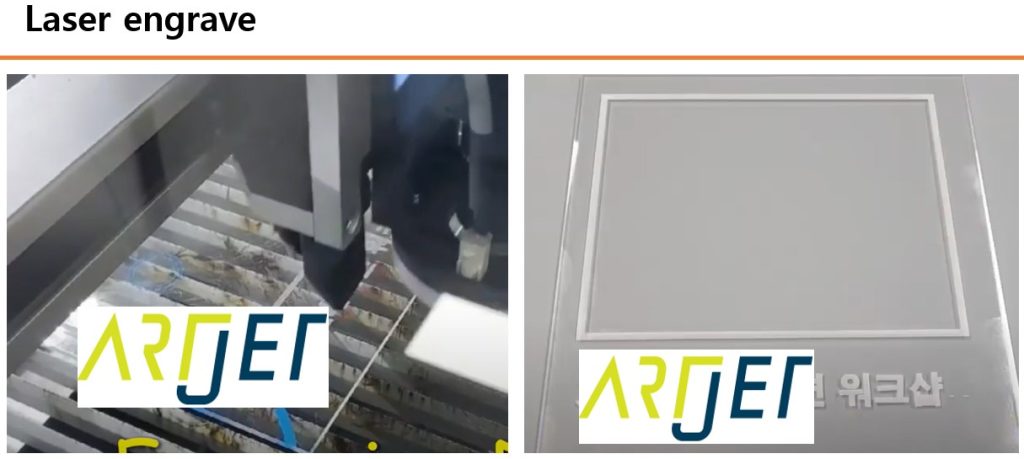
- To emphasize the UV-printed image with lighting, the outer border of the printed photo was engraved.
- The text “Workshop” was also not UV-printed but engraved, and expressed through lighting.
- The base to stand the finished light frame was made by laser-cutting acrylic.
- The base was not just a simple stand — it was made as a rectangular box to house the LED lighting.
- After laser engraving, UV printing with White and Color was performed aligned to the engraved rectangular frame.
-

Making LED Light Frames with a UV Printer and Laser
2. Production Process
2_1. Making the Light Frame Base
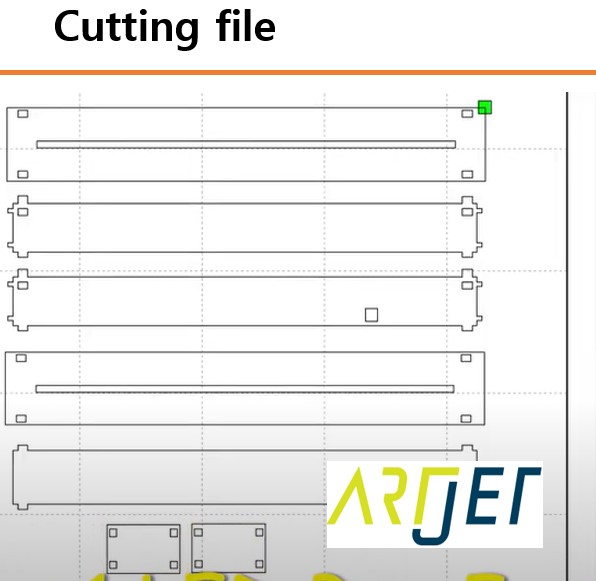
- As shown in the photo below, the cutting file was created first, and cutting was performed using the laser cutting machine.
-
Making LED Light Frames with a UV Printer and Laser
- After cutting, the LED lighting was inserted during assembly, and the base to hold the printed image upright was completed.
-

Making LED Light Frames with a UV Printer and Laser
2_2. Engraving Borders and Text
- The text and the border where the UV print would go were engraved using the laser cutter.
-
Making LED Light Frames with a UV Printer and Laser
2_3. UV Printing
- UV printing was performed on the engraved acrylic.
- Before UV printing, the position was marked on the flatbed to align the image with the engraved frame, and the acrylic was precisely placed on top so that the UV print was centered within the engraved border.

The entire production process can also be viewed in the video below.
3. Considerations Before Purchasing a Laser Cutter
- If you already have a UV printer, purchasing a laser cutter is almost inevitable.
- Here are a few things to consider before purchasing.
- Always choose equipment with a camera cutting feature, or if it is an option, be sure to add it. Without a camera, manual alignment may be acceptable at the starting point, but cutting errors increase the farther you move from it. This is a problem actually experienced by users in the field.
- Among Chinese equipment, budget models use a belt-driven Y-axis, and due to mechanical errors, intermittent wide gaps appear during engraving.
- Purchasing a Chinese laser cutter for the dual purpose of “cutting and occasional engraving” is not recommended.
- If purchasing an affordable Chinese machine, we recommend using it for cutting only, and if laser engraving is needed, purchasing a separate dedicated engraving machine.
- For reference, making LED light frames through acrylic engraving alone does not generate significant revenue. However, engraving names and personal records on marathon finish medals — judging by the 50-meter-long queues — appeared to be profitable when done on-site.
- Considering that larger sizes require longer engraving times, finding the right item is essential for engraving to be profitable.
III. ARTJET UV Printer
After selling and maintaining ARTJET UV printers for over 5 years, we have learned one vital lesson.
The most important factor next to product stability is accumulating troubleshooting data.
Problems can occur with any equipment depending on the environment and user skill. What matters in the field isn’t “trouble-free equipment,” but:
How fast and how accurately you can find the cause and solve the problem when it occurs.
ARTJET continuously collects and organizes real-world problem data from the field to support faster and more accurate problem resolution.
🎥 View Print Quality Samples
🧾 Full List of UV Printable Products

* Note: Exterior design has been updated.
※ This article is based on actual field cases. Results may vary depending on the environment and equipment configuration.