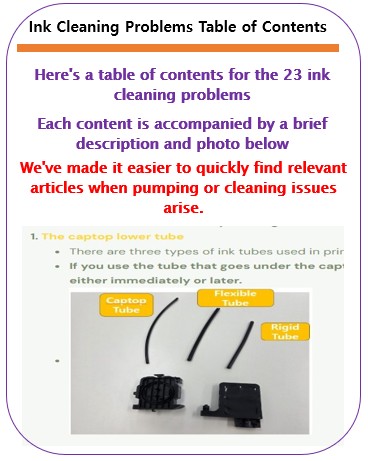
Printer Cleaning Problems Part 23 Table of Contents
I believe you can resolve any issues related to pumping and cleaning your small UV printer by simply referring to the information below.
I’ve organized the content so far into a table of contents for easy reference.
I. Printer Cleaning Problems Part 23 Table of Contents
1. Just organize the table of contents
You can check the contents by clicking the link.
- 1. the captop lower tube
- 2. how to replace the captop
- 3. the damper.
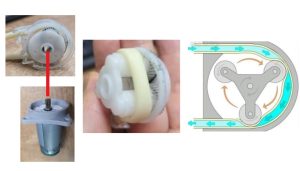
- 4. the pump motor and the yellow tube
- 5. Captop and head position
- 6. how to manually align the captop and head position
- 7. the capping station is not level and how to level it
- 8. the problem of the Captop surface drying out and its solution
- 9. the problem and solution that occurs when deteriorated ink remains inside the Captop.
- 10. the problems caused by too frequent pumping and cleaning
- 11. the symptoms and solutions that occur when the main ink tube torn
- 12. how to replace the motor pump tube.
- 13. why white cleaning did not work well and tips for improvement
- 14. real-life cases where white cleaning did not work well and how to resolve them
- 15. the problem and solution that could not be solved even after using all of my knowledge
- 16. a pumping issue caused by a cracked head protection plate and its solution
- 17. the problem of a specific color suddenly disappearing during printing and how to resolve it
- 18. the issue of faded Color
- 19. the issue of white ink flying around the image
- 20. two problems that arise when you miss the damper replacement period
- 21. how to identify problematic colors when they don’t appear correctly during printing
- 22. the problem that occurs when you ignore the alarm that sounds from the main ink tank and continue to use it, and the amount of ink remaining after the alarm
- 23. How to revive clogged whiteheads
2. Description and photos of the table of contents
You can check the contents by clicking the link.
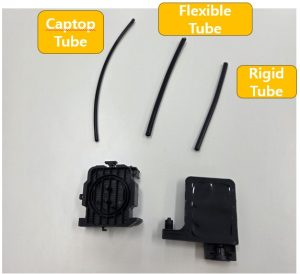
- There are three types of ink tubes used in printers.
- If you use the tube that goes under the captop as a regular ink tube, you’ll inevitably experience pumping problems, either immediately or later.
- If this is your first time replacing a cap, it’s going to be a bit of a trial and error process.
- Here’s how to replace a cap.
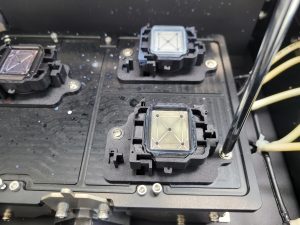
- Describes pumping problems that can occur due to dampers.
- It explains the importance of the tubing connected to the damper and how to check for any problems with the tubing connected to the damper.
4. Pump motor and the yellow tube
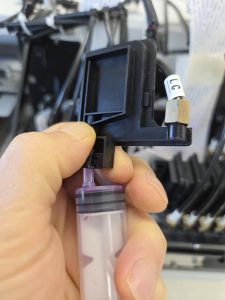
- This article describes a problem with the pump motor and yellow tube that prevented pumping and cleaning.
- If your pump was operating normally but suddenly stopped pumping, you should suspect the yellow tube.
- This article explains the problem of misalignment between the captop and head.
- It also explains how to align the captop left and right and how to set the capping station height.
- Setting the capping station height is particularly important.

6. How to manually align the captop and head position
- If the captop and head position still won’t align properly, no matter how hard you try,
- we’ll explain how to manually adjust them.
- If you’ve checked the captop, yellow tube, and damper, but still can’t pump, this procedure will resolve the pumping issue.

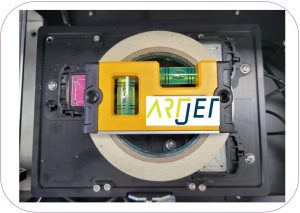
7. Capping station is not level and how to level it
- This is something to check when the pump is working properly, but a specific channel nozzle in the head isn’t functioning properly.
- After struggling for over a month, I finally found the cause of the problem.
8. Problem of the Captop surface drying out and its solution
- It’s a simple question, but it’s one that first-time printer users sometimes encounter.

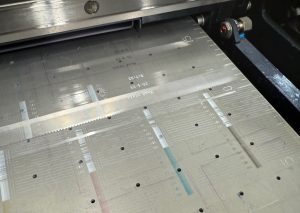
9. Problem and solution that occurs when deteriorated ink remains inside the Captop
- Pumping and cleaning work well, but the nozzles don’t work.
- I replaced almost everything, from the ink to the damper and the head, but the problem persisted.
- If pumping and cleaning work well, but the nozzle pattern doesn’t work properly, and the same problem persists when printing, please refer to this section.
10. Problems caused by too frequent pumping and cleaning
- This problem occurs when the damper is not given time to fill with ink and the pumping and cleaning are repeated continuously.
- It is a simple problem, but it is a problem that first-time printer users sometimes experience.
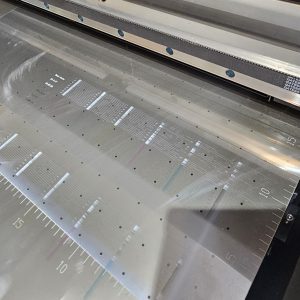
11. Symptoms and solutions that occur when the main ink tube torn
- If the nozzle pattern is good for a specific color but ink leaks out during printing,
- or if you don’t feel any ink when drawing it from the damper with a syringe, this could be a problem with a burst ink tube.
- White is connected to multiple dampers, so it can be a difficult problem to detect.
- If the white nozzle pattern is sometimes good and sometimes not, you should suspect a burst ink tube.
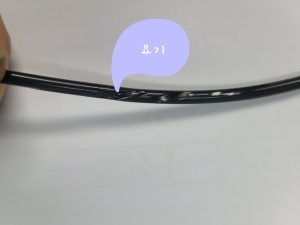
12. How to replace the motor pump tube
- You can see a video on replacing the motor pump tube (yellow tube) at that link.
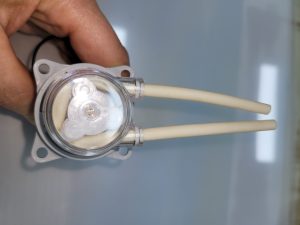
13. Why white cleaning did not work well and tips for improvement
- We explain why white cleaning isn’t as effective as color and varnish cleaning,
- and offer some tips to make white cleaning more efficient.
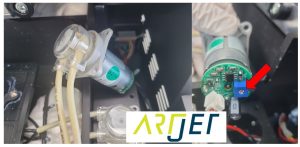
14. Real-life cases where white cleaning did not work well and how to resolve them
- If the white cleaning has been poor and taking a long time,
- and if everything else hasn’t improved, replace this part first and then check for other issues.
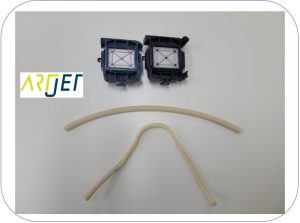
15. Problem and solution that could not be solved even after using all of my knowledge
- This is a problem where the pumping failed even after checking everything.
- The head protection plate, which appears intact when viewed from below, was severely dented after the head was removed. This explains the potential problems that can arise in this situation.

16. Pumping issue caused by a cracked head protection plate and its solution
- This issue also created a pumping problem,
- and we’ll explain what to do if the head protection plate is slightly loose.
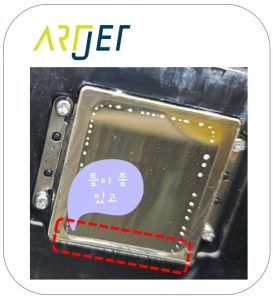
17. Problem of a specific color suddenly disappearing during printing and how to resolve it
- The nozzle pattern was normal, and everything worked fine for the first three or four test prints. However, starting with the fifth, the ink suddenly started running out.
- Even after replacing all consumables, including the ink line, the problem persisted. A simple SW setting change immediately resolved the issue.
- This is a real-world example of why capping station height is so important.

- It’s a simple issue, but one that first-time printer users sometimes encounter.
- The problem is that the printed colors appear toned down due to the white density rather than the color density.

19. Issue of white ink flying around the image
- Why does white appear to be scattered around the image?
- I’ll explain the cause and suggest ways to improve it.
20. Two problems that arise when you miss the damper replacement period
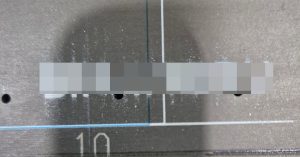
- If you miss the damper replacement period, a specific channel nozzle may not function properly, or colors may fade during printing even if the nozzle pattern is intact.
- You can watch a damper replacement video through the link.

21. How to identify problematic colors when they don’t appear correctly during printing.
- When colors appear strange during printing, you must first identify the problematic color.
- Once identified, you must determine whether the problem lies with the data or ink supply.
- This section explains how to determine whether the problem color is a data or ink supply issue.
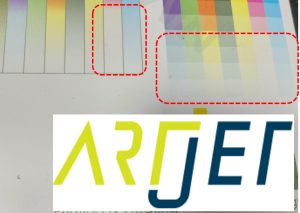
22. Problem that occurs when you ignore the alarm that sounds from the main ink
- If an ink shortage alarm appears in the main ink tank, you can use the printer for a short time.
- However, if you ignore the alarm and continue printing, ink may run out during printing.
- If you continue cleaning without knowing how to resolve the issue, the problem may never be resolved.
- Here’s how to resolve it.
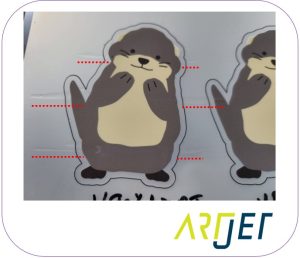
23. How to revive clogged white heads
- If your printer isn’t used for a long time, the white nozzle will become clogged.
- If the clogged white nozzle doesn’t clear up no matter how much you pump, clean, or test the printer,
- we’ll explain how to finally clear the clogged head.
II. Basic knowledge for troubleshooting pump cleaning problems _Printer Cleaning Problems Part 23 Table of Contents
1. Part names and ink supply flow chart
Pumping (ink load) and cleaning functions operate independently of the software, electronic board, data cable, and head that manage image data.
Understanding this first will allow you to quickly resolve any cleaning pumping issues.
This part is involved in ink supply, and knowing its name will help you avoid any issues later when troubleshooting.

To briefly explain the ink supply process,
- When ink is poured into the main bottle, it flows through the ink tube to the damper, much like liquid flows from a higher level to a lower level.
- Without the damper, ink would drip down through the head, but the damper holds the ink, preventing it from dripping through the head.
- The damper acts as a buffer for ink before the head, while also supplying ink to the head.
- However, the ink supply from the damper to the head does not occur automatically. A process is required to force ink into the head.
- This process is made possible by the rotation of the motor pump.
- The captop located beneath the head seals against the head surface. When the motor pump rotates while sealed,
- the ink inside the damper flows through the head, through the captop, through the motor pump tube, and then into the waste ink tank.
- This process ensures that ink maintains its flow from the damper to the head, allowing ink to flow through the head during printing.
2. 클리닝 펌핑 문제 접근 방식
When pumping or cleaning issues occur, the problem can be quickly resolved by inspecting the top and bottom of the captop.
- The top section, on the left, contains the ink lines, damper, and head.
- The bottom section, on the right, contains the captop, motor pump, and waste ink container.
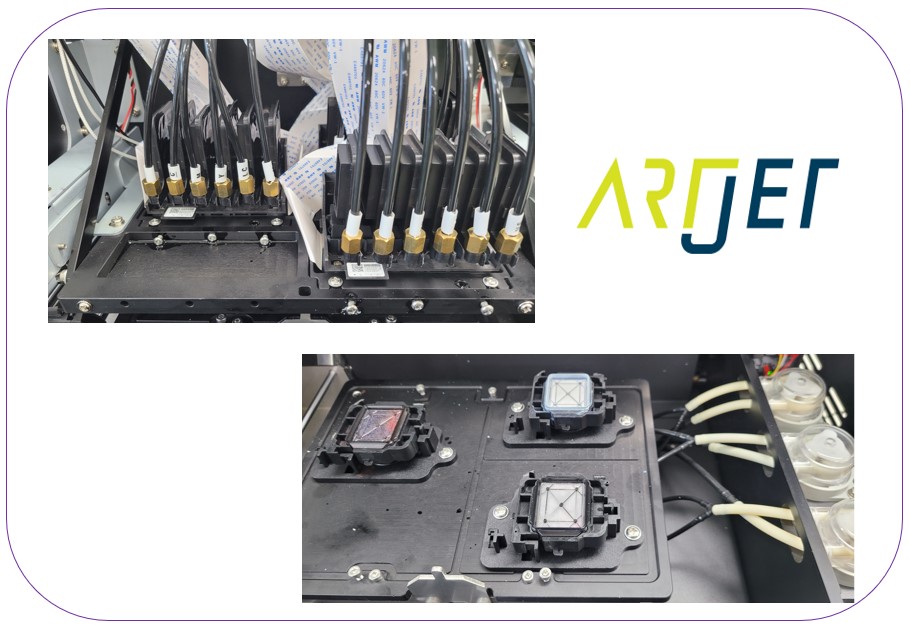
After distinguishing between the top and bottom of the captop, inspect the areas where air can enter, as shown in the photo below.
- To ensure ink flows to the waste ink tank through the motor pump,
- air must not enter any area, from the main bottle to the waste ink tank.
- The arrowed areas in the photo below indicate areas where air can enter during cleaning and pumping.
- If a pumping or cleaning problem occurs, inspecting the arrowed areas is essential for quicker resolution.

III. ARTJET UV Printer
One thing I’ve noticed after five years of sales and maintenance of ARTJET UV printers is that troubleshooting data is second only to product stability.
All products have issues, whether they’re caused by actual equipment problems or consumer error. Product stability hinges on how quickly and easily you can resolve those issues.
ARTJET compiles all troubleshooting data.
You can see the product print quality by clicking here.
Click here for ARTJET pricing and terms of sale. The exterior design has changed.

핑백: Can I print on reflective material _Head related issues 4 _ ARTJET 2026
핑백: Recovering a UV White Print Head After 1 Month Idle (Real Field Case, XP600)
핑백: Print Head End-of-Life Symptoms
핑백: Solid Color Banding Fix Tips _ Printhead Issue #7 _ ARTJET 2026
핑백: Print Motion but No Ink Output (Head Issue #9) _ARTJET 2026
핑백: Touch Panel Power Issue
핑백: Printing in the Wrong Position
핑백: Software Closes When Print Button Is Pressed
핑백: Double Printing in the X-axis Direction
핑백: Double Printing in the Y-Axis Direction
핑백: Head Pin Value Offset Precision Tuning
핑백: White Lines Appearing at the Edge of the Print Area
핑백: X-Axis Start Position Keeps Shifting
핑백: How to Reduce Varnish Banding
핑백: How to Reinstall the Printer Program
핑백: Banding Only in Certain Zones — Mechanical Issues (EP.2) ARTJET 2026
핑백: What You Must Know About Bidirectional Printing
핑백: Symptoms of a Misaligned Bidirectional Offset
핑백: Problems Caused by Wiper Height
핑백: The Cleaning Wiper Won't Move
핑백: Software Won't Connect
핑백: When the Head Collision Sensor Causes Problems
핑백: When the Anti-Crash Sensor Gets Jammed in the Captop
핑백: How to Prepare the Electrical Supply for Your Printer
핑백: Initial Setup After Installing Sai Rip
핑백: Sai Rip Dongle USB Not Recognized
핑백: How to Create Spot Colors in Flexi RIP and Fix Common Problems
핑백: Color Shift After Applying Spot Colors in Flexi RIP
핑백: Can a Chinese UV Printer Match the Color Output of a Japanese Machine Using Flexi RIP?
핑백: What on Earth Is an ICC Profile?
핑백: The Printed Size Doesn't Match the File
핑백: How Much Ink Does This Image Cost?
핑백: Printing Two Images at Once in Flexi RIP
핑백: Flexi RIP Security Key Not Found
핑백: UV Printer Braille Printing White and Varnish Layer Settings Guide
핑백: How to Flip the Substrate and Align Front-Back Printing
핑백: White Ink Gradient and Texture Printing