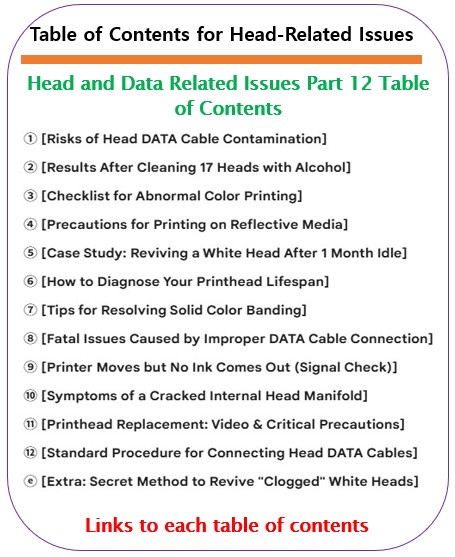
12 Problems Related to print head, Organized by Symptom
Includes 2 Field Diagnostic Tables · Sequence: Symptom → Hypothesis → Inspection → Solution
Common frustrations in UV printer operation:
“The head is new, so why is a specific color missing?”
“The nozzle test is fine, but the printed image is distorted.”
“I replaced the ink thinking it was the issue, but nothing changed.”
“The nozzle test is fine, but the printed image is distorted.”
“I replaced the ink thinking it was the issue, but nothing changed.”
Ink supply issues and head DATA issues often look identical. Misdiagnosis leads to wasted time and unnecessary replacement of perfectly good heads.
Goal of this guide: Quickly distinguish DATA issues that look like ink supply problems and minimize unnecessary part replacement costs.
Who should read this?
- When specific colors are missing or inaccurate during printing.
- When nozzle tests are normal but the printed image is distorted.
- When the same issue persists even after replacing the head.
- Engineers/Operators who need to quickly distinguish between ink supply and DATA/Head issues.
Caution
- Avoid replacing the head first. This significantly increases costs. Always use “Swap Testing” to narrow down the cause.
- Excessive alcohol cleaning can cause terminal shorts or malfunctions. Follow safety protocols carefully.
- Reflective materials and static can create DATA interference. Be aware of your printing environment.
Key Summary (5 Lines)
- Apparent ink supply issues may actually be DATA (signal) issues.
- The safest Swap Test sequence: Damper → Cable → Head.
- DATA issues often show regular patterns; head issues are usually irregular.
- The DATA cable is the printer’s nervous system. Minor contamination leads to major failure.
- To save costs, replace parts in order from least to most expensive.
Ⅰ. Symptom-Based DATA Diagnostic Table (Field Response) _12 Problems Related to print head
Emergency diagnostic table to find causes based on “Symptoms currently appearing on your printer.”
Click the Reference Number in the table to jump to the detailed guide (Parts 1-12/Extra).
Click the Reference Number in the table to jump to the detailed guide (Parts 1-12/Extra).
One-Line Diagnostic Rule:
DATA issues are likely to be “regular,” while head issues are often “irregular.”
DATA issues are likely to be “regular,” while head issues are often “irregular.”
| Symptom | Nozzle Pattern Image | Likely Cause | Quick Judgment | Ref. |
|---|---|---|---|---|
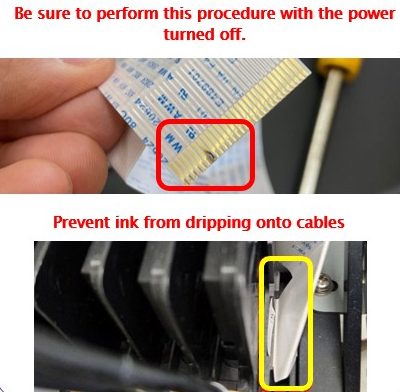
| Specific color completely missing | No pattern at all | DATA cable disconnected or misconnected | Check cable for: * Ink contamination * Peeling connectors * Pin alignment |
① ⑧ ⑫ |
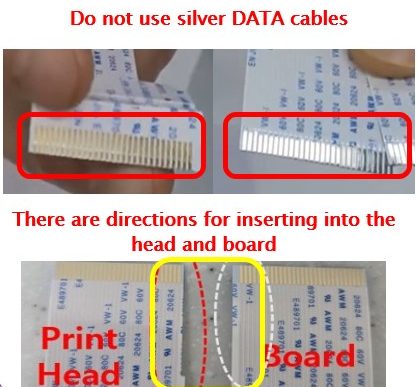
| Color Swapping | Output positions shifted | Cable reversed (upside down) | Reinstall terminal / check pins | ① ⑧ ⑫ |
| Single color banding | Consistent repeating intervals | Nozzle condition or head lifespan | Check if banding is repetitive | ⑥ ⑦ |
| Normal nozzle, distorted image | Abnormalities in specific image areas | RIP data/signal distortion/head lifespan | Reprint file / Resend data / Head lifespan | ③ ⑨ |
| Same issue after head replacement | Defective channel persists | Mainboard or Cable | Board Port Swap | ⑥ ⑪ |
| Malfunction after cleaning | Short circuit immediately after cleaning | Excessive alcohol cleaning | If issue persists after new cable, head is damaged | ② |
| Reflective Material Printing | – | Sudden stop in jetting | Suspect head clogging | ④ |
| White output failure | No output after long idle period | Physical white ink clogging inside head (Don’t mistake for DATA issue) | Check lines after cleaning / Alcohol cleaning method | ⑤ ⓔ |
| Ink leakage & color mixing | Color bleeding / Mixing | Internal head line damage | Check if persists after Damper Swap | ⑩ |
Ⅱ. DATA Issue Classification by Root Cause (Understanding the Structure) _12 Problems Related to print head
Identify the “Source of the problem” to prevent recurrence. If the same symptom repeats, use this classification to organize causes.
| Category | Key Causes & Elements | Representative Symptom | Characteristics | Ref. |
|---|---|---|---|---|
| A. DATA Cable | Contamination, pin damage, reverse insertion | Color swapping, complete non-output | Symptom moves during Swap Test | ① ⑧ ⑫ |
| B. Signals & Board | Mainboard ports, Signal noise | Specific or all channels dead | Symptom moves during Port Swap | ⑥ ⑨ |
| C. Head Hardware | End of life, Line damage | Irregular nozzle missing, leakage | Symptom stays after Swap Test | ⑥ ⑩ ⑪ |
| D. Maintenance | Excessive alcohol usage | Short circuit & malfunction | Occurs immediately after cleaning | ② |
| E. Environment | Static electricity, reflective materials | Head clogging, ink misting | Temperature and Head height | ④ |
| F. White Ink Specifics | Sedimentation/Hardening after idle | Partial or complete white non-output | Warning: Don’t mistake for DATA issue | ⑤ ⓔ |
Ⅲ. DATA Series 12 Parts + Extra: Detailed Guides _12 Problems Related to print head
Click the numbers mentioned in the table to move to the detailed solution. Each post includes actual field cases, inspection sequences, and precautions.
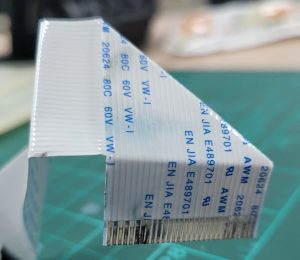
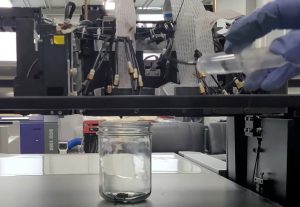
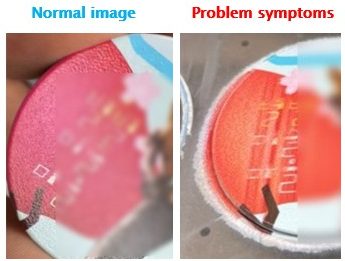
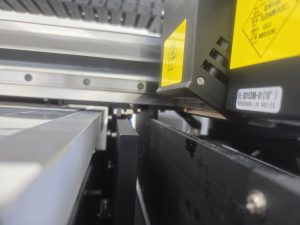
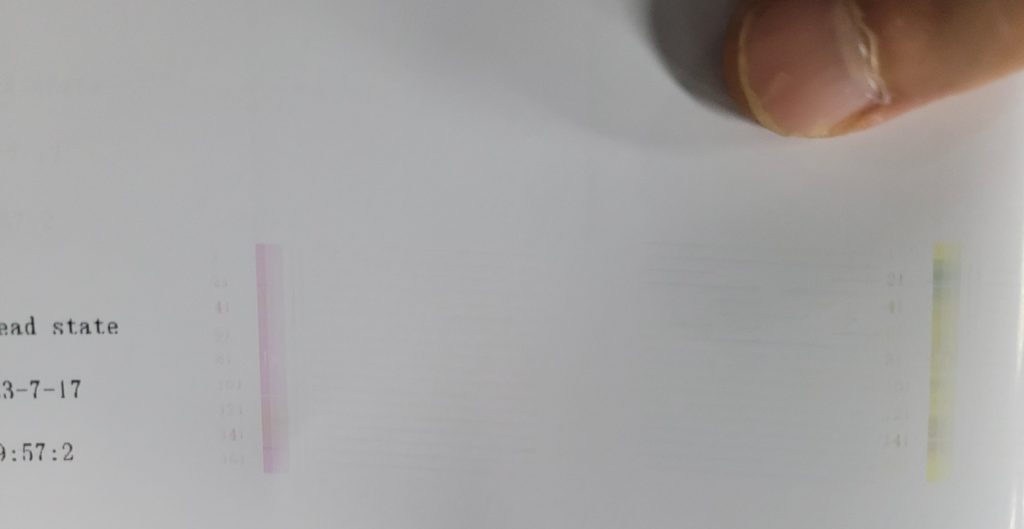
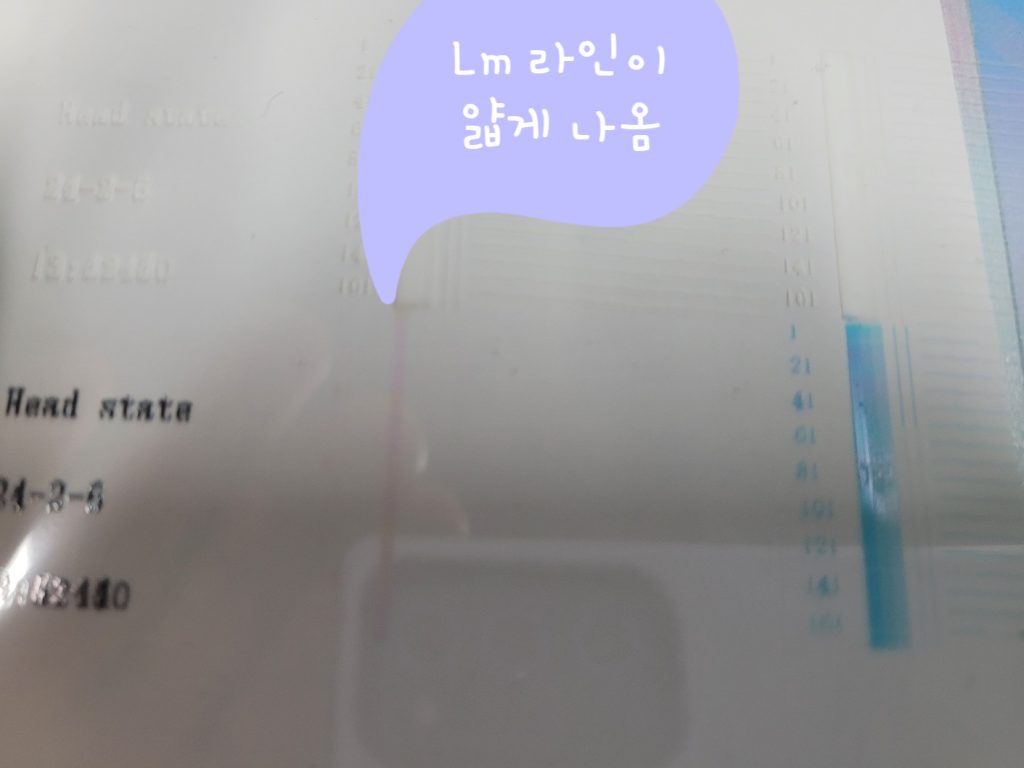
① Risks of Head DATA Cable Contamination


Ⅳ. ARTJET UV Printer
Over 5 years of selling and maintaining ARTJET UV printers, we’ve learned one vital thing:
Next to product stability, the most important factor is the accumulation of troubleshooting data.
Any equipment can have issues depending on the environment and user skill. In production, the key isn’t “equipment with zero problems,” but:
How quickly and accurately you can find and solve the cause when a problem arises.
ARTJET continuously collects and organizes real-world problem data from the field to support faster and more accurate problem-solving.
🎥 View Print Quality Samples
💰 ARTJET Pricing & Sales Conditions
(Note: Exterior design has been updated)
🧾 Full List of UV Printable Products

* Note: Exterior design has been updated.
※ This post was written based on field cases. Results may vary depending on the environment and equipment configuration.
핑백: When Head Board LEDs Blink _ Control Board/Software Issues (Part 1) ARTJET 2026
핑백: Printing in the Wrong Position _ Board/Software Issue (Part 4) ARTJET 2026
핑백: Touch Panel Power Issue _ Electronic Board/Software Problem (Part 3) ARTJET 2026
핑백: Software Closes When Print Button Is Pressed — Board/Software Issue (Part 5) ARTJET 2026
핑백: Double Printing in the X-axis Direction _ Electronic Board / Software Issue (Episode 6) ARTJET 2026
핑백: Double Printing in the Y-Axis Direction — Electronic Board / Software Issue (Part 7) ARTJET 2025
핑백: Head Pin Value Offset Precision Tuning — Electronics Board / Software (Episode 8) ARTJET 2026
핑백: X-Axis Start Position Keeps Shifting — Electronic Board / Software Issue (EP.10) ARTJET 2026
핑백: How to Reduce Varnish Banding Electronics / Software Issues (EP.11) ARTJET 2026
핑백: How to Reinstall the Printer Program — Electronics / Software Issues (EP.12) ARTJET 2026
핑백: What You Must Know About Bidirectional Printing — Mechanical Issues (EP.3) ARTJET 2026
핑백: Symptoms of a Misaligned Bidirectional Offset — Mechanical Issues (EP.4) ARTJET 2026
핑백: Problems Caused by Wiper Height — Mechanical Issues (EP.5) ARTJET 2026
핑백: The Cleaning Wiper Won't Move — Mechanical Issues (EP.6) ARTJET 2026
핑백: Software Won't Connect — Mechanical Issues (EP.7) ARTJET 2026
핑백: When the Head Collision Sensor Causes Problems — Mechanical Issues (EP.8) ARTJET 2026
핑백: When the Anti-Crash Sensor Gets Jammed in the Captop — Mechanical Issues (EP.9) ARTJET 2026
핑백: How to Prepare the Electrical Supply for Your Printer — Mechanical Issues (EP.10) ARTJET 2026
핑백: Initial Setup After Installing Sai Rip — Sai Rip Troubleshooting (Part 1) ARTJET 2026
핑백: Sai Rip Dongle USB Not Recognized — SafeNet Sentinel Driver Fix After Windows Update (Part 2) ARTJET 2026
핑백: How to Create Spot Colors in Flexi RIP and Fix Common Problems — Sai RIP Issues (Part 3) ARTJET 2026
핑백: Color Shift After Applying Spot Colors in Flexi RIP — Sai RIP Issues (Part 4) ARTJET 2026
핑백: Can a Chinese UV Printer Match the Color Output of a Japanese Machine Using Flexi RIP? — Sai RIP Issues (Part 5) ARTJET 2026
핑백: What on Earth Is an ICC Profile? — Sai RIP Issues (Part 6) ARTJET 2026
핑백: The Printed Size Doesn't Match the File — Sai Flexi RIP Issues (Part 7)
핑백: How Much Ink Does This Image Cost? — Sai Flexi Rip Ink Estimation & Cost Calculation (EP.08) ARTJET 2026
핑백: Printing Two Images at Once in Flexi RIP
핑백: Flexi RIP Security Key Not Found — Sai Flexi RIP Tips (Part 10) ARTJET 2026
핑백: UV Printer Braille Printing White and Varnish Layer Settings Guide — UV Printer Products (Part 1) ARTJET 2026
핑백: How to Flip the Substrate and Align Front-Back Printing — UV Printer Products (Part 2) ARTJET 2026
핑백: White Ink Gradient and Texture Printing — UV Printer Products (Part 3) ARTJET 2026
핑백: Why Printing on iPhone 14 Cases Is Difficult — UV Printer Products (Part 4) ARTJET 2026
핑백: Precautions for UV Printing on Leather — UV Printer Products (Part 6) ARTJET 2026
핑백: How to Print on Slanted Substrates — UV Printer Products (Part 8) ARTJET 2026
핑백: Primer Functionality and Concerns — UV Printer Products (Part 9) ARTJET 2026
핑백: Canvas UV Printing Precautions — UV Printer Products (Part 10) ARTJET 2026
핑백: Creating Epoxy Effects with Varnish — UV Printer Product Guide (Part 11) ARTJET 2026
핑백: Precautions When UV Printing Using Jigs — Making Products with a UV Printer (Part 13) ARTJET 2026
핑백: Creating Jigs for Pen Printing — Making Products with a UV Printer (Part 14) ARTJET 2026
핑백: How Laser Cutters Use Cameras for Precise Alignment — Making Products with a UV Printer (Part 15) ARTJET 2026
핑백: How to Use Laser Camera Cutting — Making Products with a UV Printer (Part 16) ARTJET 2026
핑백: Making Equipment Name Plates with a UV Printer and Laser
핑백: Making Acrylic Keyrings with a UV Printer and Laser — Making Products with a UV Printer (Part 20) ARTJET 2026
핑백: How UV DTF Stickers Adhere After Printing — Making Products with a UV Printer (Part 21) ARTJET 2026
핑백: Materials UV DTF Film Does Not Adhere Well To — Making Products with a UV Printer (Part 22) ARTJET 2026
핑백: How Much Profit Can You Make Printing Phone Cases — Making Products with a UV Printer (Part 24) ARTJET 2026