- Users who maintain UV printers themselves
- Anyone struggling because a specific color won’t print after a head replacement
- Cases where the nozzle test looks “normal,” but printing fails in real jobs
- Users who find it difficult to distinguish between DATA cable / printhead / board issues
- Anyone who wants to avoid unnecessary printhead replacement costs
- This post is based on real-world troubleshooting experience — results may not be 100% identical across all machines and environments
- Any DATA cable work must be done with ALL power turned OFF
- Working while powered ON may damage the head board → the printhead → the DATA cable, in that order
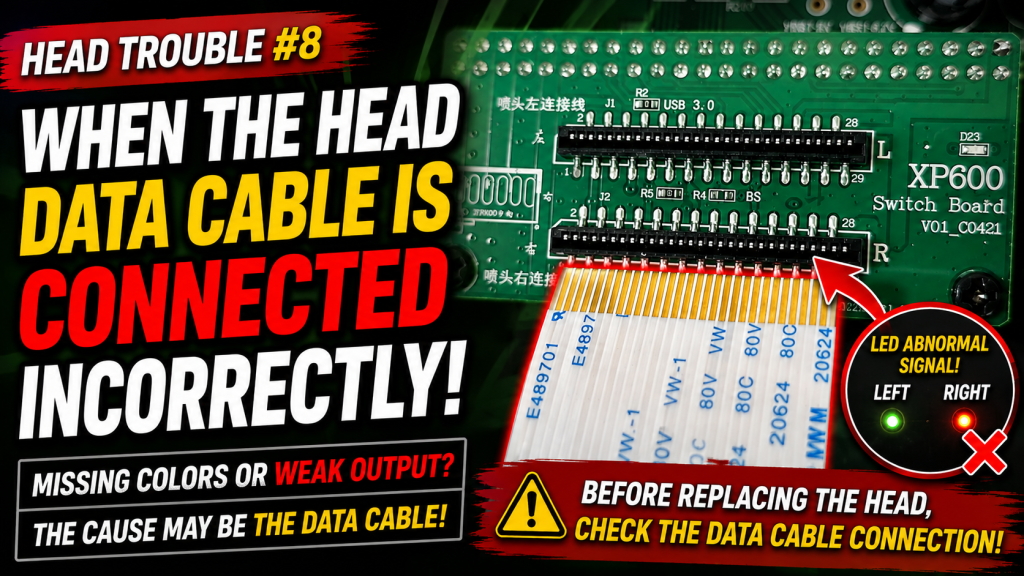
- Symptoms that look like a printhead failure can actually be caused by a DATA cable connection issue
- When the nozzle test isn’t completely broken, but one specific color prints weakly or shows a thin bar — check DATA cable alignment first
- In some cases you can solve it without replacing the printhead, simply by re-checking the DATA cable
- ARTJET note: faster troubleshooting leads to higher machine stability
- Printing errors caused by ink supply (including cleaning/pumping issues) were recently updated.
- For printers that use dampers, you can troubleshoot using the link below.
- This is a 23-part index with photos.
- ARTJET 2026: Cleaning Troubleshooting (23 Posts)
- Part 1: Symptoms & Fix When a DATA Cable Is Contaminated by Ink
- Part 2: 17 Stored Used Heads: How Many Worked After Alcohol Cleaning & What Errors Appeared
- Part 3: A Specific Color Prints Abnormally During Printing
- Part 4: How to Handle Reflective Materials + a More Dangerous Cause That Can Clog Nozzles
- Part 5: Real Case: Reviving a White Head Not Used for One Month
- Part 6: Symptoms When a Printhead Reaches End-of-Life and How to Swap Heads
- Part 7: Why Banding Appears Only on Certain Solid Colors + Tips to Reduce It
I. Symptoms — When Printhead DATA Cable Is Connected Incorrectly
The video below shows the normal state when the board and printhead communicate correctly. Please refer to it first.
]
If the DATA cable between the printhead and the board is connected incorrectly, you may see:
- The center LEDs do not turn off simultaneously; one LED keeps blinking
- Even if the board LED blinks, the software connection may still appear normal
- However, the nozzle test shows no pattern on all three heads
- During actual printing, no ink is fired at all
- If left in this state for a long time, the head board can be damaged
- For more details, see Printing runs, but no ink is fired from the whole head (Cause & Fix).
In this case, the typical board LED blinking did not appear.
At first glance, the nozzle pattern also looked normal.
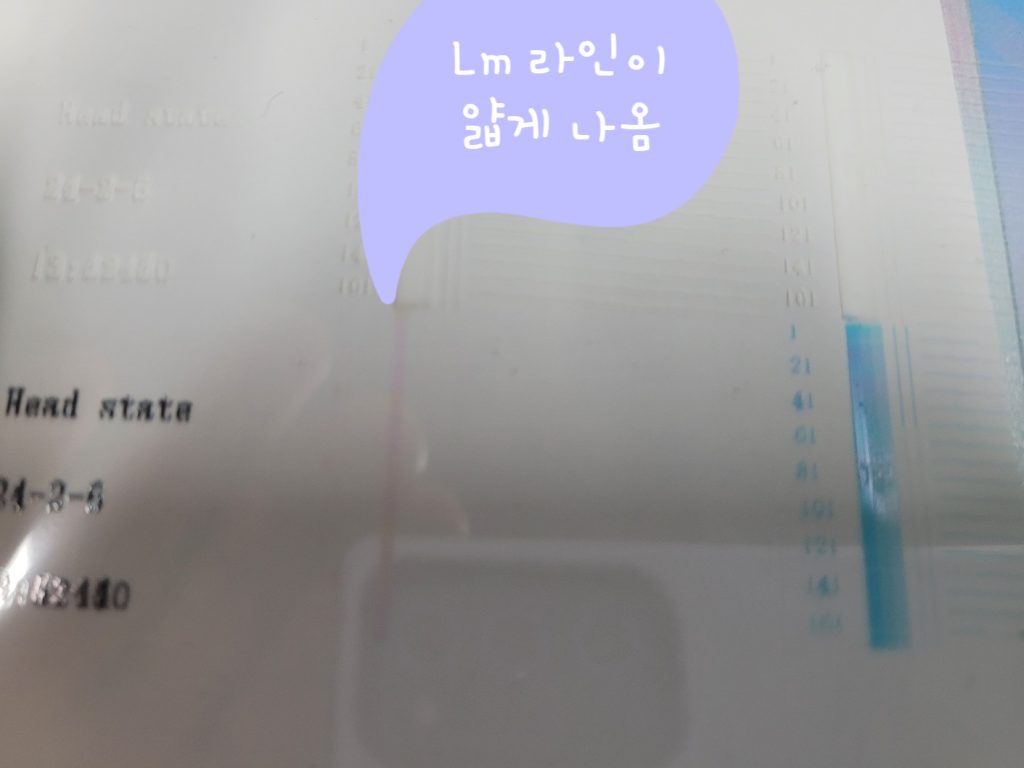
However, during printing, Light Magenta data did not fire.
After checking the nozzle pattern carefully, I found the Light Magenta bar was printed thin.
Since the machine was printing normally just 30 minutes earlier, I assumed the head suddenly reached end-of-life. So I replaced the head with a new one.
But even after replacing with a new printhead, the issue remained — Light Magenta was still thin in the nozzle pattern.
II. Cause & Fix — When Printhead DATA Cable Is Connected Incorrectly
When replacing the printhead, I checked the head-side DATA cable connection, so I didn’t think it required a re-check.
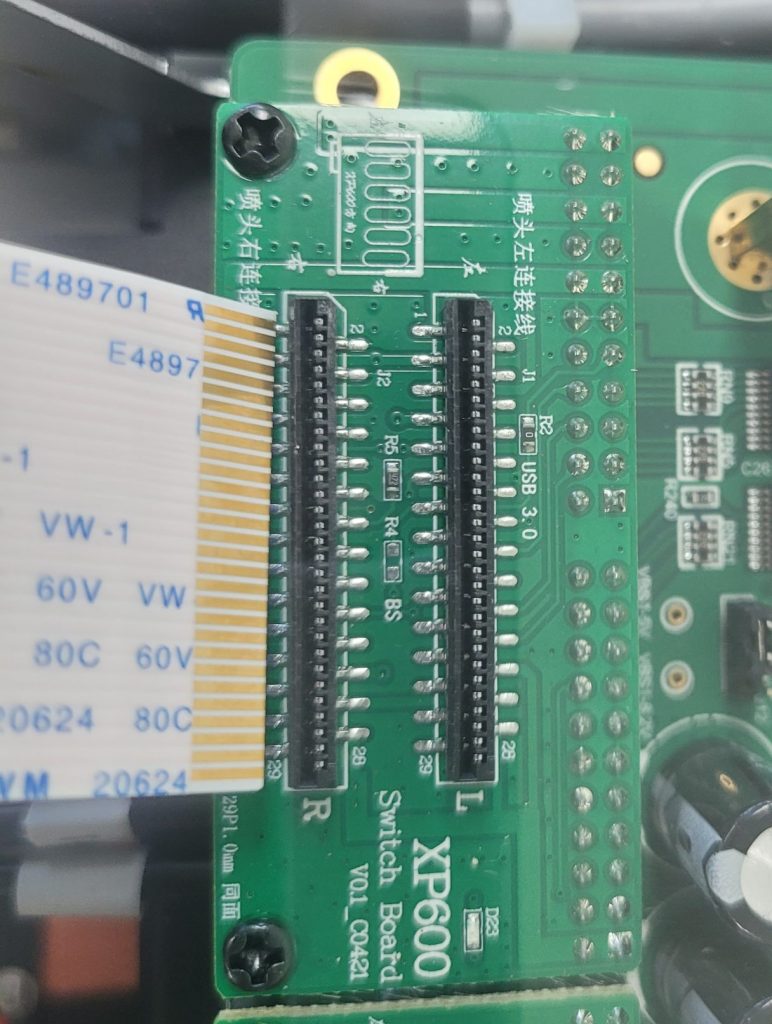
However, I had not re-checked the board-side connection before, so I inspected it again.
After removing the DATA cable, I found the gold end was slightly outside the board connector area. I don’t have a photo of this exact case, but please refer to your connector area (board + DATA cable alignment) as shown in the reference photo below.
I had not touched the DATA cable connector area for about one year.
Because it had been stable for a long time — and because the “typical incorrect-connection symptoms” did not appear (no LED blinking, no complete ink firing failure) — I initially suspected the printhead itself.
My best estimate of the cause is:
- The DATA cable may have been slightly off-center during the initial installation,
- and over time, the cable gradually shifted outward,
- until eventually only the end part made partial contact.
- This “half-connected” state caused an unstable and confusing issue.
If a specific color stops printing during a job:
- First, check whether the thick bars in the nozzle test are normal.
- If a thin bar appears for a specific color, check DATA cable alignment/connection first.
During printhead replacement, the DATA cable must be centered precisely on both sides — printhead-side connector centered, and board-side connector centered too.
Tip: Some DATA cables have a silver-coated contact area. The coating can peel off after only a few insertions/removals. To reduce future errors, use a DATA cable with gold-coated contacts whenever possible.
For a method to replace the head by disconnecting only the head-side cable (without removing the board-side cable), refer to:
IV. ARTJET UV Printer

핑백: 12 Problems Related to print head, Organized by Symptom