Jig making and ballpoint pen printing
So far, UV printer-related issues, We’ve compiled
24 articles on ink supply issues,
9 articles on head basics,
12 articles on actual head issues and their solutions,
10 actual mechanical Machine Problems and Solutions.
12 Problems and Solutions of Electronic Boards and SW Actually Issued
11 Problems and Solutions: Sai Rip Installation and Basic Settings, Spot Color Creation, and More
For related information, click on the article to go to the link.
Now, I’m explaining about the products that can be made with a UV Printer
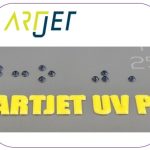
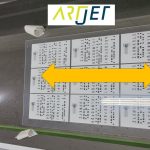
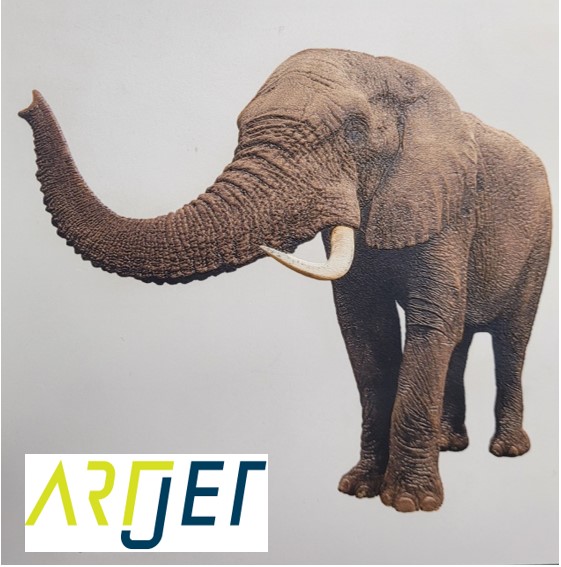
Expressing gradients and three-dimensionality with white
4. “It is not easy to print a phone case because of the height of the iPhone 14 camera.”
5. “Do not print masks with a UV printer.”
7. I will explain how to print on the round name tags used on the soccer strategy board.
8. Description of Primer functionality and limitations

10. “How much will I earn if I sell my UV-printed phone case?”

11. Explain the difference between screen printing and inkjet printing.

12. Practicality of the Circular Bottle Print Jig

13. Precautions for Canvas Printing

14. How to create an epoxy effect by applying only varnish to the printed material

15. Creating a Light Frame with a UV Printer & Laser

16. Making Equipment Button Name Tags with a UV Printer Laser

17. Making a Cell Phone Grip Tok with a UV Printer and Laser

18. Making a Keychain with a UV Printer and Laser

19. Things to keep in mind when using a jig for UV printing
20. Explain how to cut a camera with a laser.

21. All processes for making UV DTF and its application

22. Evaluation of workability and adhesion after applying UV DTF film to actual objects


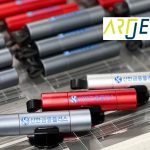
Today, I will explain how to make a jig with a laser cutter and then print it for ballpoint pen printing.
I. Creating a Print Jig _Jig making and ballpoint pen printing
1. Why you need a jig_Jig making and ballpoint pen printing
The number of ballpoint pens to be printed was 5,000, and a jig was created for the following reasons:
- The pens would not stand upright on the printing surface.
- Printing 5,000 pens without a jig and with proper positioning would not be productive.
2. trial and error_Jig making and ballpoint pen printing
I drew the jig using an AI file and made it, but it was either too tight or too loose, so I had to adjust the dimensions in the AI file several times.
I initially made the jig using 3T acrylic, but it didn’t hold well when I inserted the ballpoint pen, so I made a new jig using 5T acrylic.
Jig Making Process
- Don’t start with the entire drawing. Instead, determine the exact dimensions based on a single quantity.
- Once the exact dimensions are confirmed, make the jig using 5T acrylic instead of 3T acrylic.
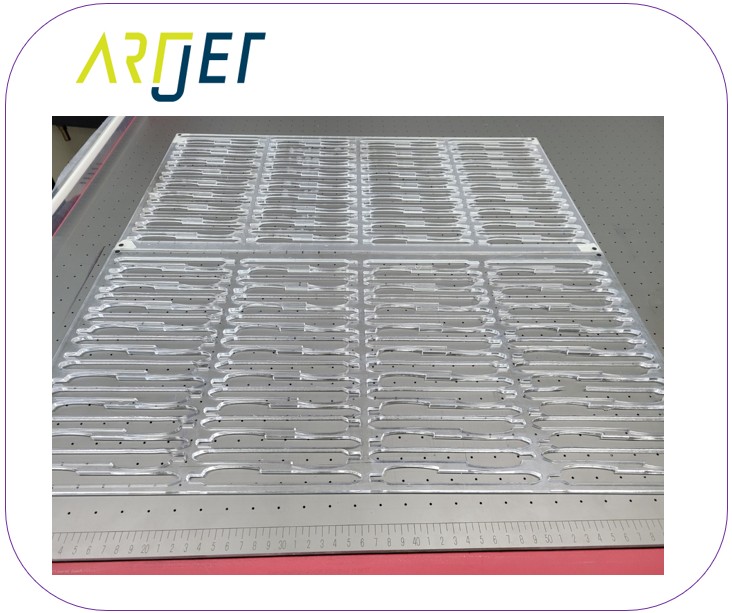
- Instead of the full 600 x 900 size, make two jigs measuring 600 x 300 (reasons will be explained later).
II. UV Printing _Jig making and ballpoint pen printing
1. Material loading time and printing method _Jig making and ballpoint pen printing
To optimize printing time and material loading time, I didn’t create a full 600×900 jig.
I created two 600×300 jigs, one aligned with the Y-axis starting point, and the second aligned with the 600mm Y-axis starting point, and secured them to the flatbed with double-sided tape.
- I loaded the ballpoint pen into the first jig and started printing.
- While the ballpoint pen was printing in the front, there was space behind it, so I loaded the pen into the second jig.
- After the ballpoint pen printing on the first jig was complete, when printing on the second jig began, there was space again in the front.
- While the printer was printing on the second jig, I loaded the pen into the front jig again.
- I then did the same thing to the front and back jigs.
In other words, I loaded the pen before the printing was complete, so that the next print could begin immediately.

2. Printing continues without stopping _Jig making and ballpoint pen printing
I printed white, color, and varnish simultaneously. The printer ran nonstop from morning until night.
Before printing, a coworker said,
“The acrylic is transparent, so I think UV light will reflect badly. Wouldn’t it be better to make the acrylic completely black?”
“If you print with a ballpoint pen, the head height is relatively high, and the height difference in areas without a ballpoint pen increases light reflection….”
After printing that day, I cleaned the printer the next day and checked the nozzle condition.
With the existing equipment, the color nozzle pattern was almost perfect even without cleaning. However, one fixed nozzle was clogged, and two or three nozzles were spraying diagonally.
Since I was only printing small letters, all nozzles were disabled during printing.
I think the unused nozzles were either blocked by repeated UV light reflections, or the ink at the tip of the nozzle hole cured, creating the diagonal spray.
White and Varnish were not a big problem as ink was jetted in all six channels during printing.
Ultimately, the color nozzle condition deteriorated for the following reasons:
- Since only text was being printed, ink was not sprayed from the entire nozzle during printing.
- The nozzles that were not spraying were frequently exposed to LED light due to light reflection from the high head position.
- The material itself, transparent acrylic, was highly reflective, causing the LED light to shine more directly onto the nozzles.
- The LED light continuously reflected off the head nozzles, further deteriorating the nozzle condition.
This issue arose from a lack of regular cleaning when printing on reflective materials (mirrors, glass, transparent materials) or at high print heights.
When printing using an acrylic jig, cleaning should be performed at least every 1-2 hours.
III. This is how ARTJET supports our customers.
One thing I feel while selling and maintaining ARTJET UV Printers for 5 years is that the next most important thing after product stability is Troubleshooting DATA.
All products have problems, whether they are actual equipment problems or consumer errors, and product stability is how easily and quickly you solve those problems.
We are organizing all the troubleshooting DATA as follows.
You can see the product print quality by clicking here.

1. Additional information on printhead problems
Please refer to the information summarized above, and there is no additional information summarized yet.
2. Additional information on ink supply issues
Please refer to the information summarized above, and the additional information summarized below is as follows.
Addition
“no clogged nozzles, but banding in the red ARTJET 2025”
“When I print it, the whole thing has a yellow tint to it”
3. Additional information on Mechanical issues
Please refer to the information summarized above, and there is no additional information summarized yet.
4. Additional information on Electron board and Software issues
Please refer to the information summarized above, and there is no additional information summarized yet.
5. Additional information on Sai Flexi Rip software
Please refer to the information summarized above, and there is no additional information summarized yet.
6. Problems and solutions from actual consumer sites
1. Paper that absorbs ink
2. A line-like thing appears at the end of the white print surface
3.Can varnish banding be reduced?
4. Are there many problems with China’s UV Printer?
7. UV Printer Application
we are explaining not only UV printer problems and solutions, but also what products are produced with UV printers.
1. Braille printing
2. Flip the material and align it
3. 2.5D UV print
4. ARTJET UV Printer Application 6 _아크릴 본딩 장비
5. I phone 14 print limitation
6. Mask printing not recommend
7. Leather Cigarette Case UV Printing
8. Round soccer strategy board UV printing
9. Primer performance & limitation
10. UV Print & Laser crop mark cutting
11. Mobil case UV print profit
12. Screen vs Digital Comparison and UV Printing on Hand Sanitizer Cases
13. Bottle zig & print
14. Canvas UV Printing
15. Applying epoxy effect with varnish
16. Making a light frame with UV Printer & Laser cutter
17. UV Printer & Laser Cutting Equipment Button Name Tag Making
18. UV Printer & Laser Cutting Making a Cell Phone GripTok
19. Making an Acrylic Keychain with UV Printer & Laser Cutter
20. UV Print with Zig
21. How to make RD WORKS CCD camera cutting Video manual
22. Acrylic bonding equipment
23. All the steps to create UVDTF
24. UVDTF TEST Result on various material
25. ARTJET CW+C Print time & Ink Cost
26. Create a white shield with different images on the front and back of the keyring
27. Keyring Business Required Equipment and Investment Costs
29. Acrylic Lighting Goods
30. Ballpoint pen jig printing
31. Staining occurs when printing on coated leather
8. Bonus
1. ARTJET UV Printer Old Model Refurbished
2. UV Printer Laser Cutter Bonding Machine Which equipment should I buy first?
3. Considerations when choosing a UV printer
4. DTF Printer Price and Specification Survey
5. Acrylic Bonding Equipment Don’t Put It Off Anymore
6. China inkjet level now
7. Thoughts on KOSIGN 2024
8. ARTJET Delivery Preparation
9. ARTJET Setting Sequence
10. UV Printer History and Future Prediction 1
11. UV Printer History and Future Prediction 2
12. UV Printer History and Future Prediction 3
13. UV Printer History and Future Prediction 4
14. UV Printer History and Future Prediction 5
15. Are there many problems with China’s UV Printer?
16. UV Printer Small Text Meaning
17. Is the XP600 head okay
18. Roland UV Printer Summary
19. Mimaki UV Printer Summary
20. UV Printer Alibaba Direct Purchase Considerations
21. Things to consider when buying a used UV Printer
22. Bi Uni Print Quality Differences
23. RDworks download install and laser head position by SW
That’s it for today.