Screen Printing vs. Inkjet Printing Comparison Explained
So far, UV printer-related issues, We’ve compiled
24 articles on ink supply issues,
9 articles on head basics,
12 articles on actual head issues and their solutions,
10 actual mechanical Machine Problems and Solutions.
12 Problems and Solutions of Electronic Boards and SW Actually Issued
11 Problems and Solutions: Sai Rip Installation and Basic Settings, Spot Color Creation, and More
For related information, click on the article to go to the link.
Now, I’m explaining about the products that can be made with a UV Printer
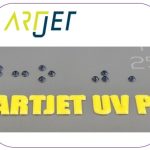
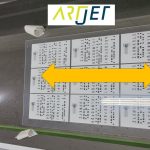
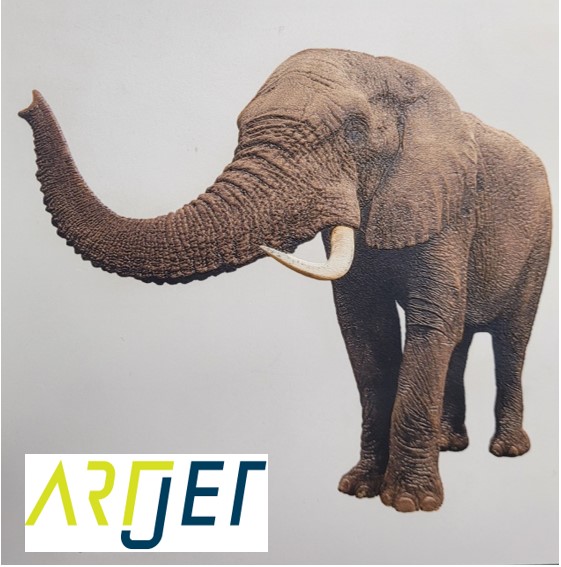
Expressing gradients and three-dimensionality with white
4. “It is not easy to print a phone case because of the height of the iPhone 14 camera.”

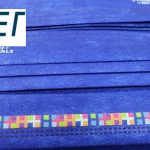
5. “Do not print masks with a UV printer.”
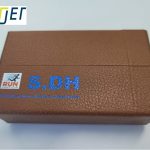
7. I will explain how to print on the round name tags used on the soccer strategy board.
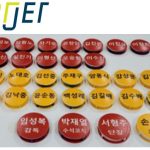
8. Description of Primer functionality and limitations

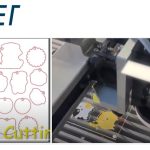
10. “How much will I earn if I sell my UV-printed phone case?”

Today I’m going to explain the differences between screen printing and inkjet printing.
I. Screen printing _Screen Printing vs. Inkjet Printing Comparison Explained
1. Screen printing method _Screen Printing vs. Inkjet Printing Comparison Explained
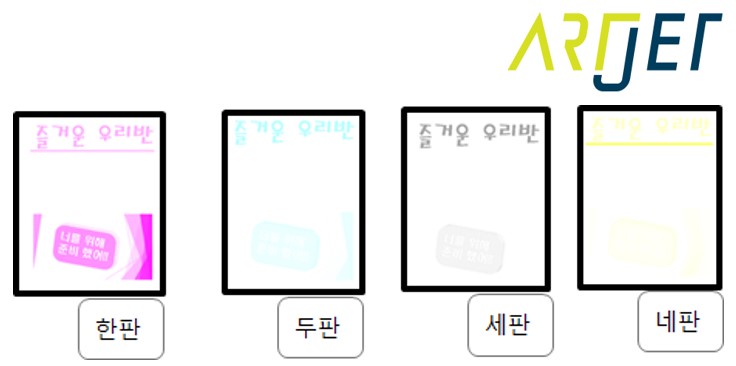
The correct term is “Do” but here I’ll use the more familiar term “plate”
Let me give you some examples.
1 DO printing
I need to print the red letters “No Entry” onto white acrylic.
It should be called “sha,” but I’ll just call it a plate.
Prepare a plate. Cover the plate with an airtight cloth.
Poke tiny, close holes with a needle on the cloth, aligned with the “No Entry” text. When water is poured, it should leak out only from the “No Entry” holes.
Place the plate on the acrylic to be printed, carefully positioning it, and pour sticky red ink from one end to the other.
Then, using a spatula or similar tool, gently press the ink from the starting point of the sticky red ink to the opposite end.
When you peel the plate off the acrylic, only the “No Entry” text will remain.
This printing process is called screen printing.
2 DO printing
We need to add the words “Let’s Observe” in black letters beneath the red “No Entry” sign.
Since the red sign has already been created, we can’t use the previously used “No Entry” plate.
We’ll create the “Let’s Observe” sign by poking a needle into another plate.
We need to print the words “Let’s Observe” exactly 5cm below and 10cm to the right of the red “No Entry” sign.
To ensure the letters are aligned correctly,
we marked a reference point on the acrylic we’ll be printing on, created a reference point on the red sign, and created a reference point on the black sign.
By printing using the reference point as the reference point, we were able to print “Let’s Observe” exactly 5cm below and 10cm to the right of the “No Entry” sign.
16 DO Printing
A customer brings in travel photos and asks, “I’ll give you 500,000 won for 10 prints.”
The print shop owner is perplexed. “How should I print these photos?”
The print shop owner decides to give it a try. He prepares 16 plates, creating all the necessary color plates.
He applies ink to each plate, one, two, three, four, all the way up to the 16th plate, using a spatula to finish the printing process.
“Well, this should be good enough.” He’s somewhat satisfied.
Then, the second printing begins. Again, one, two, and three plates are individually aligned to the reference points, ink is poured in, and the plates are pressed with a spatula to complete the process.
However, the colors differ from the first printing.
Upon closer inspection, he discovers that one of the 16 plates was printed 1mm to the right.
‘I thought I aligned it correctly, but did the acrylic get pushed? Or did I not properly align the plates with the pins?’
After this, the print shop owner decides not to print photos anymore.
2. Pros and Cons of Screen Printing _Screen Printing vs. Inkjet Printing Comparison Explained
Advantages
- If you produce a large quantity of the same design, you can use pre-made plates, and the low ink prices mean lower production costs.
- Furthermore, Inkjet printing uses CMYK inks to express all colors, making it impossible to express specific colors.
- However, screen printing allows for the individual mixing of colors, such as Coca-Cola Red or a specific company logo, allowing for the expression of specific colors.
Disadvantages
- Whether you’re producing one or 1,000 sheets, the unit price is prohibitively high for small-scale production, as plates need to be made and colors matched.
- For orders requiring different numbers, such as addresses, different plates must be made each time. This increases production costs for orders with constantly changing images.
- If ink wears off after installation and needs to be repaired, the plates used must be reused and the colors must be remixed to match the ink.
- This means that plates cannot be discarded once they’ve been made, requiring storage space costs.
- The more complex the image, the more difficult it is to match colors. Even a slight misalignment of the plates can cause the colors to differ, making it difficult to achieve a realistic image.
- Due to environmental concerns and odor, the ink used in screen printing is often stored within industrial complexes.
- Generally, a lot of waste ink is generated, and the ink smell is quite strong. Young people quit after a few days due to the unfavorable working environment.
II. Inkjet printing _Screen Printing vs. Inkjet Printing Comparison Explained
1. Inkjet printing method _Screen Printing vs. Inkjet Printing Comparison Explained
https://www.youtube.com/watch?v=8YMfAouuPHc
As you can see in the YouTube video, a software program called Rip automatically separates one, two, three, and four colors into digital data.
The separated data is then sent to the print head, which interprets the separated data as electrical signals and fires ink as directed.
Once all the ink drops are fired as instructed, the image is complete.
2. Pros and Cons of Inkjet Printing _Screen Printing vs. Inkjet Printing Comparison Explained
Advantages
- Because there’s no need for plate making, sampling is free and printing is possible immediately after order placement.
- Small-volume printing doesn’t require separate plates, so production costs don’t increase.
- Even if specific text varies across images, there’s no need to create separate plates. Simply modifying the design file doesn’t significantly increase costs.
- Because small-volume printing is possible, you can immediately produce defects-repair prints.
- Digital printing produces relatively less waste ink than screen ink, and the ink smell isn’t as strong, making it suitable for use in factory-style apartments or regular offices.
- Many young people are also working in inkjet printing.
Disadvantages
- Pre- or post-treatment is required to enhance adhesion to certain materials, such as glass and steel.
- Costs do not decrease significantly even with high order volumes.
3. The Biggest Reason to Switch from Screen to Inkjet _Screen Printing vs. Inkjet Printing Comparison Explained
If you go to a label or screen printing place, you’ll find many older workers.
Color matching is difficult, and the smell of ink and the noisy equipment running everywhere discourage young people from working there.
On the other hand, digital printing offers a cleaner work environment compared to traditional printing methods.
Color matching requires no special skills, as it involves editing AI files instead of manually mixing inks.
Due to labor shortages, even print shop owners are turning to digital printing.
In particular, large-scale print shops in the label market have largely transitioned to inkjet printing, with most of them now owning UV digital printing equipment.
III. Custom UV printing _Screen Printing vs. Inkjet Printing Comparison Explained
We receive image files from customers and convert them into printable files using Rip software.
Place the material to be printed on the printer flatbed, aligning its position and adjusting the height to begin printing.

Once printing is complete, the product can be delivered immediately.
Since it’s hand sanitizer, it would be a good idea to give it to each class at a daycare or kindergarten, labeled with their name.

IV. This is how ARTJET supports our customers.
One thing I feel while selling and maintaining ARTJET UV Printers for 5 years is that the next most important thing after product stability is Troubleshooting DATA.
All products have problems, whether they are actual equipment problems or consumer errors, and product stability is how easily and quickly you solve those problems.
We are organizing all the troubleshooting DATA as follows.
You can see the product print quality by clicking here.

1. Additional information on printhead problems
Please refer to the information summarized above, and there is no additional information summarized yet.
2. Additional information on ink supply issues
Please refer to the information summarized above, and the additional information summarized below is as follows.
Addition
“no clogged nozzles, but banding in the red ARTJET 2025”
“When I print it, the whole thing has a yellow tint to it”
3. Additional information on Mechanical issues
Please refer to the information summarized above, and there is no additional information summarized yet.
4. Additional information on Electron board and Software issues
Please refer to the information summarized above, and there is no additional information summarized yet.
5. Additional information on Sai Flexi Rip software
Please refer to the information summarized above, and there is no additional information summarized yet.
6. Problems and solutions from actual consumer sites
1. Paper that absorbs ink
2. A line-like thing appears at the end of the white print surface
3.Can varnish banding be reduced?
4. Are there many problems with China’s UV Printer?
7. UV Printer Application
we are explaining not only UV printer problems and solutions, but also what products are produced with UV printers.
1. Braille printing
2. Flip the material and align it
3. 2.5D UV print
4. ARTJET UV Printer Application 6 _아크릴 본딩 장비
5. I phone 14 print limitation
6. Mask printing not recommend
7. Leather Cigarette Case UV Printing
8. Round soccer strategy board UV printing
9. Primer performance & limitation
10. UV Print & Laser crop mark cutting
11. Mobil case UV print profit
12. Screen vs Digital Comparison and UV Printing on Hand Sanitizer Cases
13. Bottle zig & print
14. Canvas UV Printing
15. Applying epoxy effect with varnish
16. Making a light frame with UV Printer & Laser cutter
17. UV Printer & Laser Cutting Equipment Button Name Tag Making
18. UV Printer & Laser Cutting Making a Cell Phone GripTok
19. Making an Acrylic Keychain with UV Printer & Laser Cutter
20. UV Print with Zig
21. How to make RD WORKS CCD camera cutting Video manual
22. Acrylic bonding equipment
23. All the steps to create UVDTF
24. UVDTF TEST Result on various material
25. ARTJET CW+C Print time & Ink Cost
26. Create a white shield with different images on the front and back of the keyring
27. Keyring Business Required Equipment and Investment Costs
29. Acrylic Lighting Goods
30. Ballpoint pen jig printing
31. Staining occurs when printing on coated leather
8. Bonus
1. ARTJET UV Printer Old Model Refurbished
2. UV Printer Laser Cutter Bonding Machine Which equipment should I buy first?
3. Considerations when choosing a UV printer
4. DTF Printer Price and Specification Survey
5. Acrylic Bonding Equipment Don’t Put It Off Anymore
6. China inkjet level now
7. Thoughts on KOSIGN 2024
8. ARTJET Delivery Preparation
9. ARTJET Setting Sequence
10. UV Printer History and Future Prediction 1
11. UV Printer History and Future Prediction 2
12. UV Printer History and Future Prediction 3
13. UV Printer History and Future Prediction 4
14. UV Printer History and Future Prediction 5
15. Are there many problems with China’s UV Printer?
16. UV Printer Small Text Meaning
17. Is the XP600 head okay
18. Roland UV Printer Summary
19. Mimaki UV Printer Summary
20. UV Printer Alibaba Direct Purchase Considerations
21. Things to consider when buying a used UV Printer
22. Bi Uni Print Quality Differences
23. RDworks download install and laser head position by SW
That’s it for today.