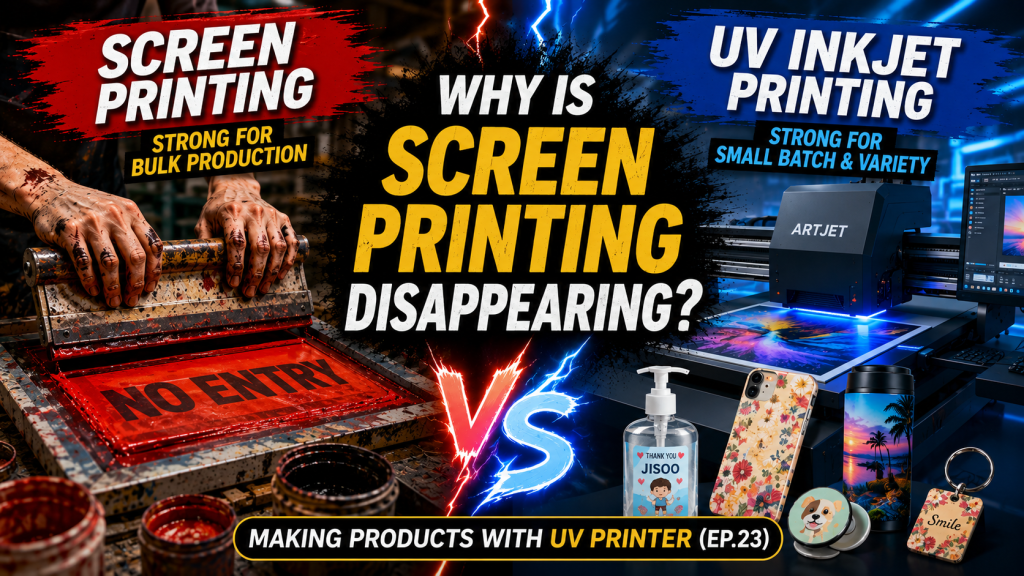
- Those considering switching from screen printing to inkjet (UV) printing
- Those wanting to understand the differences between screen printing and inkjet printing to determine which method suits their work
- Those evaluating UV printer adoption and curious about the pros and cons compared to traditional screen printing
- Inkjet printing is not superior to screen printing in every aspect. For high-volume production of identical designs, screen printing still offers lower per-unit costs.
- Inkjet (UV) printing may require pre-treatment or post-treatment for certain materials such as glass and steel plates, and per-unit costs do not decrease significantly even with large orders.
- When exact spot colors are required — such as Coca-Cola RED — CMYK-based inkjet printing may not be able to reproduce those specific colors precisely.
- Screen Printing: Low per-unit cost for high-volume identical designs with spot color capability, but plate making and color mixing require time and cost, making it inefficient for small-batch, multi-variety, or photographic image printing.
- Inkjet Printing: No plates needed, making it strong for small-batch, multi-variety, and variable data printing, with a cleaner work environment that helps with labor recruitment. However, certain materials require pre-treatment, and cost advantages are limited at high volumes.
- Key Reason for Switching: The biggest reason for the shift from screen to inkjet in the field is not technology — it is labor supply issues. As it becomes harder to find skilled workers and demands for better working conditions grow, UV digital printing adoption is rapidly expanding, especially in the label market.
Today, we will explain the differences between screen printing and inkjet printing.
I. Screen Printing — Differences Between Screen Printing and Inkjet Printing
1. How Screen Printing Works
First, let us explain how screen printing works.
The correct term is “color separation” (1-color, 2-color), but here we use the more familiar term “plate” for easier understanding.
Let’s look at some examples.
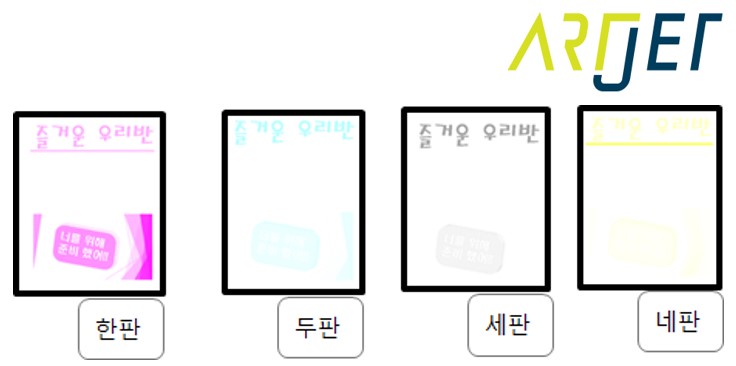
1. 1-Color Printing
- You need to print the red text “No Entry” on a white acrylic sheet. The correct term is “mesh screen,” but we will simply call it a “plate.”
- You prepare one plate. The plate is covered with an air-tight fabric. On that fabric, you punch fine, dense holes with a needle matching the characters “No Entry.” If you pour water on it, water only seeps through where the “No Entry” holes were punched.
- You carefully position the plate on top of the acrylic to be printed, and pour thick, sticky red ink at one starting point. Then, using a squeegee-like tool, you push the sticky red ink from the starting point all the way across to the opposite end.
- When you lift the plate off the acrylic, only the text “No Entry” remains on the acrylic.
- This is what we call screen printing.
2. 2-Color Printing
- “No Entry” — below the red text, you need to add the black text “Let’s Obey.” Since the red plate has already been used, you cannot reuse it. You make a new plate by punching holes for the characters “Let’s Obey.”
- You need to print “Let’s Obey” precisely 5cm below and 10cm to the right of the red “No Entry” text.
- To align the text precisely, you mark reference points on the acrylic to be printed, on the red plate, and on the black plate.
- By printing based on those reference points, you successfully print “Let’s Obey” exactly 5cm below and 10cm to the right of “No Entry.”
3. 16-Color Printing
- A customer brings in a travel photo and asks, “I’ll pay 500,000 won — please print 5 copies of this photo.” The print shop owner feels conflicted. ‘How do I even print a photo?’
- The shop owner decides to give it a try. He prepares 16 plates — one for every color needed to reproduce the image.
- Aligning to the reference points, he pours ink and pushes the squeegee — plate one, plate two, plate three, plate four… all the way through plate sixteen — and finishes the print.
- ‘Well, this looks good enough,’ he thinks, somewhat satisfied.
- Then he starts the second print. Once again, he aligns each plate to the reference points one by one, pouring ink and pushing the squeegee to complete it.
- But the colors are different from the first print.
- Looking closely to see what went wrong, he discovers that one of the 16 plates shifted 1mm to the right during printing.
- ‘I thought I aligned everything properly… Did the acrylic shift? Did I fail to set the plate on the pins correctly?’
- After that, the print shop owner decides never to print photos again.
2. Pros and Cons of Screen Printing
2_1. Advantages
- When the design is the same and the quantity is high, you can reuse the plates you already made, and ink prices are low, resulting in low production costs.
- Digital printing uses CMYK inks to reproduce all colors, which means it cannot produce specific spot colors.
- Screen printing, on the other hand, allows custom color mixing for specific colors like Coca-Cola RED or a company’s exact logo color.
2-2. Disadvantages
- Whether you print 1 sheet or 1,000 sheets, plates must be made and colors must be mixed, so per-unit costs are excessively high for small-quantity production.
- When different numbers must be printed each time — such as addresses — a new plate must be made each time, so production costs increase for orders where the image changes every time.
- If the ink peels off after installation and repairs are needed, the original plates must be reused and colors re-mixed to match. This means plates cannot be discarded and must be stored in a warehouse, creating storage costs.
- The more complex the image, the harder it is to match colors, and even slight plate misalignment results in color differences, making photographic images very difficult to reproduce.
- The inks used in screen printing cause environmental concerns and strong odors, so print shops are typically located in industrial zones.
- Significant amounts of waste ink are generated, ink odors are strong, and the poor working environment causes young workers to quit after just a few days.
II. Inkjet Printing — Differences Between Screen Printing and Inkjet Printing
1. How Inkjet Printing Works
You can quickly understand how inkjet printing works by watching the YouTube video below.
https://www.youtube.com/watch?v=8YMfAouuPHc
Since inkjet is such a familiar technology, we will explain it briefly.
- The image from an AI file is automatically separated through RIP software into plate one (Cyan), plate two (Magenta), plate three (Yellow), and plate four (Black) — or into even more colors. In other words, the AI image itself is separated into digital dot DATA for each color.
- The separated DATA works similarly to a screen printing mesh — areas with DATA appear as black dots, and areas without DATA appear as white.
- This DATA is sent to the print head, which receives electrical signals and jets ink at the black areas (where DATA exists) while not jetting ink at the white areas (where no DATA exists).
- When all the ink droplets are sprayed according to these signals, the image is complete — and this is how inkjet printing reproduces an image.
2. Pros and Cons of Inkjet Printing
2_1. Advantages
- No time needed for plate making, so sampling is flexible and printing can begin immediately after receiving an order.
- Even for small-quantity printing, no separate plates need to be made, so production costs do not increase.
- Even if specific text changes on every image, no separate plates need to be made. Just change the design file, so costs do not rise significantly.
- Since small-quantity printing is possible, repair prints can be produced on-demand as needed.
- Digital printing generates relatively less waste ink, and ink odor is not as strong compared to screen printing inks, making it possible to operate in factory-style apartments or regular offices.
- Young workers are also commonly employed in inkjet printing operations.
2_2. Disadvantages
- Pre-treatment or post-treatment is required to enhance adhesion on certain materials such as glass and steel plates.
- Costs do not decrease significantly even with high order volumes.
3. The Biggest Reason for Switching from Screen Printing to Inkjet Printing
- If you visit label printing or screen printing facilities, you will find many older workers.
- Color matching is not easy, and with ink odors and noisy equipment running everywhere, young workers reportedly do not stay long.
- In contrast, digital printing offers a much cleaner working environment compared to traditional printing methods, and color matching is done by editing AI files rather than relying on the intuitive skill of ink mixing, so no special expertise is required.
- The biggest reason for the shift from screen printing to inkjet printing is reportedly the labor supply issue. Most master printers (skilled workers who match colors and perform the actual work) are older, there are not many of them, making recruitment difficult, and labor costs are also high.
- In particular, in the label market, most sizable print shops now own UV digital printing equipment — the shift to inkjet is well underway.
4. Real-World Inkjet Printing Example
This explanation is for those familiar with screen printing.
- Receive the image file from the customer and convert it to a printable file using RIP software.
-
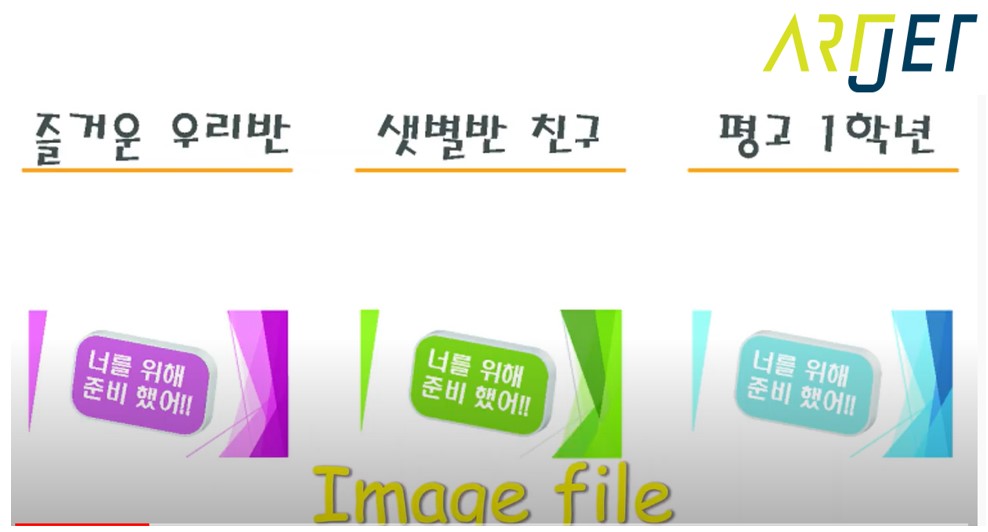
Differences Between Screen Printing and Inkjet Printing - Place the material to be printed on the printer flatbed, align its position, adjust the height, and proceed with printing.
-

Differences Between Screen Printing and Inkjet Printing - Once printing is complete, the product is ready for delivery.
- The contents inside are hand sanitizer bottles, and there have been cases where each child’s name was printed and delivered to daycare centers.

Differences Between Screen Printing and Inkjet Printing
III. ARTJET UV Printer
