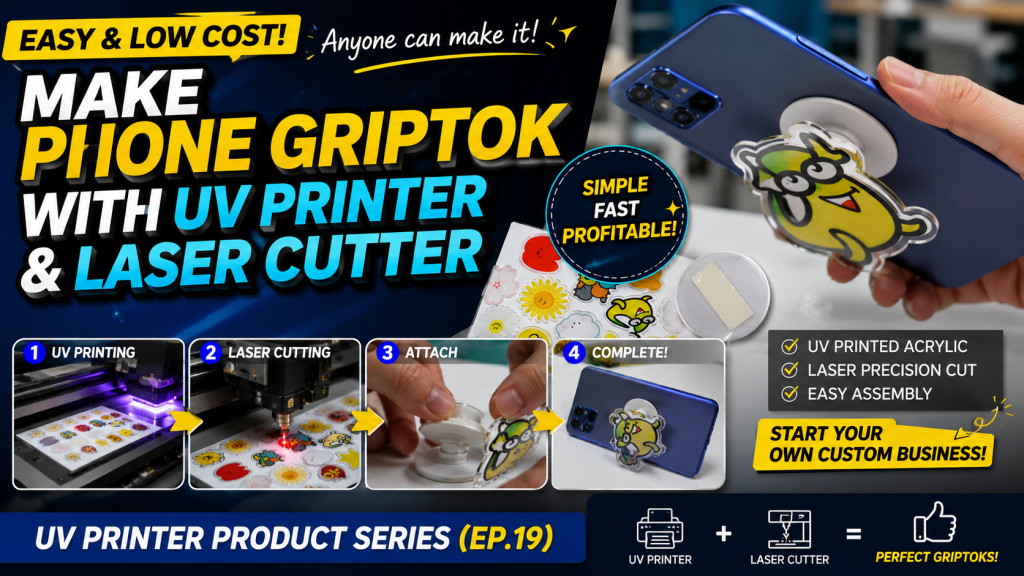
Making Phone Grip-Toks with a UV Printer and Laser — Making Products with a UV Printer (Part 19)
✅ Who Should Read This
- Those looking to make phone grip-toks from acrylic using a UV printer and laser cutter
- Those curious about how to ensure ink adhesion when back-side printing on transparent acrylic
- Those considering entering the goods market and wanting to understand the production steps and materials needed
⚠️ Precautions
- If ink adhesion on the acrylic is not secured, the ink may peel off when removing the double-sided tape — pre-testing is essential
- There are three methods to ensure adhesion — ① Apply manual primer before printing ② Use hard-coated acrylic ③ Print with the machine’s built-in inkjet primer before Color and White printing
- Grip-toks must be printed on the back side of transparent acrylic — front-side printing exposes the ink to damage during use
🧭 Key Summary (Field Insight)
- Production Steps → ① Set up 4 layers in Ai file → ② Back-side print Color + White on pre-treated transparent acrylic → ③ Laser camera cutting → ④ Attach to grip-tok base with double-sided tape → ⑤ Attach to phone
- Ink Adhesion is Key — Pre-treated acrylic allows printing without a separate primer; without secured adhesion, the product cannot be used
- Grip-tok bases are quite affordable in bulk, and the production process is simple — making it a suitable entry item for the goods market
UV Printer Basics · Troubleshooting · Product Guides
We have organized our UV Printer content below. Click an item to read the full post.
1) Ink Supply
23 articles on ink supply issues, including cleaning and pumping
2) Print Head Issues
12 articles on head-related problems, from replacement methods to symptoms
For deeper printhead study: Printhead Basics — 9 Articles
3) Electronics / Software Issues
4) Mechanical Issues
5) Sai Flexi RIP Installation, Spot color, Troubleshooting
📋 Making Products with a UV Printer — Full Series List
We are documenting printing methods for various products. This list is updated with each new part.
19Making Phone Grip-Toks with a UV Printer and Laser
We are explaining products you can make with a UV Printer.
Today, we will explain how to make phone grip-toks using a UV Printer and Laser.
Today, we will explain how to make phone grip-toks using a UV Printer and Laser.
I. Materials and Precautions — Making Phone Grip-Toks with a UV Printer and Laser
To make phone grip-toks from acrylic, you need an Ai file, UV Printer, Laser Cutting equipment, and grip-tok bases.
The production process is truly simple. Grip-tok bases are also known to be quite affordable when ordered in bulk.
1. Ai File Preparation
- The Ai file must contain 4 layers: Crop Mark Layer, Cut Line Layer, Color Image Layer, and White Spot Layer.
- For UV printing, 3 layers are used: Crop Mark Layer, Color Image Layer, and White Spot Layer.
- For Laser Cutting, 2 layers are used: Crop Mark Layer and Cut Line Layer.
- If you are curious about why 4 layers are needed, please refer to the link below.
- How Laser Cutters Use Cameras for Alignment
- For the Laser Crop Mark Cutting workflow after UV Printer printing, please refer to the link below.
- Explaining How to Perform Laser Camera Cutting
2. UV Printer, Acrylic, and Ink Adhesion
- Grip-toks are typically made from transparent acrylic.
- 3mm-thick acrylic is the most commonly used, and I also UV-printed on 3mm acrylic.
- Printing is done on the back side with Color and White.
- One of the most important factors is ink adhesion.
- Since the acrylic is attached to the grip-tok base with double-sided tape, if adhesion is weak, the ink may peel off. You must verify that the acrylic you use provides good ink adhesion.
- In actual production, companies apply manual primer to the acrylic before UV printing, use hard-coated acrylic to secure UV ink adhesion, or print with the machine’s built-in inkjet primer before Color and White printing.
3. Laser Cutting Equipment
- A laser cutter with camera cutting capability is the most convenient to use.
- After UV printing, the acrylic was cut using the camera cutting feature.
II. Production Process — Making Phone Grip-Toks with a UV Printer and Laser
1. UV Printing
- When making phone grip-toks, rather than using Color, White, Color as 3 layers, back-side printing is done with Color + White as 2 layers.
- Since ink adhesion is critical when attaching the acrylic to the grip-tok base with double-sided tape, pre-treated (coated) acrylic with secured ink adhesion was used.
- Since pre-treated acrylic was used, printing was done without manual primer or inkjet primer.

2. Laser Cutting
- The acrylic was cut as shown below.
-

Making Phone Grip-Toks with a UV Printer and Laser - This is a photo after cutting was completed.
-
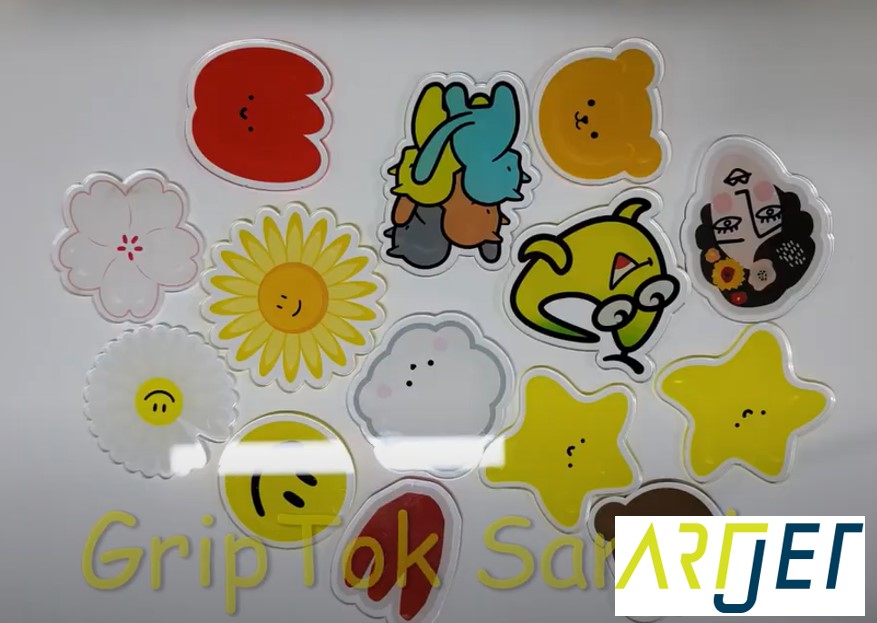
Making Phone Grip-Toks with a UV Printer and Laser
3. Attaching Acrylic to the Grip-Tok
- The acrylic is attached to the grip-tok base using double-sided tape.
-
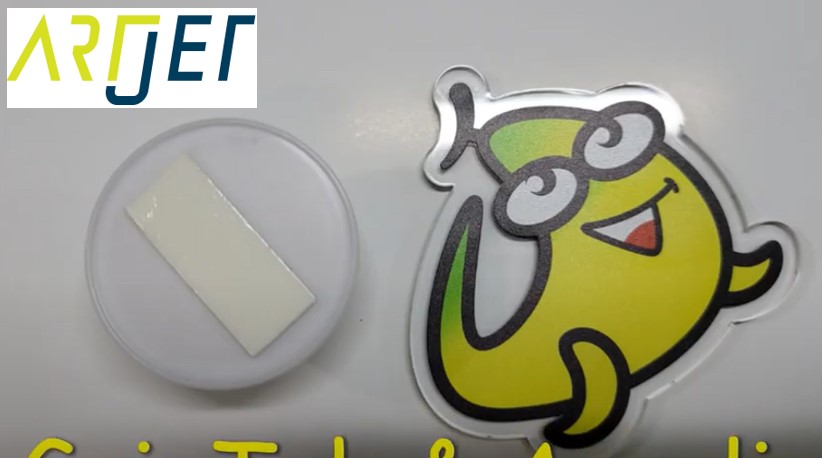
Making Phone Grip-Toks with a UV Printer and Laser
4. Attaching the Finished Grip-Tok to a Phone
- The grip-tok base has a protective film on the circular area.
- Simply peel off the protective film to reveal the double-sided tape, and attach it directly to the phone.
-
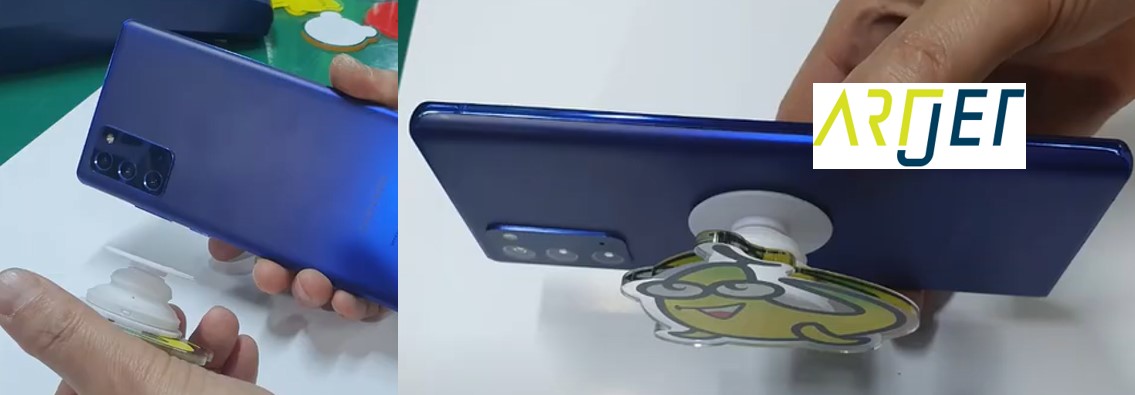
Making Phone Grip-Toks with a UV Printer and Laser
5. Phone Grip-Tok Production Video
- Everything explained above can also be viewed in the video below.
- ARTJET Phone Grip-Tok Production Video (youtube.com)
III. ARTJET UV Printer
After selling and maintaining ARTJET UV printers for over 5 years, we have learned one vital lesson.
The most important factor next to product stability is accumulating troubleshooting data.
Problems can occur with any equipment depending on the environment and user skill. What matters in the field isn’t “trouble-free equipment,” but:
How fast and how accurately you can find the cause and solve the problem when it occurs.
ARTJET continuously collects and organizes real-world problem data from the field to support faster and more accurate problem resolution.
🎥 View Print Quality Samples
🧾 Full List of UV Printable Products

* Note: Exterior design has been updated.
※ This article is based on actual field cases. Results may vary depending on the environment and equipment configuration.