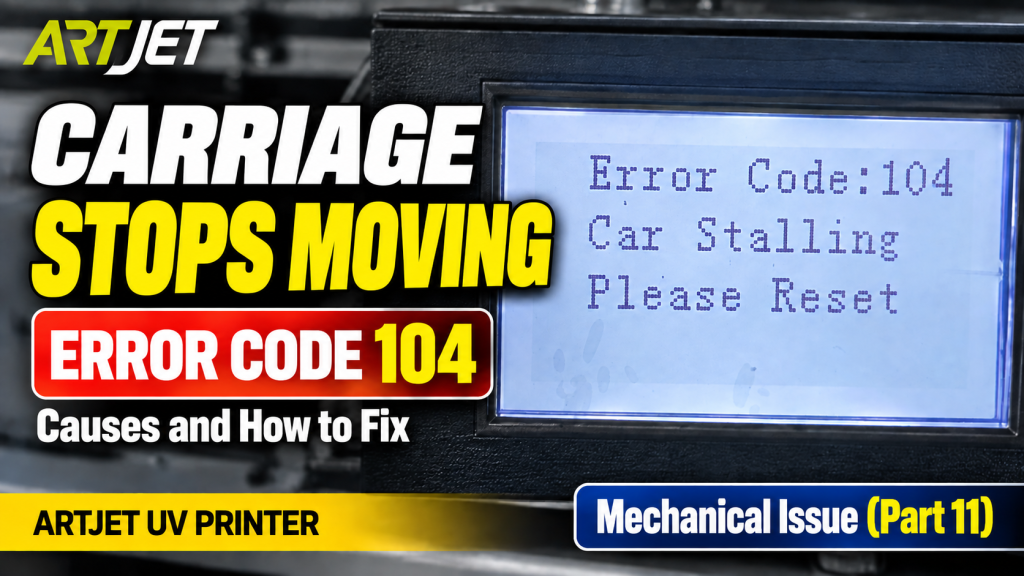
- Anyone whose X-axis hits its limit during initializing but fails to return, stopping mid-travel
- Anyone whose problem persists even after replacing the head board, motion board, or linear scale reader
- Anyone whose issue temporarily clears after cleaning with alcohol, then returns later
- Anyone who wants to check for a loose connection on the linear scale reader cable
- Anyone dealing with an intermittent X-axis fault that’s difficult to pin down
- An intermittent, on-again-off-again symptom points to a loose cable connection before a faulty part. Temporary normal operation after alcohol cleaning doesn’t mean the root cause is actually fixed.
- The linear scale reader cable connects at the head carriage board connector — check by gently tugging each cable to see if any is loose.
- Check cable connections before replacing boards (head board, motion board, etc.) to avoid unnecessary part-replacement costs.
- Never touch cables while the machine is powered on — always inspect with the power off.
- X-axis hits its limit during initializing but fails to return, stopping mid-travel → check for a loose cable connection before suspecting a faulty board.
- If replacing the head board, motion board, and linear scale reader in sequence doesn’t resolve it, check the linear scale reader cable’s connection at the head carriage board.
- Gently pull each cable to check whether any comes loose with just a small amount of force.
- An intermittent fault (works, then doesn’t) is a classic symptom of a loose connection making and breaking contact.
The X-axis fails to find home — linear scale reader cable connection issue
I. Symptom — The X-Axis Fails to Find Home
This past Tuesday, the fifth refurbished unit had already been causing stress with a Z-axis overload problem. Then, after cleaning the ink bottle and ink lines on the sixth unit, we expected it to power on without any issue during initializing — but the error below appeared instead.
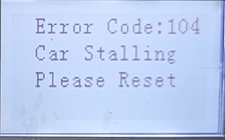
During initializing, the X-axis is supposed to hit its limit and then return home — but instead, the head carriage stopped partway along the X-axis, and the error message above appeared.
- Wondering if the X-axis limit sensor was the culprit, we forced an object into it and tested again — the same problem occurred.
- Then, suspecting the X-axis linear scale, we cleaned it with alcohol, and it started working again. We thought it was resolved, but —
- the same problem happened again.
II. Resolution Process — The X-Axis Fails to Find Home
1. What We Tried
- Replaced the head board — did not resolve it
- Replaced the motion board — did not resolve it
- Replaced the linear scale reader — did not resolve it
- The linear scale itself looked clean and was assumed fine, so it was not replaced
2. Root Cause
In the end, after trying everything else, we discovered the cable shown below was the actual problem.
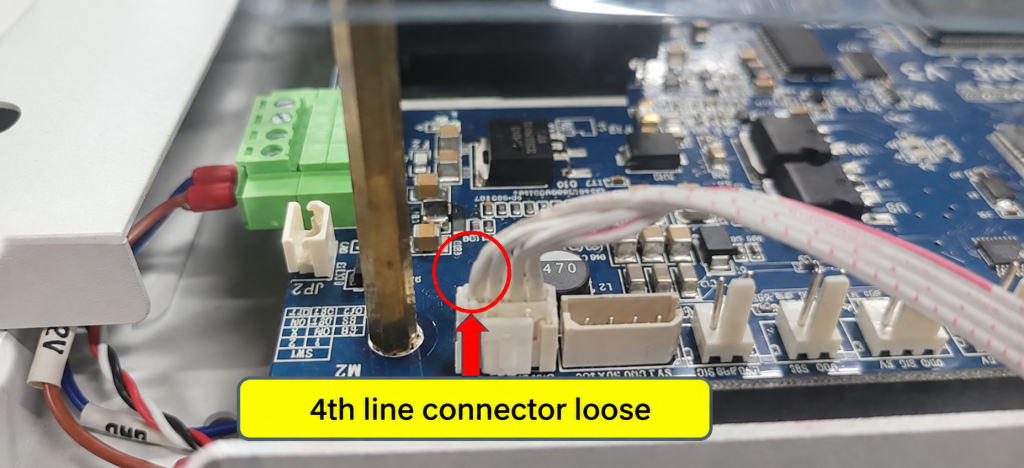
Since this was an X-axis motion issue, we started re-inspecting the linear scale reader.
The linear scale reader cable connects to the head carriage board.
If this connection point has a poor contact…
We pulled each wire one at a time to check. The leftmost wire came right out with barely any force applied.
It turned out this wire had been making and losing contact intermittently — which was the actual cause of the on-again, off-again failure all along.
IV. ARTJET UV Printer
