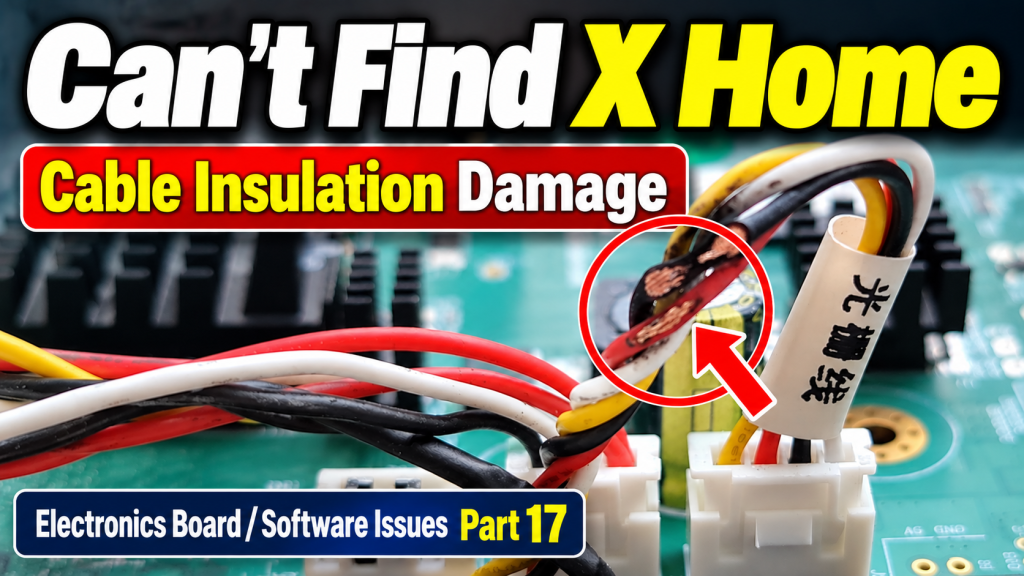
X-Axis Won’t Find Home — Electronics/Software Issues Part 17
✅ Who Should Read This
- Anyone whose printed image suddenly shifted along the X-axis mid-print
- Anyone whose head carriage board LED blinked after power-cycling the machine
- Anyone whose head carriage touches the X-axis limit sensor once during initializing and then keeps advancing in one direction
- Anyone whose problem persists even after replacing the X-axis limit sensor, carriage board, and encoder reader sensor in sequence
- Anyone who wants to know how to check cable insulation condition during a service visit
⚠️ Caution
- Check the condition of connected cable insulation before replacing any board. A cable with damaged insulation can cause cascading damage to boards and sensors.
- If the encoder reader sensor cable is damaged, both the carriage board and the encoder reader sensor itself can be damaged. Replacing only one of the two will cause the problem to recur.
- Replacing the cable alone without also replacing the sensor may let initializing complete, but with the carriage stopping outside the captop position — an incomplete fix.
- The optical cable (USB board — head carriage connection) and the encoder reader sensor cable are separate lines. Don’t confuse them — check each in sequence.
🧭 Quick Summary
- Image shifts on the X-axis during printing + carriage board LED blinking after a power cycle → suspect encoder reader sensor cable damage.
- If replacing the carriage board, power supply board, and X-axis limit sensor in sequence doesn’t resolve it, check the condition of the encoder reader sensor cable’s insulation.
- Replacing the cable alone may not be enough — the damaged cable may have already damaged the encoder reader sensor itself.
- Conclusion: the issue is fully resolved only by replacing both the cable and the encoder reader sensor together.
📋 Electronics/Software Issues — Full Series
Electronic board (including head board) and software issues, documented in order. This list will be updated as new articles are added.
17X-Axis Won’t Find Home
This series covers electronic board (including the head board) and software issues.
Today’s topic: a printer that fails to find X home during initializing and never completes the sequence.
I. Symptom _ X-Axis Won’t Find Home
1. What first appeared
* The printed image suddenly shifted along the X-axis mid-print.
* After powering the machine fully off and back on, the carriage board’s LED started blinking.
* On repeated power cycles, during initializing the head carriage would touch the X-axis limit sensor once and then just keep advancing left.
2. Remote support with the customer
* Suspecting the X-axis limit sensor, we replaced it ⇒ the same symptom occurred.
* After replacing the carriage board, the blinking LED stopped — but the same problem continued.
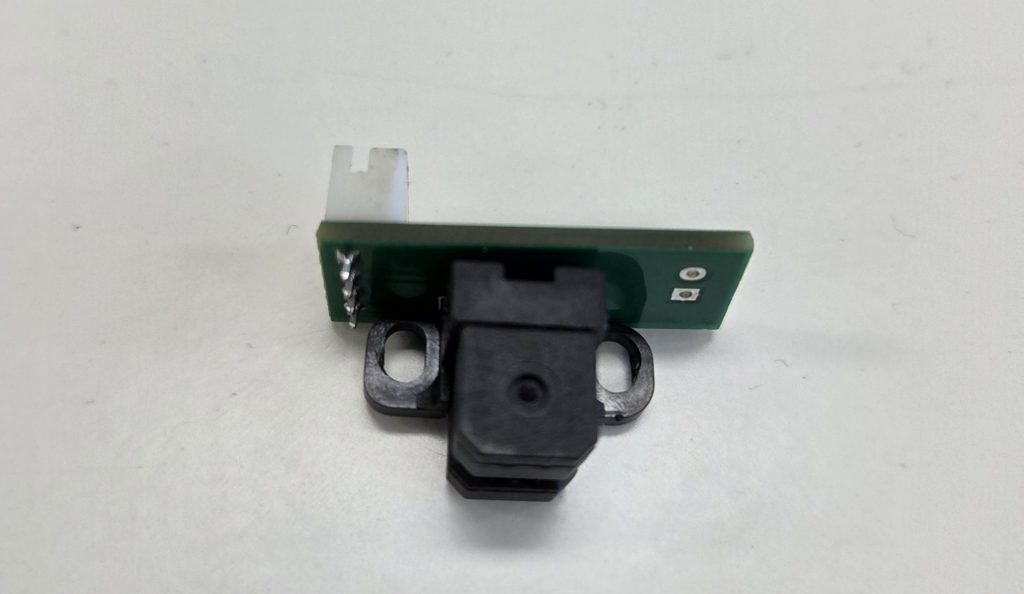
* After replacing the encoder reader sensor ⇒ the problem persisted, but now the head carriage stopped at a certain point instead of continuing left indefinitely.
II. Root Cause — X-Axis Won’t Find Home
1. Checking the head carriage board power
- We went on-site for the service visit.
- When power was first applied, the head carriage board’s LED was blinking.
- Suspecting the Power Supply board, which supplies 42V to the head carriage, might be at fault, we replaced it.
- After replacing it, the LED blinking on the head carriage board stopped.
- However, as we later found out, the LED blinking wasn’t actually caused by the power supply board.
2. Before replacing the optical cable and USB board connected to the head carriage
- The USB board and the head carriage are connected by an optical cable.
- If this optical cable’s communication isn’t working properly, the head carriage will fail to find X home, exactly as described above.
- So we attempted to replace both — but stopped partway through.
- We immediately spotted the actual problem.
3. The real root cause
- Since we had already replaced the X-axis encoder reader sensor, we assumed that part was fine and began looking elsewhere.
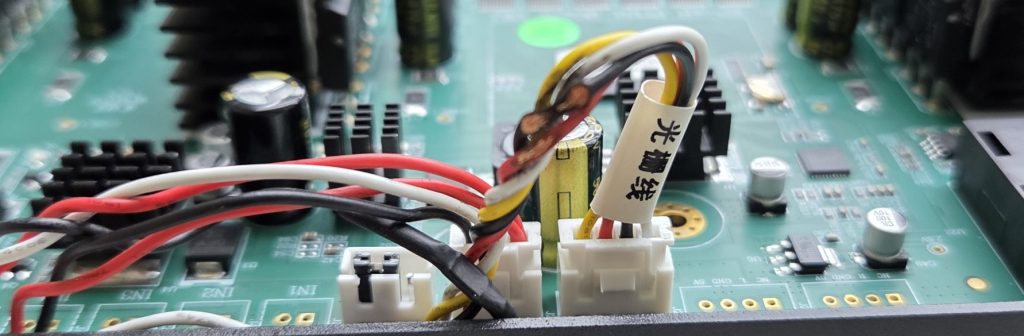
- But when we examined the encoder reader sensor cable connected to the board, it looked like this.
- The insulation had been worn through, and the wire itself appeared to be broken.
III. Summary — X-Axis Won’t Find Home
1. When only the cable was replaced
- Since the cable was clearly abnormal, we replaced only the cable first.
- We assumed this would resolve it, but the machine still failed to find X home properly — instead it slowly stepped left three times before proceeding to the next step and completing initializing.
- In other words, it was supposed to stop at the captop position, but instead it stopped outside the captop position and continued initializing anyway.
- We tried changing the X-axis carriage’s resting position in case that would help, but the result was the same — it still finished initializing while stopped outside the captop position.
2. Replacing the encoder reader sensor again, and the conclusion
- Suspecting that the worn insulation could have affected the encoder reader sensor as well, we replaced the sensor with a brand-new one too.
- After that, it worked normally.
- In other words, the worn wire insulation
- had damaged the carriage board,
- and had also damaged the encoder reader sensor itself.
- During service visits, it seems we need to pay close attention to the condition of wire insulation as well.
IV. UV Printer Basics · Troubleshooting · Printable Products
All UV Printer content has been organized below. Click any item to go directly to that article.
1) Ink Supply · Cleaning Issues
2) Print Head Issues
Print head basics: Print Head Basics — 9 Articles
3) Mechanical Issues
4) Sai Flexi RIP Setup, Spot Color, Troubleshooting
5) Complete Guide to UV Printable Products
V. ARTJET UV Printer
After more than five years of selling and servicing ARTJET UV printers, one thing stands out above all else.
Next to product reliability, the most critical factor is accumulated troubleshooting data.
Any machine can develop problems depending on the environment, work conditions, and operator experience. What truly matters in a production setting is not “a machine that never fails” — it’s:
How quickly and how accurately you can identify and resolve the issue when it occurs.
ARTJET continuously collects and organizes real-world problem data from the field to support faster and more precise troubleshooting.
🎥 Print Quality Sample
💰 ARTJET Pricing & Sales Conditions
(Note: Exterior design has been updated)
🧾 Full List of UV Printable Products

* Note: Exterior design has been updated.
※ This article is based on real field cases. Results may vary depending on your environment and machine configuration.