- Those looking to personally perform post-processing on acrylic goods with a laser cutter after UV printing
- Those starting camera cutting for the first time using the RD Works program on a Chinese laser cutter
- Those considering entering the “goods” market and reviewing the purchase of a laser cutter
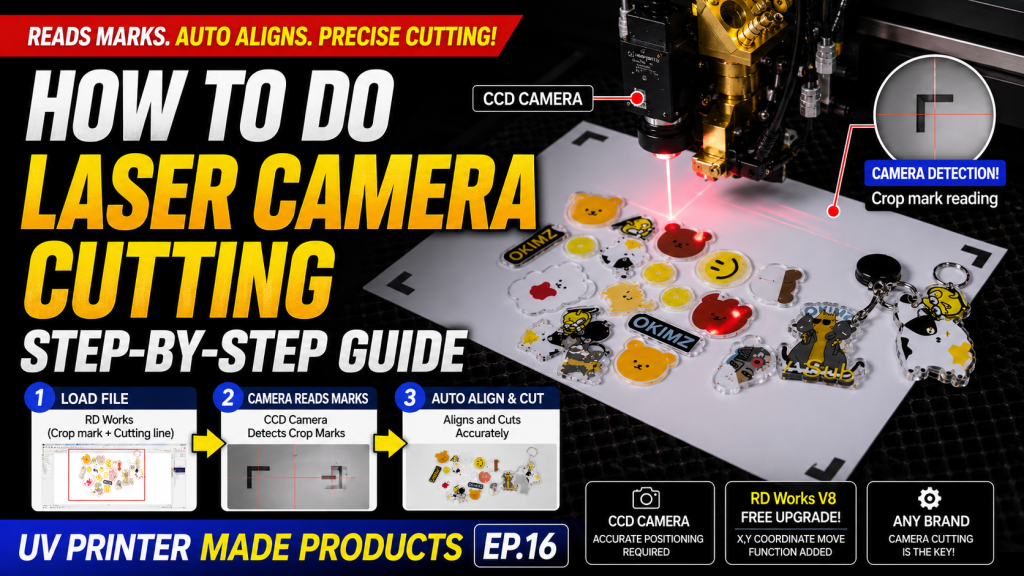
- Older laser cutters without camera cutting features are difficult for precision cutting due to manual alignment limits — a CCD camera is essential for new purchases
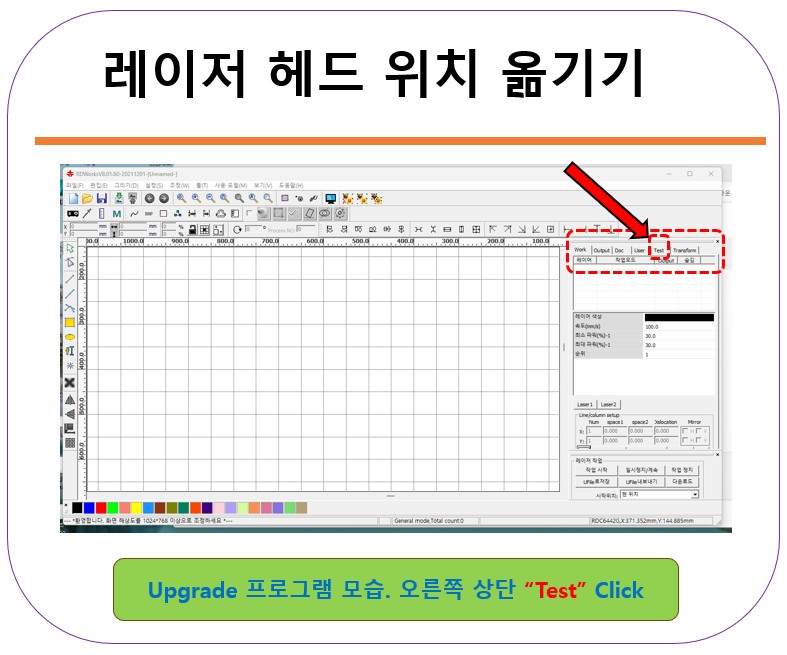
- If you are using a Chinese laser cutter, upgrade to RD Works V8 for free — older versions lack the feature to move the head to a specific location via X, Y coordinates
- Do not choose a machine based on price alone — there are significant differences in cost-effectiveness and features between German, American, and Chinese models. Understand the camera cutting workflow before deciding
- Market Trend → Due to falling smartphone case margins, UV printing companies are moving to the “goods” market, making in-house laser cutting a standard
- Camera Cutting Workflow → Load the Crop mark + Cutting line file in RD Works; the CCD camera recognizes the Crop marks on the print before cutting
- RD Works V8 Upgrade → The free upgrade adds X, Y coordinate input functionality; highly recommended for users of older versions
- Equipment Choice → The key is whether the camera cutting feature is included, regardless of the brand. Understanding the principle makes equipment comparison easier
Most Chinese laser cutting machines use the RD Works program. Today, I will explain how to perform Crop mark cutting in RD Works.
I. Why Laser Cutters were Introduced to the Goods Market — How to Use Laser Camera Cutting
1. Smartphone Case Transfer and UV Printing
Until the early 2010s, smartphone cases were printed with Mimaki small UV printers, but it wasn’t widely adopted because the ink dots were coarse.
1_1. Around the same time, an Italian company implemented smartphone case printing via heat transfer after printing on film with Epson printers.
- Despite the cost of film and ink and the inconvenience of manual heat transfer,
- it was chosen by most manufacturers because the ink dots were invisible and the output was smooth.
1_2. However, with the release of the Roland UV Printer featuring fine ink dots,
- The market split into two.
- High-priced cases were made via heat transfer,
- While affordable cases were produced via UV printing.
1_3. As the market grew, production shifted toward UV printing over heat transfer.
- Heat transfer made mass production difficult due to color variations caused by temperature.
- With the emergence of low-cost transfer equipment, smaller production companies increased, intensifying competition and lowering case margins.
- Heat transfer couldn’t match the production costs, so UV printing became the more popular trend due to its lower cost.
1_4. Even the UV printing market became highly competitive.
- Print margins dropped significantly compared to the early days, reducing overall profitability.
- For this reason, companies with UV printers began looking for markets other than smartphone cases.
2. Unfamiliar “Goods” Products
2_1. Shifting Market Items
- “Keychains, small celebrity memorabilia, Japanese anime character products”
- I saw these often at exhibitions and wondered, “Does this actually make money?”
- What seemed insignificant to a casual observer turned out to be a “Great Opportunity” for those who were prepared.
- At some point, the main item for UV Printers shifted from “Smartphone Cases” to “Goods.”
2_2. The Emergence of Camera Cutting Features
- Until 2017, Japanese machines were the only small UV printers that could achieve high-quality output.
- Since most companies found the high cost of Japanese printers a burden, they often outsourced acrylic cutting instead of buying their own laser cutters.
- At the time, almost no laser cutters had Crop mark cutting features, so aligning the origin of the printed acrylic was a skill in itself.
- Because of this barrier, many UV printer users didn’t consider adopting laser cutters.
- However, as German machines equipped with camera cutting features were distributed, the technical barrier disappeared.
- Despite the high price, UV printer users began buying German laser cutters to handle post-processing in-house.
2_3. Introduction of Chinese Laser Cutters Following German Machines
- Chinese UV printers began to spread in 2017, and with their good cost-effectiveness, many companies now use them for goods production.
- As Chinese laser cutters with camera cutting features also emerged,
- The market share of American machines dropped, and German machines began to be seen as “too excessively priced” compared to Chinese alternatives.
- Just as the market share of Chinese UV printers rose, the share of Chinese laser cutters has also steadily increased.
II. RD Works Camera Cutting Feature — How to Use Laser Camera Cutting
1. Laser Cutter Camera Cutting Training Video
- For reference, our company specializes in UV Printers.
- While we do sell laser cutters, this post is not intended as an advertisement.
- However, understanding “how Chinese equipment works” before purchasing will help you make a better judgment regardless of whether you choose an American, German, or Chinese machine later.
- In the video below, if you watch from 3:00, you can see exactly how camera cutting works and how to perform it.
- If you know how to operate a UV printer, learning the camera cutting feature is relatively easy.
- Laser RD WORKS CCD Camera Cutting Training Video
-

How to Use Laser Camera Cutting
2. From Downloading RD Works V8 Upgrade to Installation
- If you have a Chinese laser cutter without a camera cutting feature, please upgrade to the latest version.
- Older versions lack the functionality to move the laser head to a specific position by entering X, Y coordinates.
- However, the newly upgraded version allows you to move the head precisely by inputting the coordinates.
- The upgrade program is free.
- From Downloading RD Works V8 Upgrade to Installation
-
How to Use Laser Camera Cutting
III. ARTJET UV Printer
