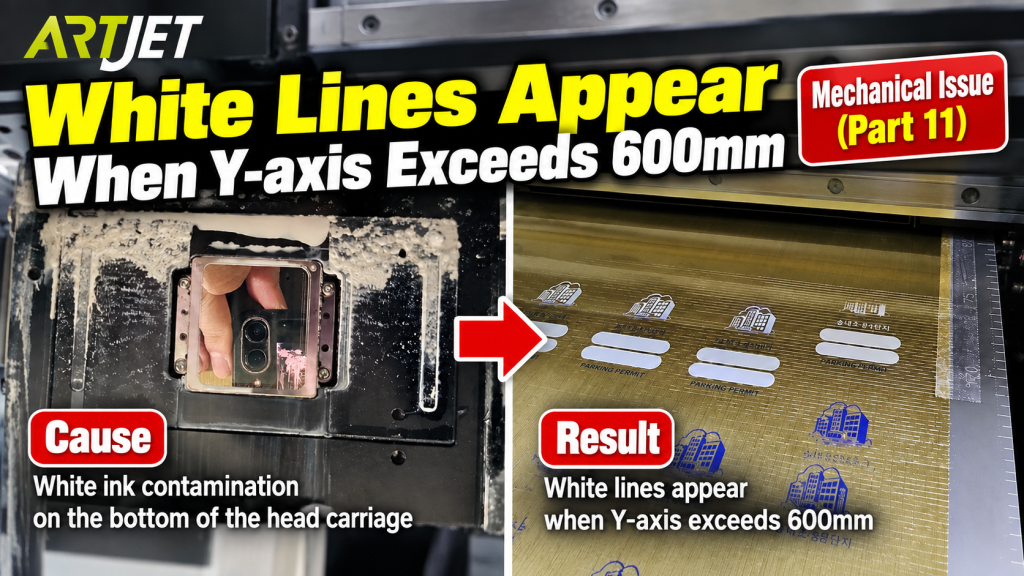
- Anyone whose printer starts printing normally but white lines appear once the Y-axis passes 600mm
- Anyone whose problem persists even after cleaning the print head itself
- Anyone getting repeated streaks in a specific zone when bidirectional printing at large sizes (e.g. 600 x 900)
- Anyone unsure how to inspect the underside of the head carriage
- Anyone suspecting the issue is related to height variance across the flatbed
- Cleaning the print head itself and inspecting the head carriage underside are two separate tasks. Cleaning only the head while missing the carriage underside can let the problem recur.
- To inspect the head carriage underside, raise the head height to 100mm and use the arrow buttons to move it sideways so you can see it clearly.
- Wipe any contaminated area with a soft cloth, but use a separate cloth from the one used on the print head itself.
- Machines with height variance across the flatbed may show the problem repeating only in a specific zone — check the height of the zone where the streaks appear.
- White lines only in a specific Y-axis zone (past 600mm) → suspect contamination on the head carriage underside before the data or the head itself.
- How to check: raise the head to 100mm → move it sideways with the arrow buttons → visually inspect the carriage underside.
- Dust or dried white ink residue on the carriage underside can drag across the print at pass intervals, appearing as streaks.
- Clean the head carriage underside at least once a week, using a cloth separate from the one used on the head itself.
White lines appear when the Y-axis exceeds 600mm — head carriage underside contamination
I. Symptom — White lines appear when Y-axis exceeds 600mm
At a consumer site, the printer initially prints normally, but white lines begin to appear once the Y-axis passes 600mm.
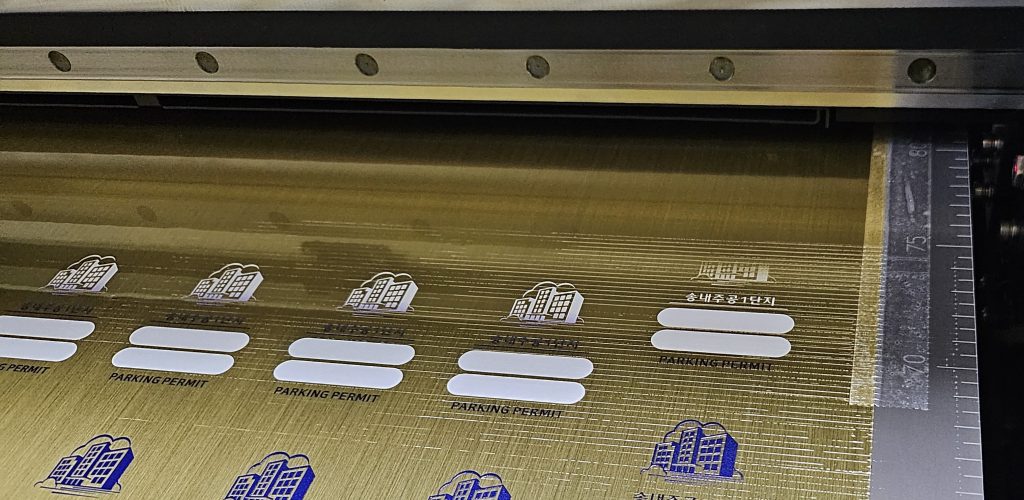
II. Cause and Resolution — White lines appear when Y-axis exceeds 600mm
1. Cause Estimation
When we first saw the photo, we suspected abnormal data.
If the data itself is abnormal, the cause can be complex:
- The head carriage board itself,
- the print head itself,
- the data cable itself,
- or the software itself.
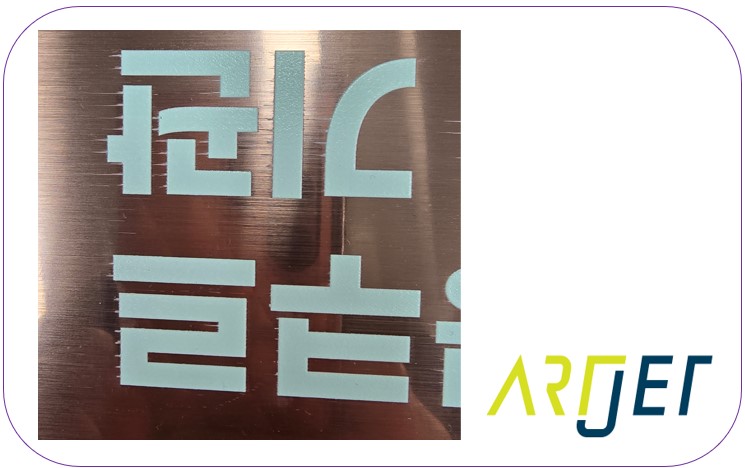
However, as with a similar case below, the white lines appeared at consistent intervals.
This matched a pattern we had seen before, in an earlier case where a white line appeared at the end of the printed page.
2. Resolution
The company’s team leader was printing bidirectionally at the full 600 x 900 size, and there was a height discrepancy across the entire flatbed.
We determined that the zone producing the white lines was slightly higher than other areas.
We suspected the issue wasn’t with the print head itself, but rather with the underside of the head carriage — either heavily contaminated or coated with white residue, causing white streaks to appear at pass intervals.
“Could you please check the underside of the head carriage?”
“I already cleaned it.”
“Not the head itself — the entire underside of the head carriage.”
“How do I see it?”
“Raise the head height to 100mm, press the arrow buttons to move it sideways, and you’ll be able to see the underside.”
Then, we received a photo:
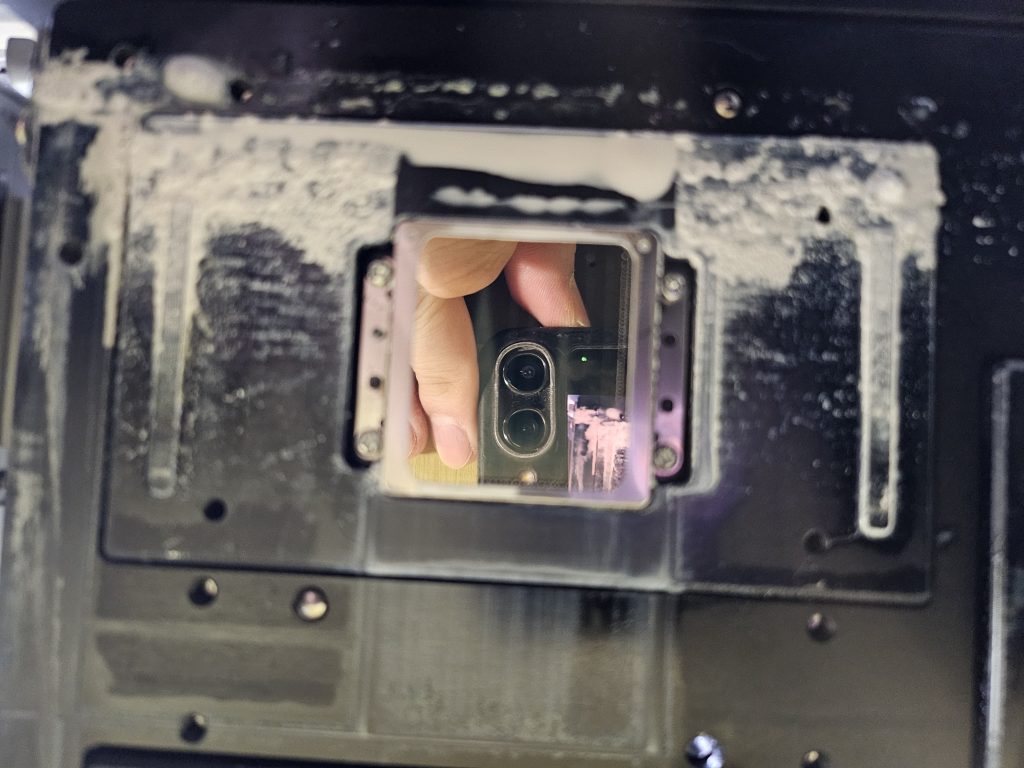
“Please wipe the contaminated areas with a cloth.”
“Okay, how often should I clean it?”
“Aside from the head itself, please clean the head carriage underside once a week.”
“Okay, understood.”
IV. ARTJET UV Printer
