
- The X-axis start position keeps drifting further as printing progresses
- No double image, but data prints incorrectly in a specific zone along the X-axis
- Reinstalling the software or RIP software did not fix the problem
- You want to check whether the liner scale is contaminated
- Do not replace the board or liner scale reader before trying a liner scale cleaning first — these are costly parts
- When cleaning the liner scale, use a lint-free cloth first — alcohol may erase the scale markings
- Use alcohol only if the cloth does not work, and make sure you have a spare liner scale before proceeding
- Confirm the correct X and Y axis directions before assessing the symptom — a mix-up can lead to unnecessary work
- X-axis start position drifts during printing → suspect liner scale contamination or liner scale reader failure
- Step 1: Wipe liner scale with lint-free cloth → Step 2: If not resolved, use alcohol → Step 3: Replace liner scale reader
- Printing the ARTJET test image makes the problem zone immediately visible and speeds up diagnosis
- Software reinstall, RIP reinstall, and board replacement are not effective for this symptom — follow the correct order
I. Symptom — X-Axis Start Position Keeps Shifting
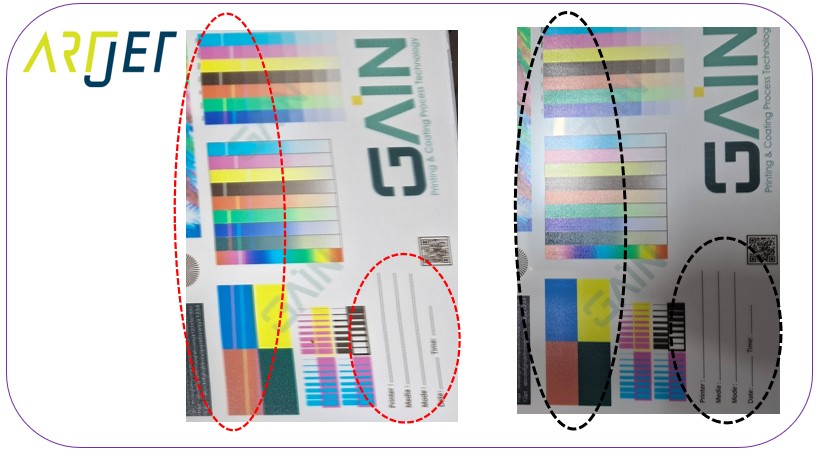
These are photos received from a customer with an active issue.
Looking at the photo below, the printer’s X-axis rail was visible at the top — which led me to initially assume that horizontal = X-axis and vertical = Y-axis.
The discolored area in the middle of the image appeared to run along the X-axis direction, so I suspected ink dropout during printing.
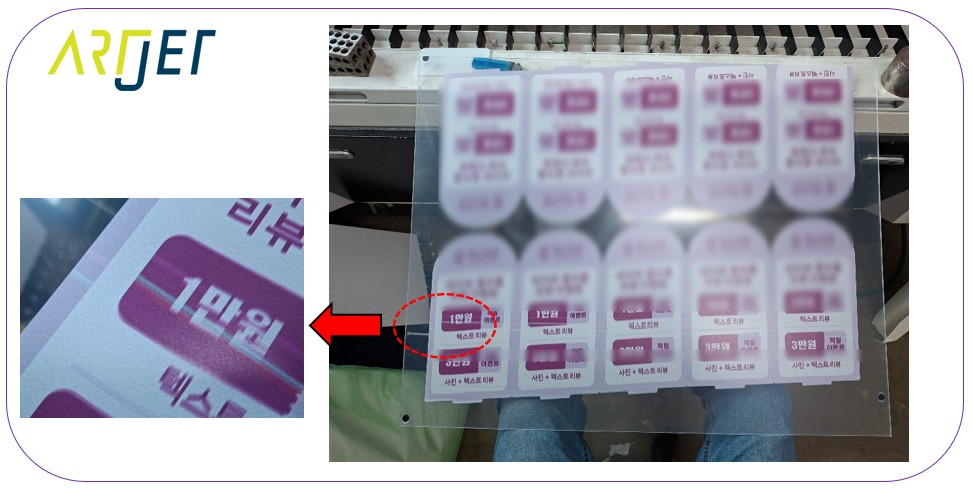
Due to this X/Y axis confusion, several unnecessary steps were taken.
- Assuming the X-axis start point was fixed and the issue was horizontal misalignment along the Y-axis,
- the software was reinstalled from scratch, and the RIP software was also reinstalled — neither resolved the issue.
- At one point, replacing the board was even considered.
After these attempts, the X and Y axes were properly identified, and reviewing the symptom again:
- If the liner scale were the issue, double images should appear — but there were no clear double images (initially mistaken for bidirectional pin value misalignment).
- For liner scale contamination causing double images, click here to see the reference image directly.
- Since double-printed areas were minimal throughout the image, the bidirectional pin value was suspected — but
- the X-axis start position continuing to shift outward as Y-axis printing progressed made no sense under that theory.
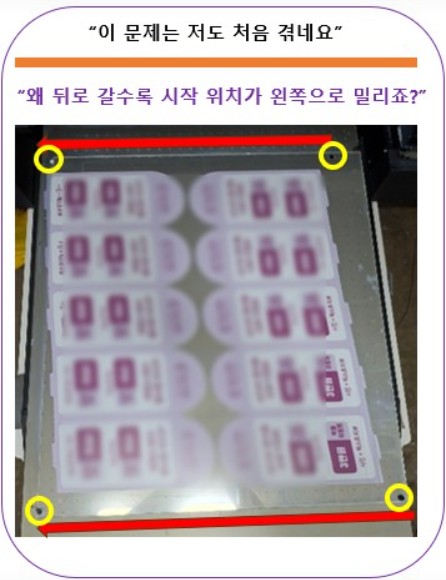
II. Cause and Resolution — X-Axis Start Position Keeps Shifting
When delivering equipment, we leave a test image on the desktop of the customer’s system.
When a problem occurs, customers typically send only a photo of the defective print —
- which alone makes it very difficult to identify the cause.
- All we could determine from the customer’s image was that the X-axis start position was drifting to the left during printing.
- The customer was repeatedly asked to print the ARTJET test image that had been left on the desktop, but the response was: “I’m quite exhausted at the moment — I’ll send it over a bit later.”
- Without that image, there was no way to narrow down the cause. It was a frustrating wait.
The test image finally arrived much later — and the cause became clear almost immediately.
- The image showed data printing incorrectly only within a specific zone along the X-axis.
- This can occur when the head carriage is unable to detect its own current position.
- In other words, either the liner scale is contaminated, or the liner scale reader is malfunctioning.
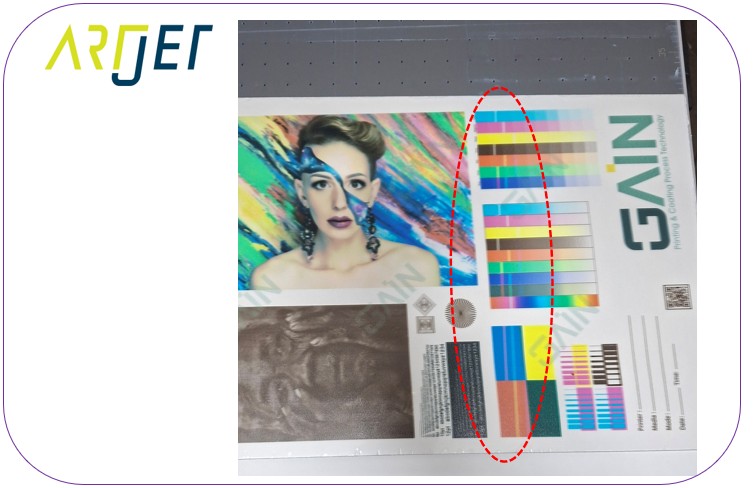
This was handled via video call, so no photos are available.
Since replacing the liner scale reader is not straightforward, we started with the simpler step — cleaning the liner scale.
While guiding the customer through the cleaning process on the video call, we were able to see the liner scale directly —
and in a specific zone, white ink overspray had settled on the transparent liner scale, turning it cloudy and nearly opaque.
“Please wipe the liner scale with a lint-free cloth.”
“It doesn’t look like it’ll come off easily — it’s ink contamination. Should I use alcohol?”
“Alcohol could erase the scale markings, so try the cloth first. If that doesn’t work, go ahead with alcohol — at that point it’s already unusable anyway.”
“Do you have a spare liner scale on hand?”
“Yes, we have one. I’ll proceed and let you know if we need a replacement.”
A KakaoTalk message came in shortly after:
“No matter how hard I wiped, it wouldn’t come off — so I just went ahead and scrubbed it with alcohol. It’s printing normally now.”
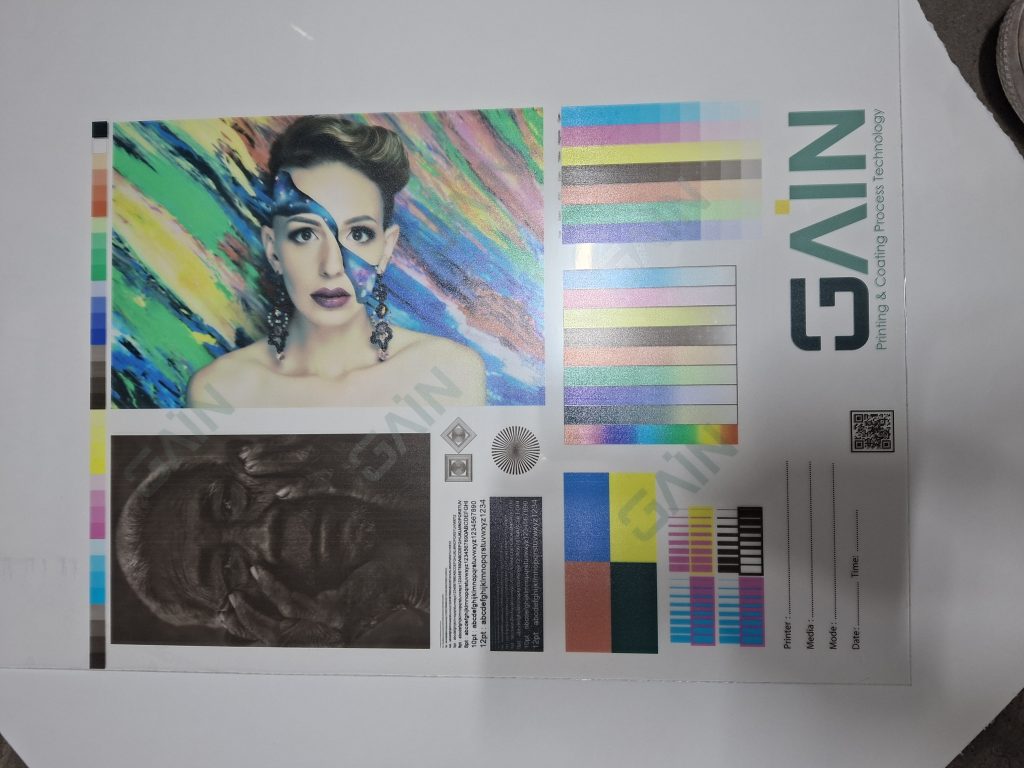
Comparing with the earlier image:
- The data dropout zone was gone — and the bidirectional pin alignment also came back correctly.
IV. ARTJET UV Printer
