
- You see a “Security key not found” error when launching Flexi RIP
- Your USB Dongle (Lock key) is plugged in but not being recognized
- Your RIP program suddenly stopped working after a Windows update
- You need to quickly determine whether the issue is with the machine or the PC
- This issue is almost always a PC or USB recognition problem — not a printer issue
- Repeatedly unplugging and reinserting the Lock key can worsen contact issues
- A SafeNet Sentinel driver conflict is also possible — check in order before assuming hardware failure
- Whether the LED on the Dongle is on or off is the fastest first-step diagnostic
- Over 80% of “security key not found” errors are caused by a faulty USB port
- If the Lock key LED is off → try a different USB port first
- If the LED is on but still not recognized → likely a driver issue
- Many users assume it’s a machine problem — it’s almost always the PC
Flexi RIP Security Key Not Found
I. A Call from a Customer — Flexi RIP Security Key Not Found
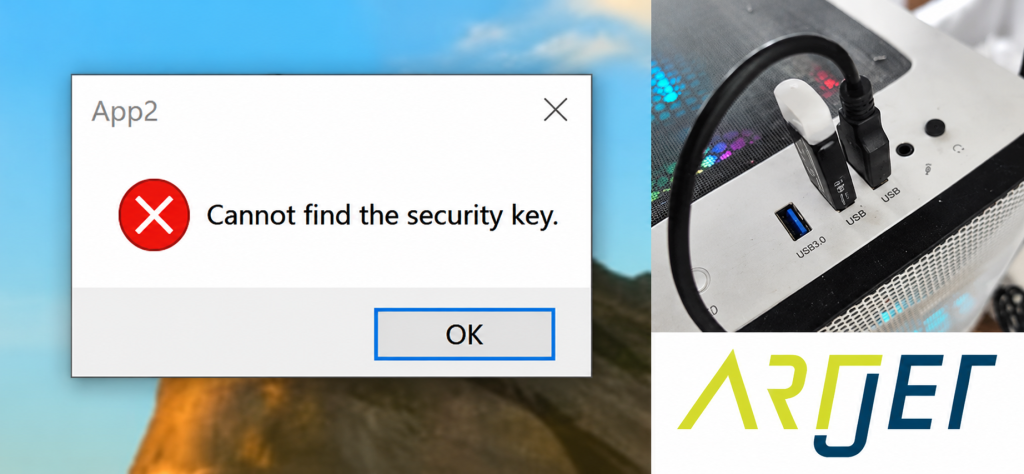
A call from a customer
A shop owner contacted us saying that Sai Flexi RIP had been working perfectly until last week — but suddenly stopped working that morning.
- The RIP Lock key was still plugged into the PC as usual.
- The customer had recently purchased our printer after using a competitor’s machine, and had carefully tuned the color adjustment graph to match their existing product colors. They were understandably worried that all those settings might be lost.
- For reference, fine color adjustment in Sai Flexi RIP is covered here: Can a Chinese UV Printer Match the Color Output of a Japanese Machine Using Flexi RIP?
The customer’s voice was heavy when we first spoke.
“I’ve restarted the computer and the machine several times… nothing works. I’m at a loss.”
“This is a RIP software issue — it has nothing to do with the printer itself. All RIP software is registered online, and without the security key, it simply won’t run.”
“The USB Lock key you gave me is still plugged in. I don’t know what to do.”
II. Solution — Flexi RIP Security Key Not Found

The customer sent us a photo of the PC with the Lock key plugged in.
- As shown in the red dotted box, the Sai Flexi RIP Lock key is visible.
- Under normal operation, the LED on the Dongle should be blinking — but in this case, there was no light at all.
- A Windows update can sometimes cause this. If that’s the case, refer to this article: (Sai Rip Dongle USB Not Recognized — SafeNet Sentinel Driver Conflict Fix After Windows Update)
- The Lock key itself may also be physically damaged.
- Or the USB port on the computer may have failed.
“Could you try plugging the Lock key into a different USB port and check whether the LED comes on?”
“Oh — the light is blinking now. It’s on!”
“Great. Now try launching the RIP software again.”
“It’s working now!”
The root cause was a failed USB port on the PC where the Lock key had been plugged in. Switching to a different USB port resolved the issue immediately.
IV. ARTJET UV Printer
