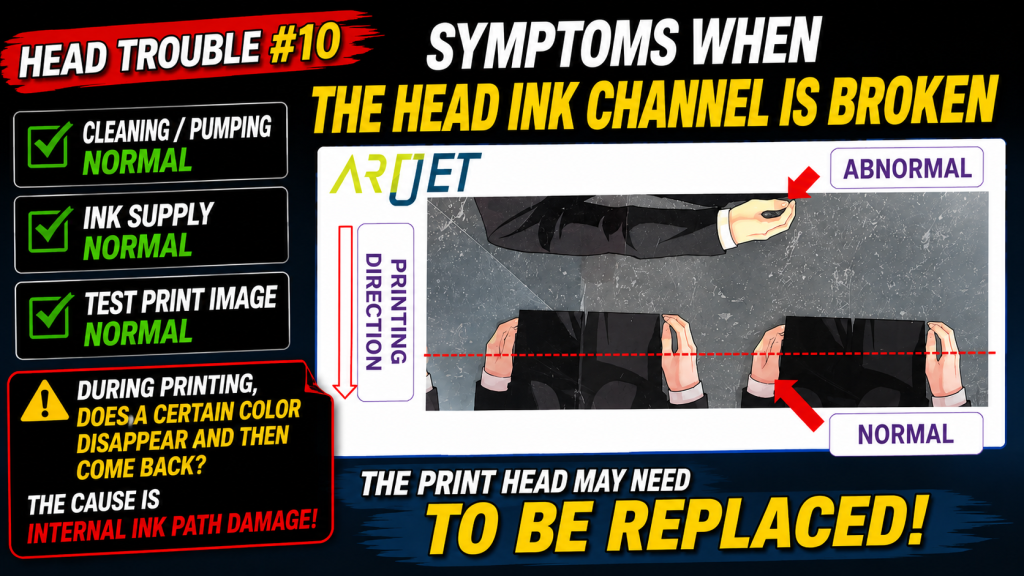
- Cleaning and pumping look normal, but a specific color drops out during printing and later comes back
- You need a clear decision guide before replacing a head — is it an ink supply issue, or an internal head issue?
- Cap top and damper replacement didn’t solve the problem
- This post is based on a real field case. Identical symptoms can have different causes
- Excessive cleaning or aggressive syringe suction can worsen print head damage
- Results can vary depending on temperature/humidity, ink condition, and operating habits
- When lifting the head, it may tilt and leak ink — keep a cloth ready before you start
- If cleaning/pumping is normal, damper ink supply is normal, and the test image prints fine — but a specific color still drops out and recovers during real production — a cracked internal ink channel is likely
- In most such cases, head replacement is required
- Ink beads spread across all nozzles of one channel → suspect damper lifespan. One ink color spread across the whole head surface → suspect a cracked internal channel
- If the test image contains little red/magenta content, it may print cleanly even when the underlying issue is still present
- Ink supply issues (including cleaning/pumping) were recently updated.
- If your printer uses dampers, many cases can be solved via the link below.
- This is a 23-post index with photos.
- ARTJET 2026: Cleaning Troubleshooting (23 Posts)
- Part 1: Symptoms & Fix When a DATA Cable Is Contaminated by Ink
- Part 2: 17 Stored Used Heads: How Many Worked After Alcohol Cleaning & What Errors Appeared
- Part 3: A Specific Color Prints Abnormally During Printing
- Part 4: How to Handle Reflective Materials + a More Dangerous Cause That Can Clog Nozzles
- Part 5: Real Case: Reviving a White Head Not Used for One Month
- Part 6: Symptoms When a Printhead Reaches End-of-Life and How to Swap Heads
- Part 7: Why Banding Appears Only on Certain Solid Colors + Tips to Reduce It
- Part 8: A Case Where a Color Still Didn’t Print Even After Replacing the Head
- Part 9: Print Motion but No Ink Output
I. Symptoms — Symptoms of a Cracked Ink Channel Inside Print Head
The customer mainly produces acrylic goods and prints in a Color → White → Reverse workflow.
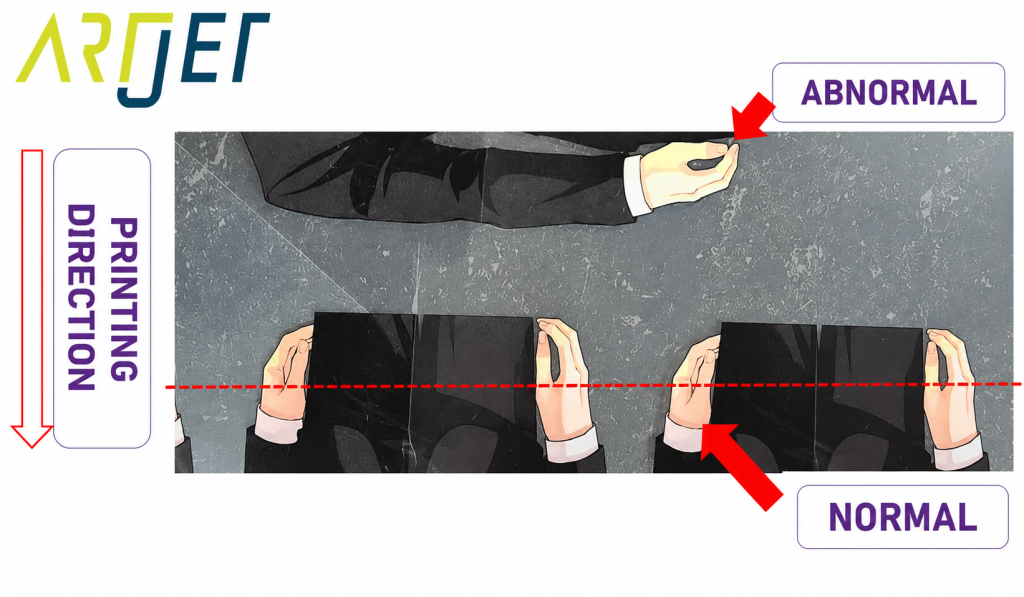
On the “abnormal” marked area, the color first appears yellowish. As printing continues, the tone gradually returns and looks normal with a reddish tint.
In short: Magenta does not fire at the beginning, then recovers and prints normally as the job continues.
A similar-looking case had come up before — ink dropping out mid-print — for which we shared a reference fix. This case wasn’t identical, though, so that fix didn’t solve it.
II. Inspection & Diagnosis — Symptoms of a Cracked Ink Channel Inside Print Head
Since ink supply issues were possible, we checked the following first. Everything was normal:
- After cap top replacement: cleaning & pumping confirmed normal
- Because the issue involved red tones, we removed the Magenta / Light Magenta dampers and pulled ink with a syringe → ink flowed normally with no bubbles
Conclusion: This was not an ink supply problem.
To check data-side behavior, we printed a test image as well. It printed cleanly without ink loss.
Note: If the ARTJET test image contains little red/magenta content, it may look normal. Jobs with heavy red/magenta areas can still show the original dropout symptom.
The XP600 head’s official model name is FA1080-a1. It’s an entry-level head with a relatively short lifespan.
The machine had been used for about 1 year and 6 months, which is a relatively good run for this head class.
During replacement, as we loosened the bolts and lifted the head, it tilted slightly to the side. At that moment, red ink appeared and pooled from the tilted area.
We judged that a Magenta or Light Magenta ink channel inside the head had cracked, so the head could not hold the ink and it simply leaked out.
After installing the new head, we reprinted the problem image and the issue disappeared.
Quick Visual Rules After Printing
- Ink beads appear across all nozzles of a specific channel (out of 6 channels) → suspect damper lifespan, replace dampers first
- A single ink color spreads across the entire head surface → possible cracked internal ink channel
This case matched the second pattern, so head replacement was required.
IV. ARTJET UV Printer
