
- Users experiencing overlapping image output in the X-axis direction during UV printer printing
- Users with irregular print errors where some sections print normally while others show double printing
- Maintenance personnel who need to determine whether the issue is caused by the electronic board or mechanical components
- Anyone who wants to understand how head carriage position recognition works and the role of the liner scale
- The liner scale is an extremely thin film — wiping it hard with a rough cloth or alcohol can cause damage
- If the liner scale graduations are scratched or damaged, the sensor will fail to read the position and print errors will repeat
- During maintenance work, ink splashing onto the liner scale can contaminate the graduations — always protect it during any service work
- If the issue is physical damage rather than contamination, the liner scale must be replaced, not cleaned
- If double printing in the X-axis occurs only in specific sections, liner scale contamination is likely
- The head carriage reads the liner scale graduations to determine its current position
- If the graduations are obscured by dust or foreign matter, position recognition fails and images overlap in the output
- The first step is to clean the liner scale with a soft cloth. If it’s damaged, replacement is required
I. Symptom — Double Printing in the X-Axis Direction
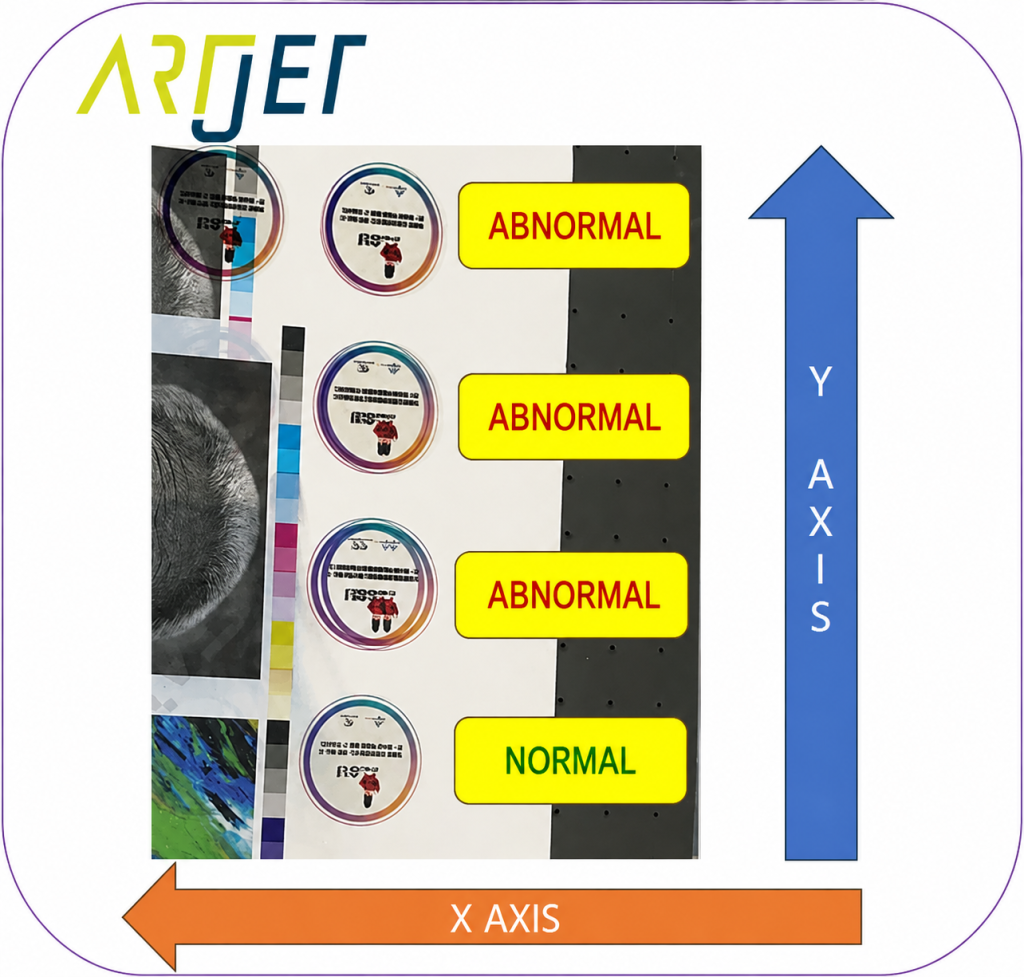
As shown in the photo below, the issue appears as overlapping print output in the X-axis direction.
Some sections print normally, while other sections show the image overlapping in the X-axis direction.
The pattern is irregular.
II. Cause & Solution — Double Printing in the X-Axis Direction
The X-axis liner scale was wiped with a soft cloth, and during the process, what appeared to be a thread-like fiber was found attached to it.

Printing was performed again after cleaning, and the output was normal as shown below.
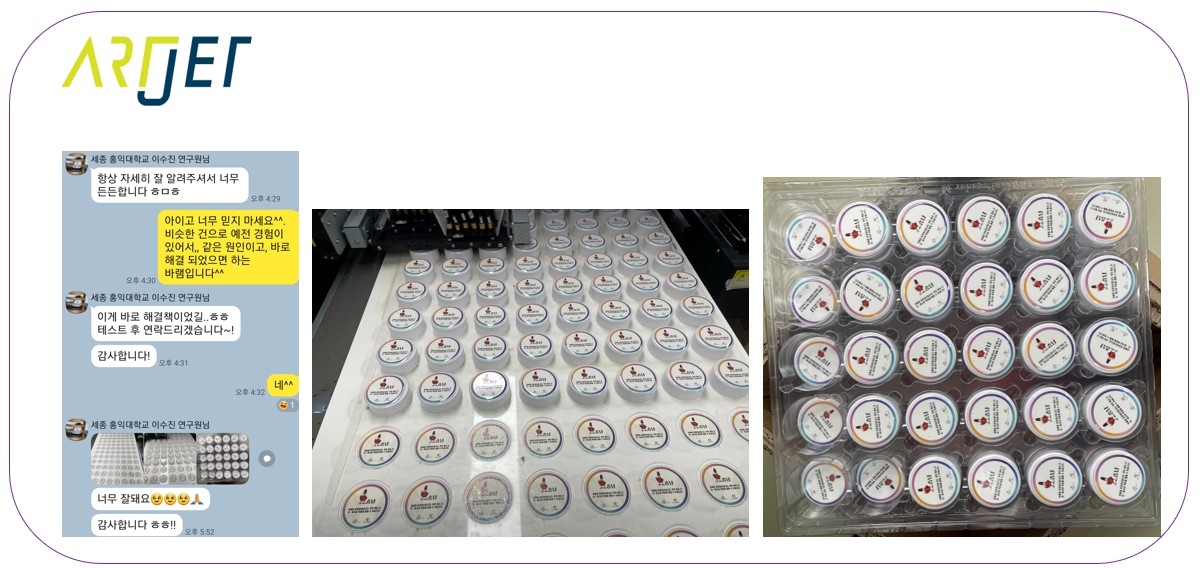
The cause of the problem is explained below.
- The thin film that was wiped with a soft cloth is called the liner scale
- Although invisible to the naked eye, the film contains a large number of fine graduation marks
- On the back of the head carriage, there’s a liner scale reader that reads these graduation marks
- When printing, the reason ink is ejected at exactly the right position along the X-axis is that the liner scale reader continuously reads the liner scale to detect the carriage’s current position
- However, if the graduation marks on the liner scale are obscured by dust or other contaminants, the liner scale reader can no longer detect its current position
- The head carriage continues to move by inertia, but having lost its positional reference, it ejects ink at incorrect positions
- As a result, some sections print normally while other sections have image data ejected at the wrong position, causing double printing in the X-axis direction as shown in the photos above
If some sections in the X-axis print normally while others show double printing, a specific section of the liner scale may be contaminated. Wiping the liner scale with a soft cloth is the first solution to try.
However, in the following cases, the liner scale must be replaced:
- When the liner scale graduation marks are physically damaged by a sharp object — not contamination
- When the liner scale is contaminated with ink and the ink cannot be removed no matter how carefully it’s cleaned
For these reasons, always take care when placing or removing materials on the flatbed to avoid damaging the liner scale. During maintenance work such as replacing dampers or the cap top, be careful to prevent ink from splashing onto the liner scale.
IV. ARTJET UV Printer

핑백: Double Printing in the Y-Axis Direction — Electronic Board / Software Issue (Part 7) ARTJET 2025