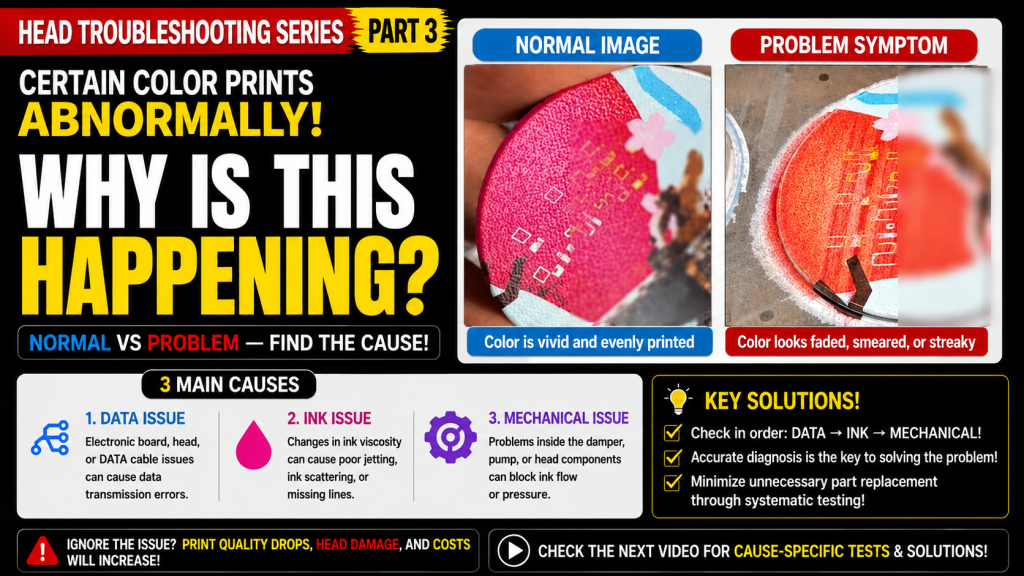
- Anyone whose reliable color suddenly starts printing wrong one day
- Anyone whose nozzle pattern looks fine, but one specific color bleeds or prints blank
- Anyone unsure whether the cause is degraded ink, an ink supply problem, or the head itself
- Anyone curious how a channel swap can narrow down the real cause
- Swapping the problem channel with a normal one tells you whether the issue follows the ink or the physical head position
- When unsure whether it’s the head or the DATA cable, always replace the cheaper part first
- Always turn off all power before connecting the electronic board, print head, or cables — connecting them while powered on can damage the head or board in the worst case
- Symptom: Magenta, which had printed fine for over two years, suddenly began bleeding/printing blank (nozzle pattern still normal)
- Diagnosis: Swapped the Magenta and Cyan channels → the problem followed the head position, not the ink → ruled out ink degradation/ink supply
- Action: Replaced the cheaper DATA cable first → no fix → replaced the head → problem resolved
- Lesson: When head vs. DATA cable is unclear, replace the cheaper part first; always power off before connecting cables
- Ink supply
- Problems related to image data, such as the electronic board, head, or DATA cable
- For printers using dampers, troubleshooting can be done through the link below.
- This is a table of contents, with 23 articles, complete with photos and explanations. Click on the link to view the relevant articles.
- Printer Cleaning Problems Part 23 Table of Contents ARTJET 2026
- In the first session, we discussed the symptoms and solutions that occur when a DATA cable becomes contaminated with ink.
- In the second hour, we shared the 17 used heads we had in storage, how many were usable after cleaning them with alcohol, and what errors occurred.
I. Problem Symptoms and Cause Estimation _ Certain Colors Are Printed Strangely
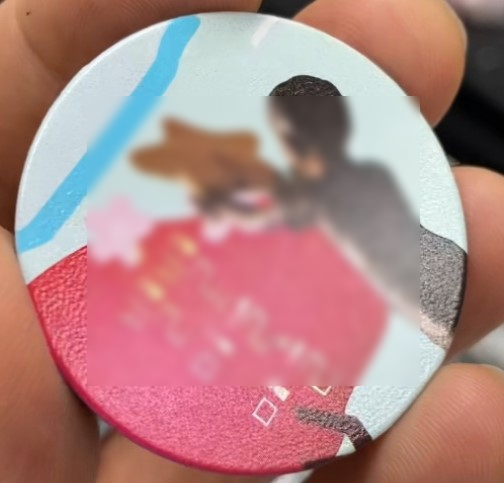
Until last Saturday, the crimson color was printed without any issues, as shown in the photo below.
On Monday, a problem suddenly appeared where the crimson color was not printed properly.
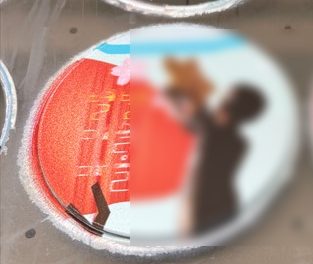
- Since it’s a crimson color, the problem is with Magenta or Light Magenta.
- Looking at the photos, it doesn’t appear to be a nozzle failure, but rather a failure to properly fire ink.
- Compared to a normal image, the color also appears empty in spots or spread out sideways.
There are three main reasons for poor jetting:
- A problem with the electronic board, the head itself, or the DATA cable (a DATA issue),
- Poor ink jetting due to viscosity changes, causing scattering or line dropout,
- Ink not being properly supplied to the head.
II. Finding the Problematic Color _ Certain Colors Are Printed Strangely
- This machine was sold previously, and its nozzle pattern differs from the model currently sold.
- As shown below, the nozzle pattern printed without any problems.
- While the current model can be used to spot data abnormalities to some extent from the nozzle pattern, the older model cannot.
- First of all, there were no clogged nozzles.
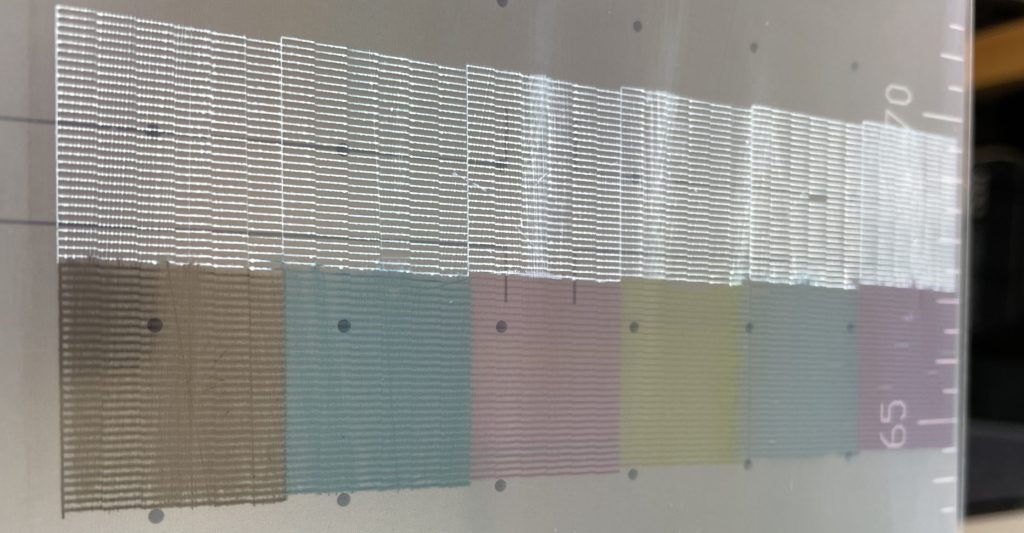
The ARTJET TEST image saved to the desktop upon delivery contains various information.
- Is the offset correct?
- What color is the issue?
- Are the colors displayed correctly?
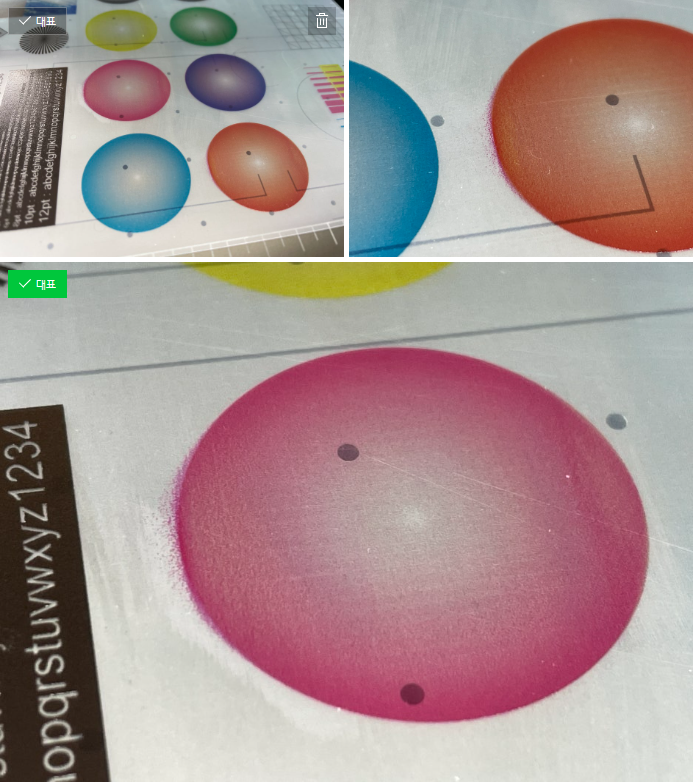
The circle in the bottom photo above is an area printed with only pure Magenta.
In other words, this isn’t a Light Magenta issue — it’s a problem caused by the Magenta ink spreading sideways.
III. Problem-Solving Process _ Certain Colors Are Printed Strangely
- The Magenta ink is scattering, but the DATA is coming through normally, so it’s not a problem with the electronic board — you should check the head or the DATA cable.
- Is the Magenta ink itself deteriorating?
- Or is the Magenta ink not being properly supplied to the damper or head?
There’s a way to check this by swapping the problematic Magenta channel with a clean Cyan channel.
To briefly explain the channel swap method:
- Insert the Magenta damper into the Cyan head channel, and conversely, insert the Cyan channel into the Magenta channel.
- Now, pump out any remaining ink inside the head, then clean.
- Change the order of the Cyan and Magenta channels in the software.
- Then print the previously printed test image.
- You can learn more about this through the link below. While not the exact same case, it explains the channel swap method in detail.
- Solid Color Banding Color Channel Swap Tip ARTJET 2025
The test image results were as follows:
- The problematic Magenta moved to the Cyan position, and Cyan color printed normally.
- However, the previously fine Cyan color began scattering ink once moved to the Magenta position, just as Magenta had before.
- In other words, since Magenta printed normally in the Cyan position, it wasn’t due to Magenta ink degradation or an ink supply issue.
- On the other hand, since the problem occurred once the normally-printing Cyan ink was connected to the Magenta head channel,
- the cause is either a problem with the Magenta position in the head itself, or a faulty DATA cable connection.
If it’s unclear whether the problem is the head or the DATA cable, try replacing the cheaper one first.
- DATA cable issues typically show up as no nozzle pattern at all, or no ink coming out while printing is running.
- While the probability of a DATA cable issue was low, it’s still important to check the cheaper part first, so we replaced the DATA cable.
- However, the problem persisted.
Ultimately, the problem was resolved after replacing the head.
This kind of problem usually has a few possible causes:
- An error could occur at the head’s own DATA connection point,
- an ink channel within the problematic channel inside the head could burst, causing this issue,
- or, simply, that channel could fail due to the head reaching the end of its lifespan.
The company representative made a mistake when replacing the head.
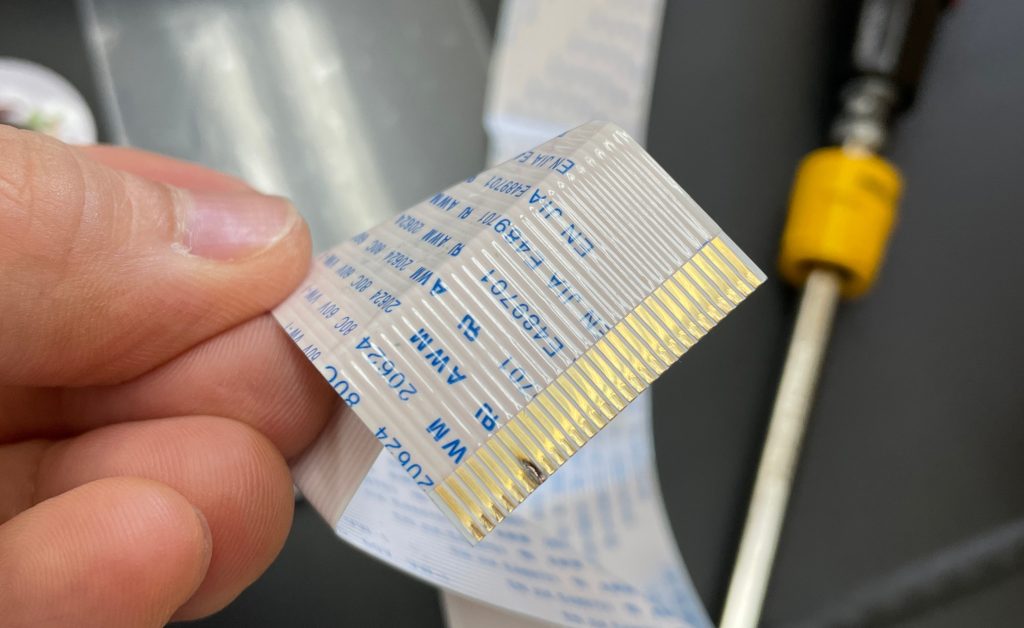
- By mistake, the DATA cable was connected while the power was on, which caused the cable to burn.
- Fortunately, neither the head nor the electronic board was damaged — only the cable was.
- The problem was resolved after connecting a new DATA cable,
- but that was pure luck. Connecting the head while powered on can, in the worst case, damage the head or the board.
V. ARTJET UV Printer

핑백: 12 Problems Related to print head
핑백: Can I print on reflective material _Head related issues 4 _ ARTJET 2026
핑백: Recovering a UV White Print Head After 1 Month Idle (Real Field Case, XP600) _Head related problem 5 _ARTJET 2026
This is exactly the guide I wanted.
thank you so much for your kind comment